We are currently finalizing the implementation of an enhancement to make Authorized Organizations divisible. We expect to release this enhancement in the coming weeks.
Following this change, administrators in the Trustor org will be able to scope the roles for paired users/groups to one or more divisions so that they are restricted in terms of what they can access on their system. This division flexibility is already available for all other users, so this feature simply extends this to Authorized Organizations users and groups.
This article provides an overview of the changes you should expect to see, once this enhancement has been released.
Current Authorized Organizations UI
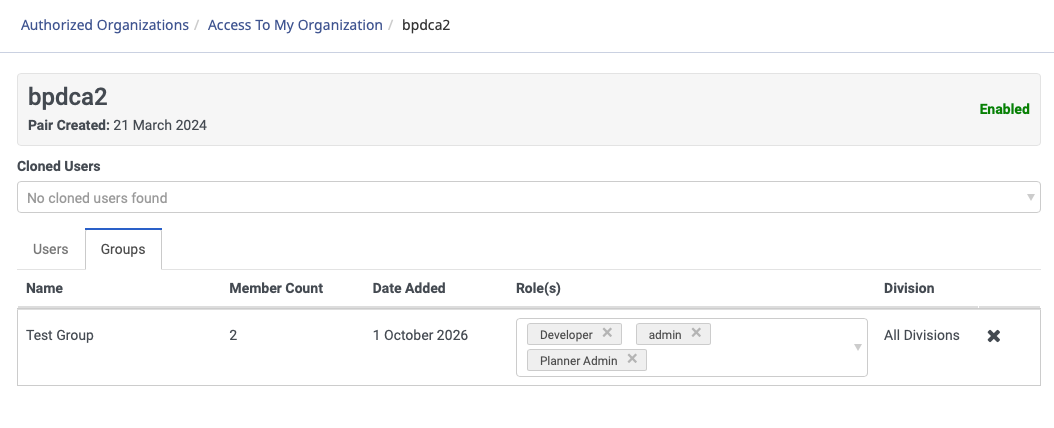
When you access a specific pairing on the Authorized Organizations page, you can see the users and groups that have been included, and you can assign roles, as shown below. However, these roles cannot be scoped to a particular division and are instead scoped to All Divisions. The same paradigm applies to both Users and Groups.
Updated UI
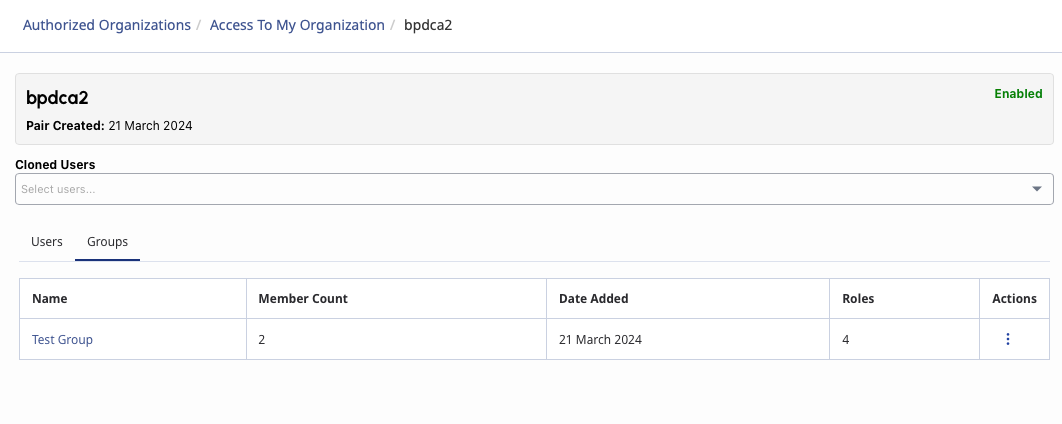
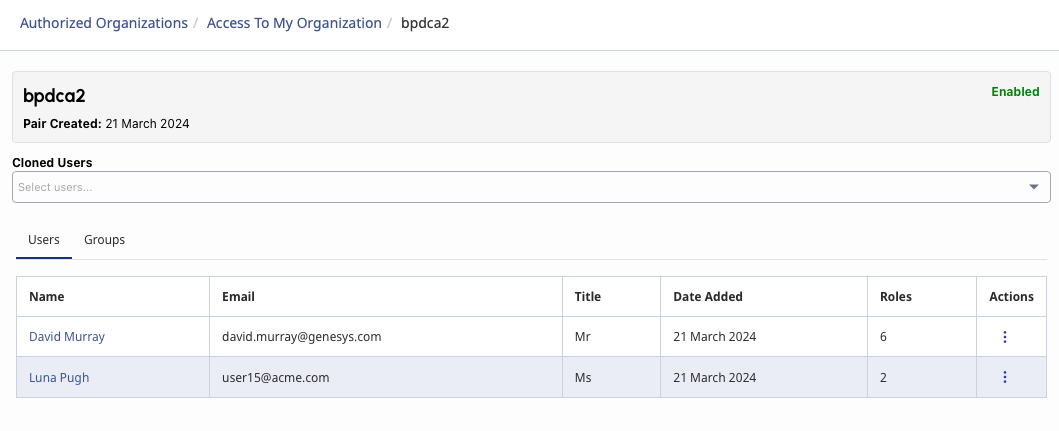
The Authorized Organizations page will be updated to support scoping roles to one or more divisions. Now, when you access a specific pairing on the Authorized Organizations page, you will no longer see the list of roles. Instead, the number of roles will be displayed, as shown below, in the case of Groups:
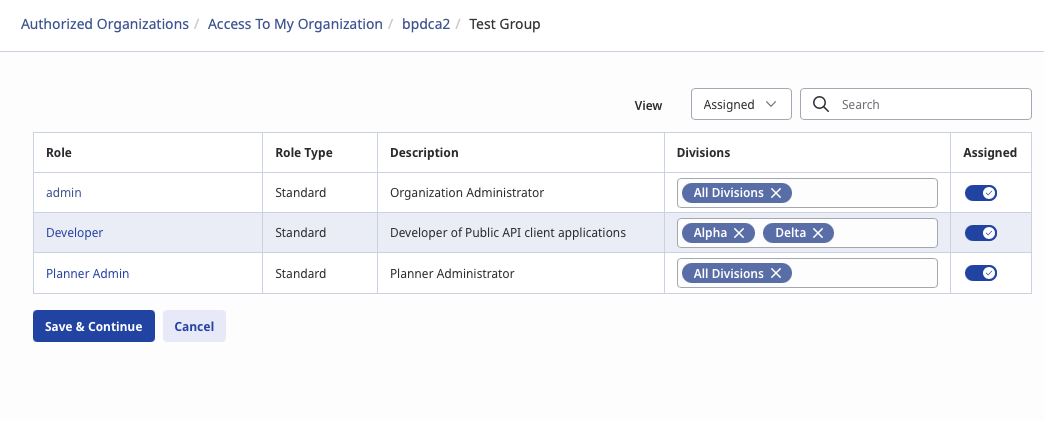
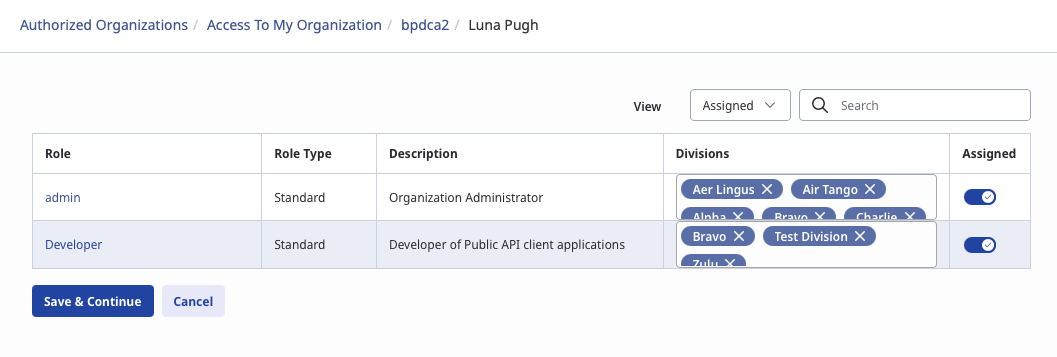
You can then select the Group or edit the Group, via the Actions menu, to see the roles and the divisions, to which the role has been scoped. The default will be All Divisions, as previously, but you can update the configuration to scope the roles to specific divisions and assign or unassign roles, as needed.
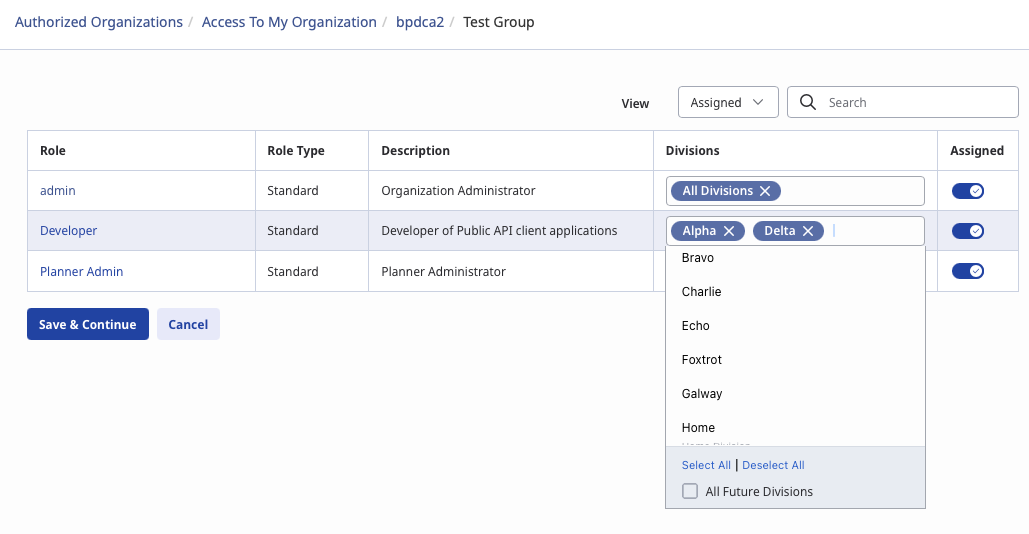
The same updates have been implemented for paired users, so the same paradigm applies for scoping the roles for paired users to divisions:
Some additional changes:
While implementing this enhancement, we have also addressed the following customer-requested ideas:
Alphabetize the list of authorized organizations - Previously the list of pairings on the main Authorized Organizations page was displayed in random order which made it difficult to find a specific pairing. The page has been updated so these are now alphabetized.
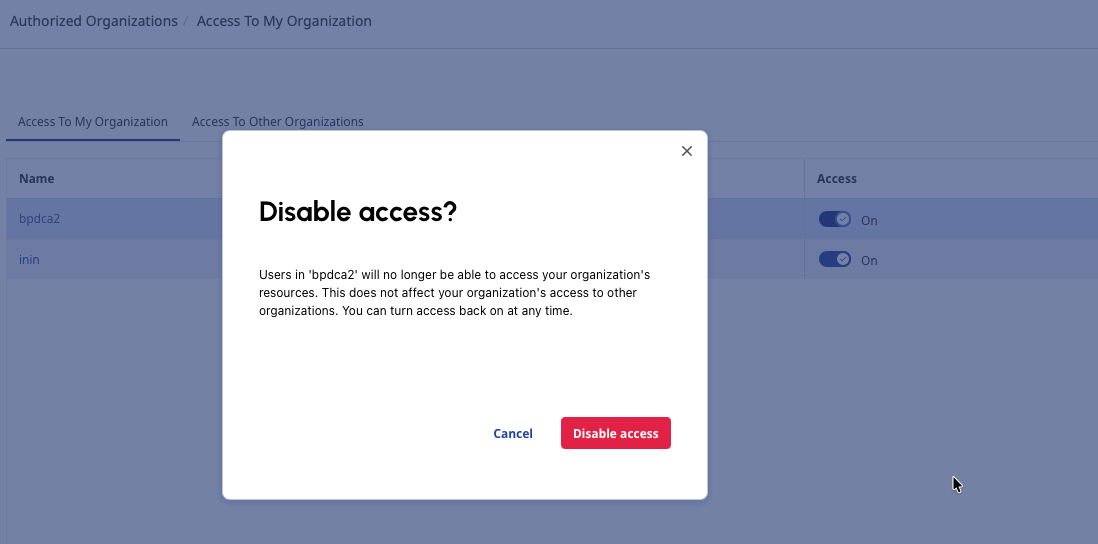
When disabling authorised org pairing, give warning confirmation - To help prevent a user from accidentally disabling the wrong pairing and potentially locking themselves out of the org, a warning dialog is now provided, as shown below:
#Roadmap/NewFeatures#Security#System/PlatformAdministration------------------------------
David Murray
Principal Product Manager
Genesys Cloud
------------------------------