Every interaction in your mobile app presents an opportunity for you to personalize engagement and improve the customer's experience. And that begins with knowing your customer before they ever start a conversation.
That's why we're excited to announce digital user tracking for mobile messaging is now available for iOS and Android, starting with Messenger Mobile SDK 2.5.0. Digital user tracking can now record in-app interactions and connect them with the customer experience in Genesys Cloud, extending native support already available for web into mobile apps, for a more complete view of the customer journey across digital touchpoints.
See More Than the Conversation
A conversation tells you what a customer said. It does not always tell you the customer journey before they reached out.
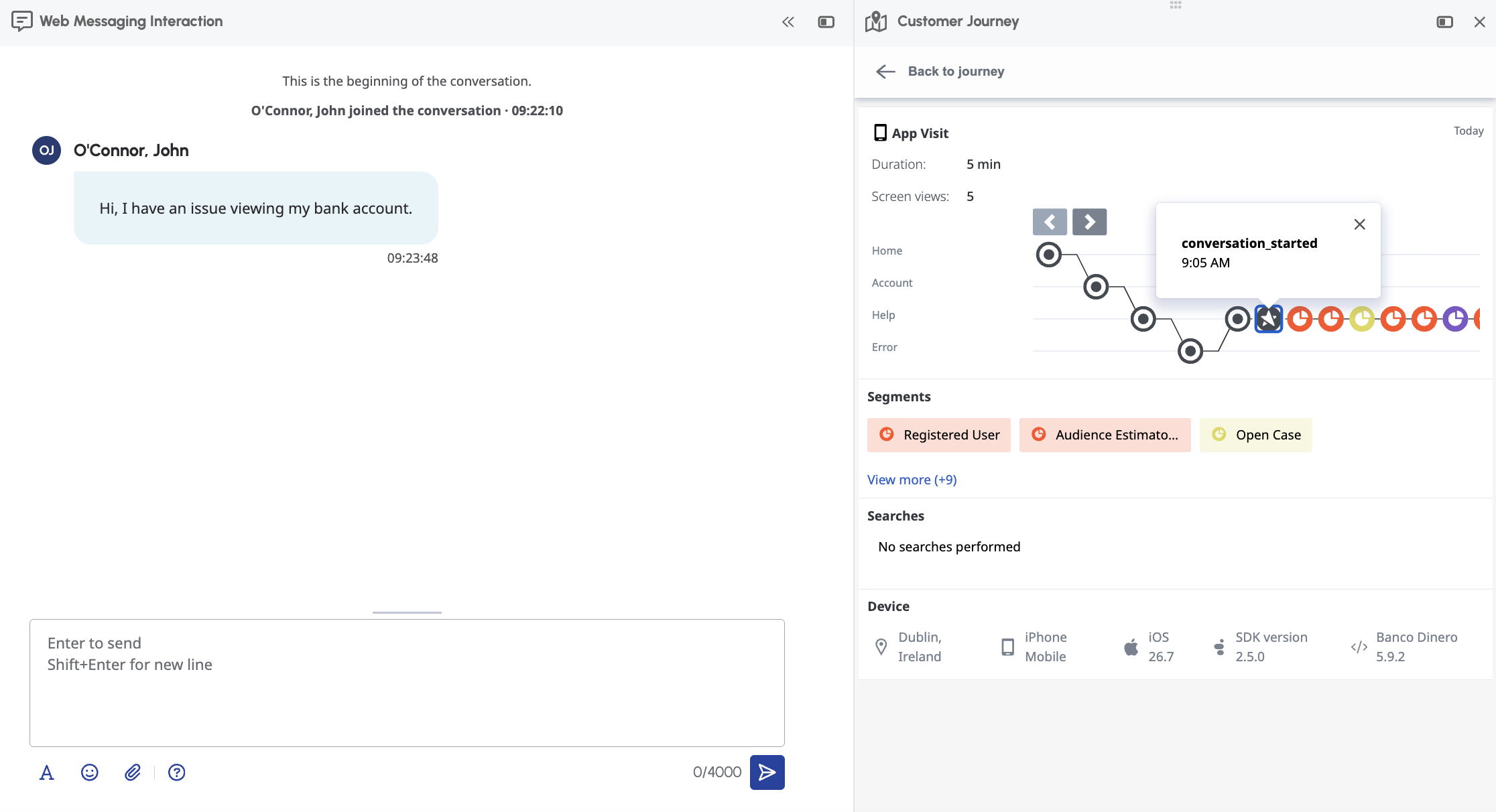
With mobile tracking, your mobile app can send meaningful interactions signaling key user intents to Genesys Cloud in real time, helping connect in-app behavior with messaging conversations. Your agents can gain instant customer insights, directly from their workspace where the conversation happens - providing useful context beyond the message exchange alone.
Built Into Mobile Messaging
Bring messaging and digital user tracking together through a single SDK. If your app already uses the Messenger Mobile SDK for native in-app messaging, digital user tracking is built into the same SDK with no additional artifact to install or separate integration to maintain. Customer journeys, conversations, identity, and push notification registration are automatically linked by the SDK, helping connect mobile interactions into one customer view.
Getting started follows the same model as web deployments: enable digital user tracking in your Messenger Configuration, deploy it, then set up the SDK in your app to capture app events through dedicated methods.
And messaging is optional. You can enable digital user tracking in a Messenger Configuration with or without messaging enabled, allowing you to capture user behavior independently when your use case does not require an in-app conversation.
Capture the Context That Matters
Use the three primary tracking methods offered by the SDK to generate as many app events as necessary for complete customer journeys tailored to your needs, while filtering out redundant user interactions:
1. Screen views: Capture the screens customers view, with optional attributes and contextual information, to build a visual map of their navigation across your app.
2. Searches: Record what customers search for within your application.
3. Custom events: Capture other meaningful interactions and information specific to your business, such as an item added to a cart, including item description and price, submitting a form containing contact details, or selecting an offer.
Connect Activity to Customer Identity
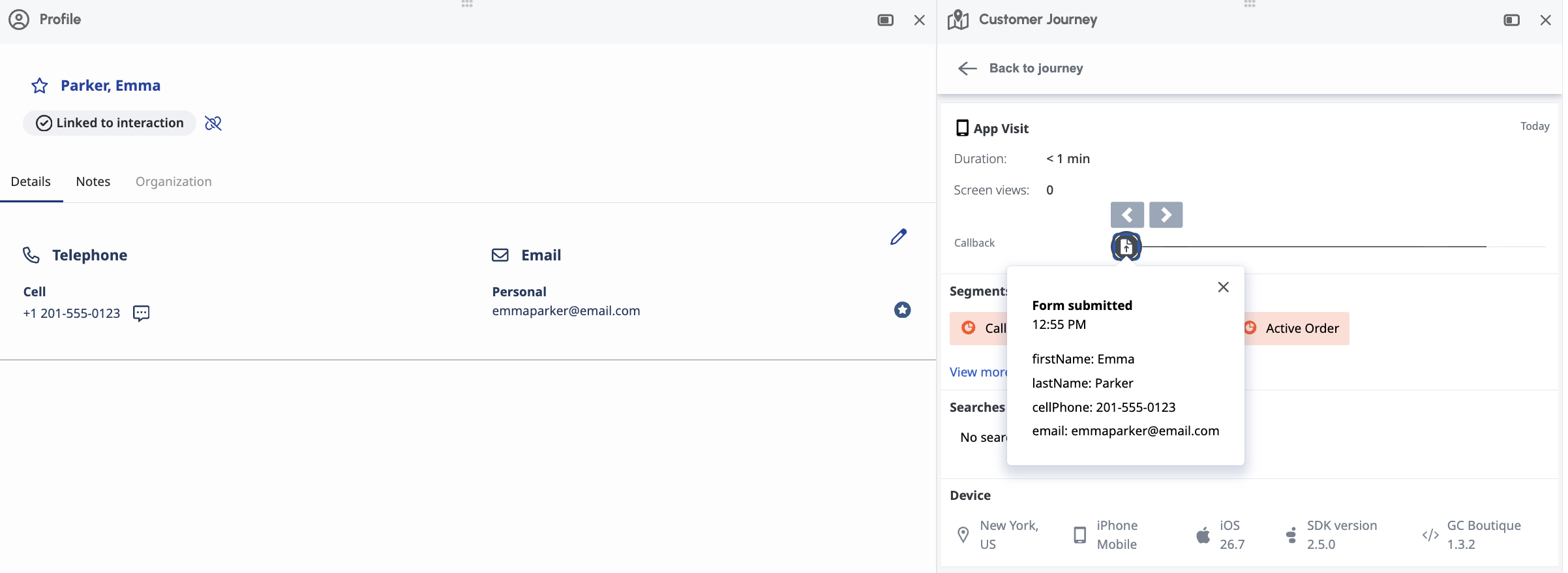
App events can include customer information captured through your mobile experience, such as details submitted through forms, to automatically enrich customer profiles in Genesys Cloud. Developers can also provide identifiers used by the app when generating events to identify known customers in Genesys Cloud. Genesys Cloud applies your organization's Identity Resolution configuration to determine how this information is matched to an existing customer profile. This keeps user identity management under your control, without requiring developers to recreate that logic within the mobile application.
The same identity resolution applies when a known customer authenticates through Messenger. Even if they are using your mobile app for the first time, their app visit can be associated with their existing customer profile based on your configured identity resolution rules.
Once identified, app visits can become part of the same profile as their web journeys, messaging conversations, and other digital and voice interactions - providing a unified view of their experience across channels.
Privacy and Consent in Your Control
Digital user tracking can collect app, device, network and user information depending on how you configure your integration.
The Messenger Mobile SDK does not independently request user consent or display privacy prompts to give you the flexibility to synchronize tracking consent with your app's consent management system, controlling what consent is required and where collecting it is necessary in your mobile app.
We recommend obtaining it before initiating tracking.
Turn anonymous in-app activity into richer customer context, because the journey begins well before the conversation starts.
#DigitalChannels
#CommunityAnnouncements
#GenesysAnnouncements
------------------------------
Mai-Christine
Senior Product Manager
------------------------------