Hello James,
I would recommend working with your CSM/TAM as they can help get this implemented in your environment, just because it can be quiet complex to get this integration going.
Because you are receiving an authentication required it sounds like the Oauth isn't configured properly or its not talking to to GC. You may want to check this page to make sure you have the minimum permissions required on your Oauth, not the agents or admin assigned to this integration. Then test the Oauth. When you test the Oauth do you receive any errors or see anything in the logs?
Another problem I often see is the requirements are not met, people tend to miss one permission from this page, its a list of permission and easy to miss.
It also might be this step here, people tend to miss this one as well.
- A self-signed certificate and private key to authenticate the telephony request between Genesys Cloud and Salesforce. For more information, see Generate a self-signed certificate with OpenSSL in the Salesforce Developer documentation.
- This comes from this page here.
I hope this helps, if none of this works though I would go back to my first point and recommend doing this with a CSM/TAM they can engage the right resources to help you get this implemented.
Cheers,
------------------------------
Cameron
Online Community Manager/Moderator
------------------------------
Original Message:
Sent: 12-04-2025 04:53
From: James Foster
Subject: CX Cloud from Genesys and Salesforce - Can't Log In
I have been tasked with setting up the CX Cloud from Genesys and Salesforce integration in a lab environment. I have completed all the steps as per the Genesys documentation but cannot log in to the application as a Salesforce User. If I launch the Genesys Cloud app as a Salesforce user, the Genesys Cloud CX Utility tab just displays "Authentication Required", but nothing pop ups to prompt me to log into Genesys Cloud. Changing my status to Available - All in the Omni-Channel tab does not make any difference either.
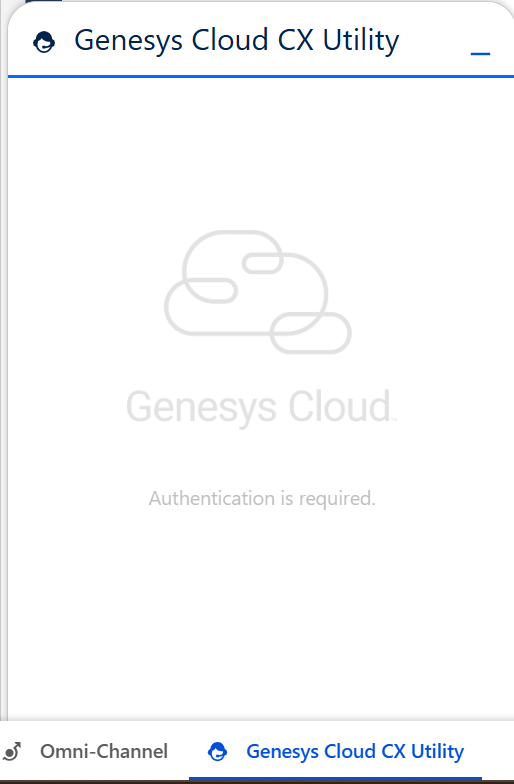
I'm not sure what I am missing. My user is assigned to the contact center and I have completed the following steps:
- Install the CX Cloud from Genesys and Salesforce package from the Salesforce App Exchange
- Configure remote site settings
- Create a lightning app
- Install the Voice for Salesforce Service Cloud package
- Configure OAuth settings
- Create and configure the contact center
Any help would be greatly appreciated, thank you.
#API/Integrations
#Implementation
#Omni-ChannelDesktop/UserInterface
#System/PlatformAdministration
#Telephony
------------------------------
James Foster
Technical Consultant
------------------------------