Genesys Cloud - Main

Sign Up

  • 1.  Email Queues vs. Phone Queues

    Posted 5 days ago
    I have a group of agents who primarily handle voice interactions, but for one hour each day they are assigned to email queues. Currently, we have to manually remove them from the voice queues and then add the email queues, and reverse the process once their email hour is complete. I'm looking for a way to assign these agents to email queues for that one-hour window each day without having to manually activate and deactivate queue access.

    #Routing(ACD/IVR)
    #Telephony
    #WEM-Quality,WFM,Gamification,etc

    ------------------------------
    Melissa Palmer
    ------------------------------


  • 2.  RE: Email Queues vs. Phone Queues

    Posted 5 days ago

    Hi Melissa, 

    Thinking quickly about a simple solution:
     
    Create a group in Genesys containing only the agents who will be working with email during those specifics hours.
    Instead of adding and removing users from the queue individually, you can simply add and remove the group from the queue.
     
    This will make the process faster and simpler.


    ------------------------------
    Kaio Oliveira
    GCP - GCQM - GCS - GCA - GCD - GCO - GPE & GPR - GCWM

    PS.: I apologize if there are any mistakes in my English; my primary language is Portuguese-Br.
    ------------------------------


  • 3.  RE: Email Queues vs. Phone Queues

    Posted 5 days ago

    Thank you, Kaio. I was unaware that I could add/remove a group. Just to clarify you are saying I can activate/deactivate rather than remove, correct? If so, do you mind to tell me where exactly I would activate or deactivate at the group level? 


    ------------------------------
    Melissa Palmer
    ------------------------------


  • 4.  RE: Email Queues vs. Phone Queues

    Posted 5 days ago

    Unfortunately, there's no way to enable and disable it (it would be nice).

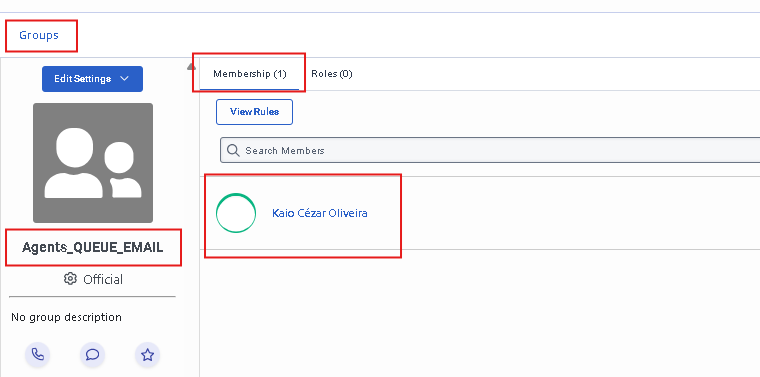
    My idea is this: create the group and put the agents in the group.
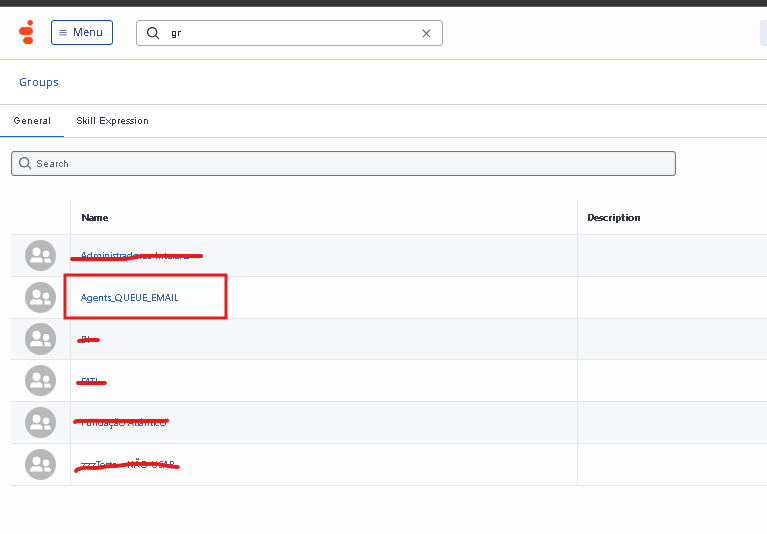
    Next, add that group to the queue
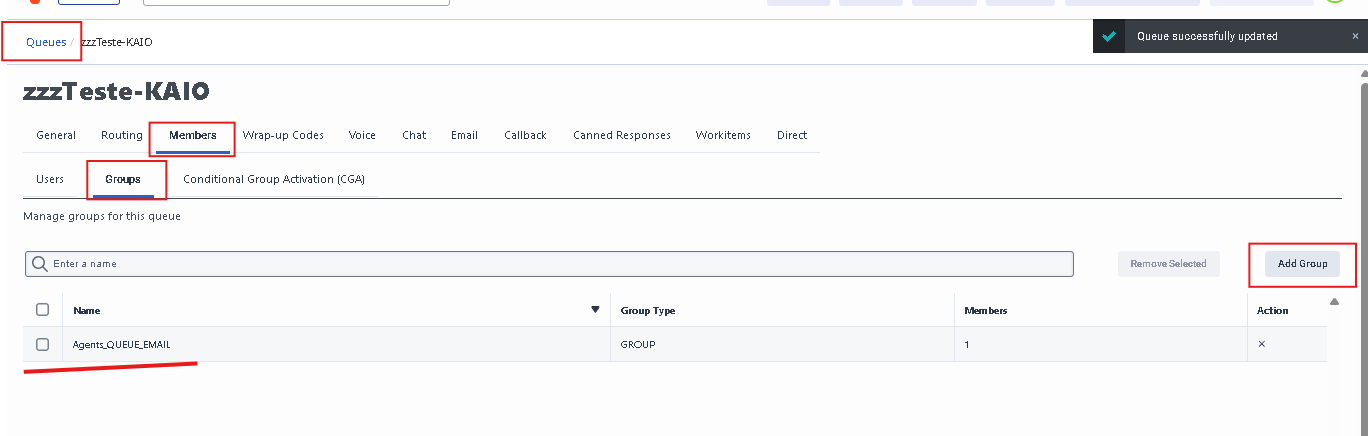
    When you need to prevent agents from receiving interactions from this email queue, simply remove the group from the queue.
     
    Then, add the group back to the queue when needed.


    ------------------------------
    Kaio Oliveira
    GCP - GCQM - GCS - GCA - GCD - GCO - GPE & GPR - GCWM

    PS.: I apologize if there are any mistakes in my English; my primary language is Portuguese-Br.
    ------------------------------


  • 5.  RE: Email Queues vs. Phone Queues

    Posted 5 days ago

    But if I add the group to the queue, won't they still be in all their other normal queues unless I remove them? 


    ------------------------------
    Melissa Palmer
    ------------------------------


  • 6.  RE: Email Queues vs. Phone Queues

    Posted 5 days ago

    Correct.
    Adding them to the group will not remove the queues they are part of.


    ------------------------------
    Kaio Oliveira
    GCP - GCQM - GCS - GCA - GCD - GCO - GPE & GPR - GCWM

    PS.: I apologize if there are any mistakes in my English; my primary language is Portuguese-Br.
    ------------------------------


  • 7.  RE: Email Queues vs. Phone Queues

    Posted 5 days ago
    Edited by Phaneendra Avatapalli 5 days ago

    Just adding to Kaio’s suggestion another option is to automate the movement of agents between groups using the Groups API on a schedule.

    In our case, we synchronise group membership automatically (removing agents from one group and adding them to another), which then controls their queue access without manual changes. This works well if the shift happens daily and you want to eliminate manual steps entirely.

    I shared the use case here in case it helps:
    https://community.genesys.com/discussion/use-case-automating-genesys-group-membership-management


    ------------------------------
    Phaneendra
    Technical Solutions Consultant
    Monash University
    Australia
    ------------------------------


  • 8.  RE: Email Queues vs. Phone Queues
    Best Answer

    Posted 5 days ago

    @Melissa - While you determine which of the viable options above would work best for you, instead of removing the agents from the respective queues and adding them back again, consider activating/deactivating them within the Queues Agents Details view. Although not the automation you're looking for, at least this method allows you to quickly select one/more agents to activate/deactivate on the respective queues, thus saving you some time. That's the approach our WFM team takes given it allows them to keep agents in their respective queues and only activate/deactivate them individually or en masse with a few clicks instead.

    Also, you may want to subscribe to and/or vote for this Idea so you can stay updated on the progress of a feature that just may meet your need long-term if released as planned later this year.


    ------------------------------
    Brian T. Jones | Ascension | Senior Specialist - Technology | Colossians 3:23-24
    ------------------------------


  • 9.  RE: Email Queues vs. Phone Queues

    Posted 5 days ago

    I understand in the future that activity codes with work handling settings will automate the media type they handle.   So you could have an Email planning group for your queue and theoretically, when their schedule changes for that Activity Code, the only interactions they should be distributed are Emails based on the planning group configuration. 

    Currently you can configure this all in WEM, but the automation side is a future piece AFAIK.  At the moment Supervisors or Agents with Queue activation need to change their queues at the time of their activity.  But at least that'll be something to look forward to in terms of automating activities.  


    ------------------------------
    Robert Niblock
    Contact Centre Technology Analyst
    ------------------------------


  • 10.  RE: Email Queues vs. Phone Queues

    Posted 4 days ago

    Thank you so much. I had no idea this was potentially on the roadmap!


    ------------------------------
    Melissa Palmer
    ------------------------------