Original Message:
Sent: 03-03-2026 15:31
From: Marcello Jabur
Subject: Help with time-based IVR menu option (press 0 only during open hours)
Hi Anand,
I believe you can still work with what Kaio has presented a few days ago.
Have a "Evaluate Schedule Group" at the start of your Call Flow, and depending on the result (Open/Closed/Holidays) you can set a variable with that information.
Let's say "Flow.isOpen" = true or false (as the same example that Kaio gave).
Now you just use that variable to make decisions on your Menus.
To see which prompt you should play (if it includes option 0 or not), you can do something like this:
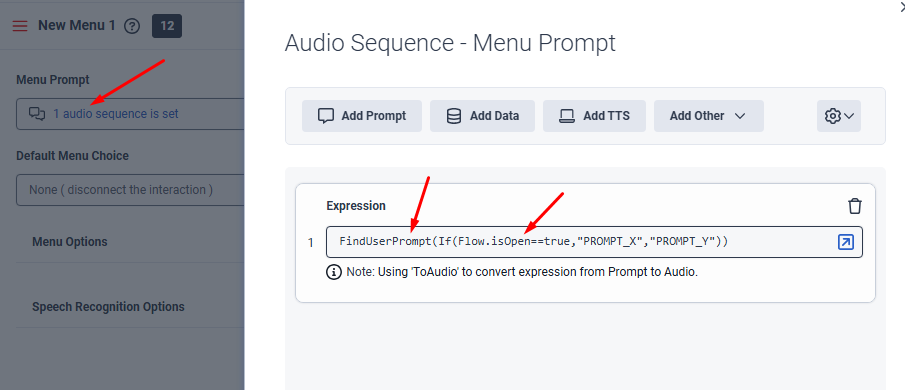
In this way you are checking the value of you "Flow.isOpen" variable.. If it's true, you would be playing "PROMPT_X", and if it's false you would be playing "PROMPT_Y".
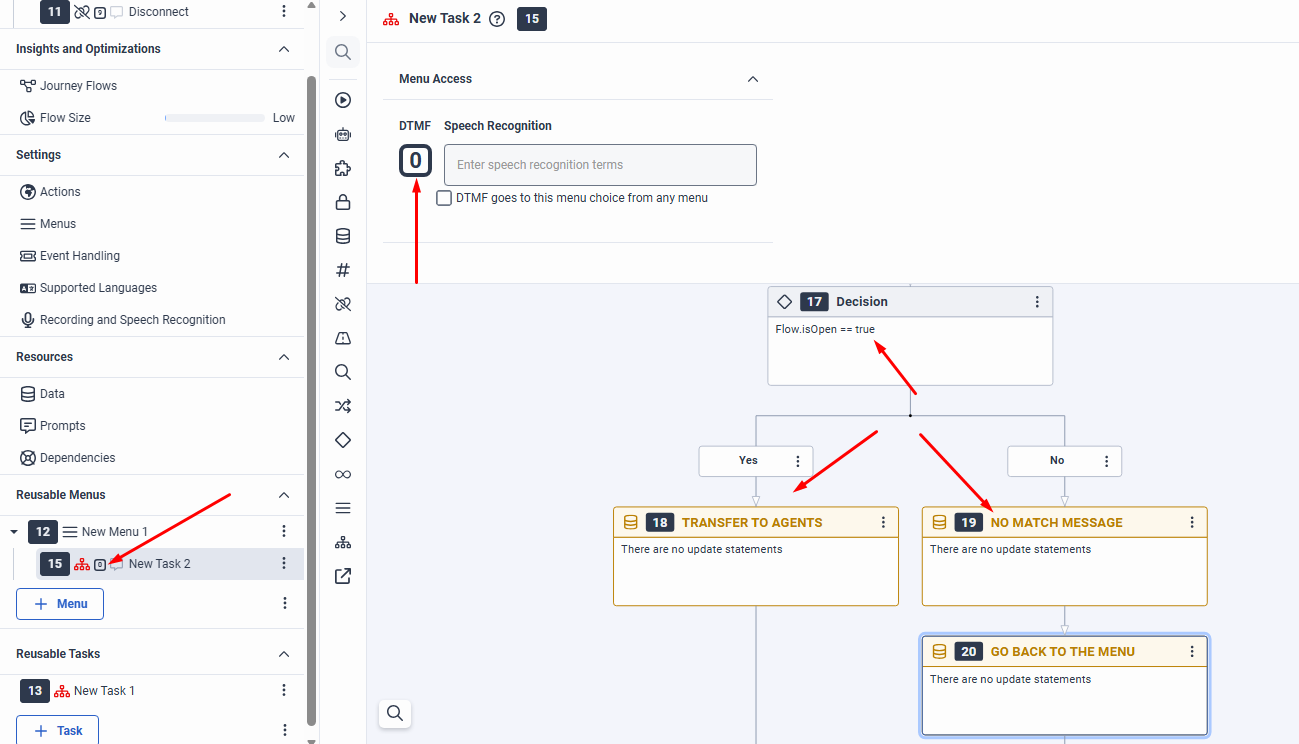
Now, let's say your hours are closed, and therefore "option 0" is not a valid one right now.. If the caller presses 0, you can check again the value of that variable, and if it's open you allow the transfer to an agent... But if it's closed you can just play a prompt saying that, and then transfer back to the menu or do something else:
------------------------------
Marcello Jabur
------------------------------
Original Message:
Sent: 03-03-2026 12:18
From: Anand Gangappa
Subject: Help with time-based IVR menu option (press 0 only during open hours)
Hey @Kaio Oliveira, thanks for this detailed info.
How can I achieve this at the menu level? My flow has a lot of menus, and in each menu I have to check the same conditions.
------------------------------
Anand
NA
Original Message:
Sent: 02-23-2026 15:20
From: Kaio Oliveira
Subject: Help with time-based IVR menu option (press 0 only during open hours)
Hi Anand
I made a sketch here of what I would do.
The first step is to validate the scheduler group and create a variable, for example, flow.PlayAudio.
The "Open" output adds the name of the audio file that will have the zero option.
For the others (closed/holiday, etc.), add the name audio file that does not have the zero option.
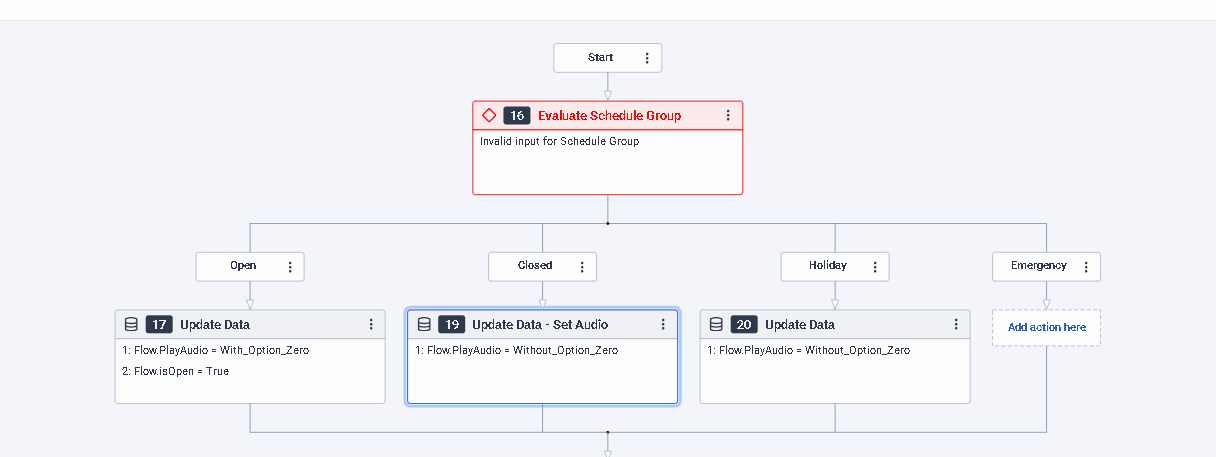
Below that, add an collect input block.
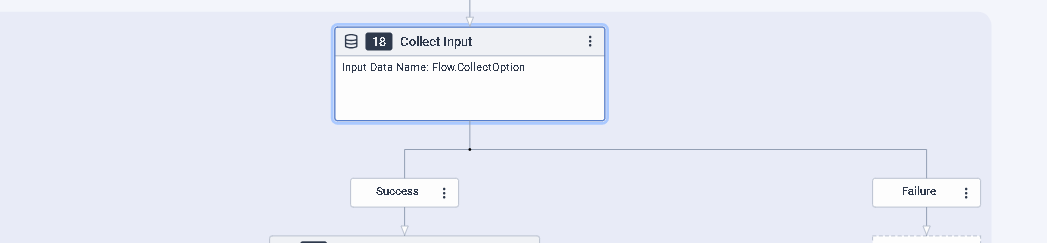
in the "Input Audio" enter the variable name PlayAudio.
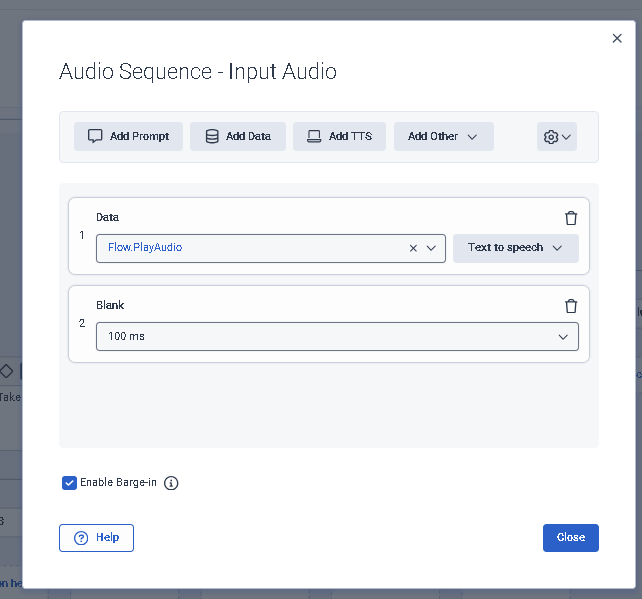
In other words, in this scenario, if it's open, the variable "flow.playaudio" will contain the audio with a zero.
If it's closed, the audio will be without the zero.
Next, add a "switch" statement for the outputs that the client entered.
Even with the time of office, the customer could still accidentally select option zero.
Notice that below "open" in "Evaluate Scheduler Group" I created another variable of type boolean: flow.isOpen = true
You can use it to make a decision in "case 6" of the Switch (which is option zero).
Eg.:
I hope this helps.
------------------------------
Kaio Oliveira
GCP - GCQM - GCS - GCA - GCD - GCO - GPE & GPR - GCWM
PS.: I apologize if there are any mistakes in my English; my primary language is Portuguese-Br.