Now I can see Send Message Button and onClick of that popup is opened.
Original Message:
Sent: 04-15-2026 05:12
From: Stephan Taljaard
Subject: How to make a New connection in Community
Hi Ajay
I had a look on my profile and noticed the following under the privacy settings.
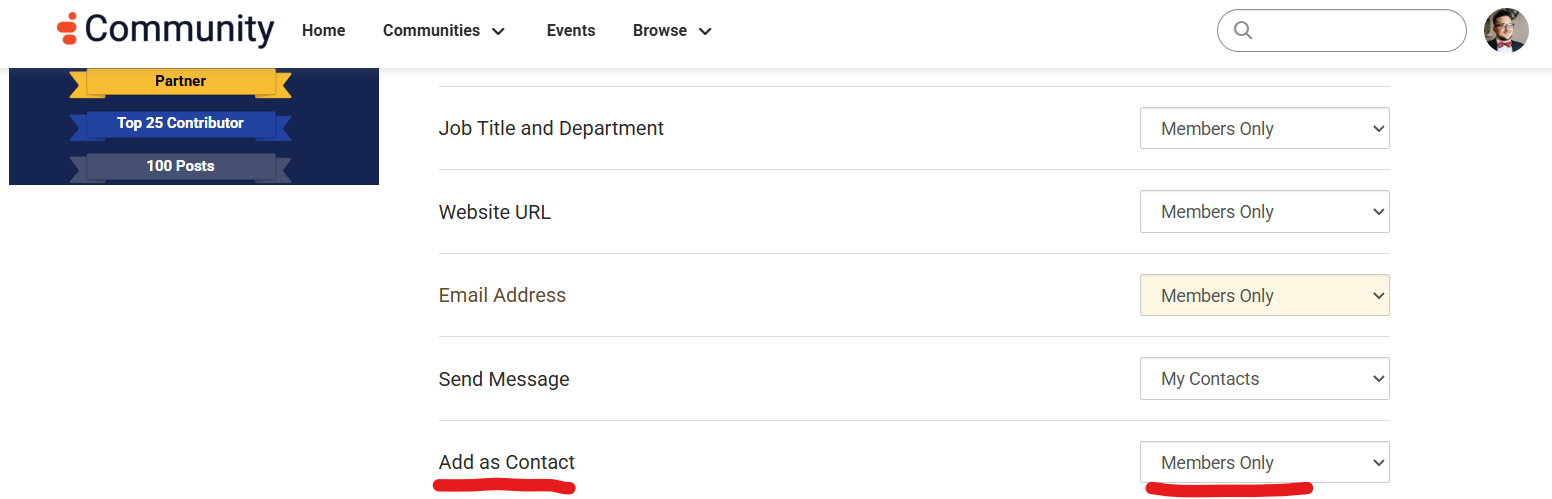
Regards
------------------------------
Stephan Taljaard
EMBEDIT s.r.o
------------------------------
Original Message:
Sent: 04-15-2026 04:50
From: AJAY KUMAR
Subject: How to make a New connection in Community
Someone will reply here or I need to create a New Ticket or send an email?
------------------------------
AJAY KUMAR
XXX
Original Message:
Sent: 04-15-2026 04:46
From: Stephan Taljaard
Subject: How to make a New connection in Community
Hi Ajay
This is very strange, not sure why its happening. I also noticed that it does not display any of their info under profile when you click on their profile. Almost looks like an "access" issue but does not make sense.
Hopefully someone else in the community has an idea of what might be causing this.
Regards
------------------------------
Stephan Taljaard
EMBEDIT s.r.o
Original Message:
Sent: 04-15-2026 04:39
From: AJAY KUMAR
Subject: How to make a New connection in Community
------------------------------
AJAY KUMAR
XXX
Original Message:
Sent: 04-15-2026 02:59
From: Stephan Taljaard
Subject: How to make a New connection in Community
Hi Ajay
You can use one of the following options.
- Click on Actions and then add contact.
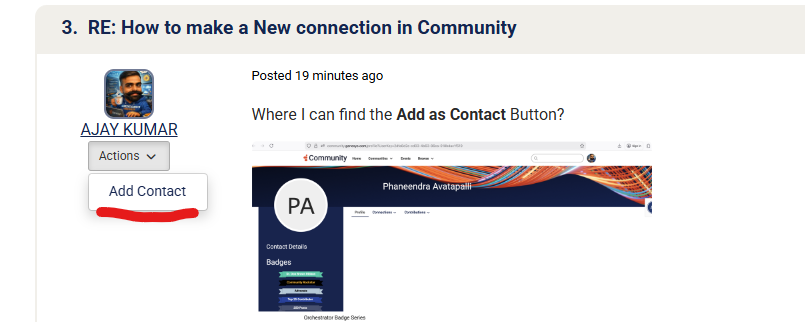
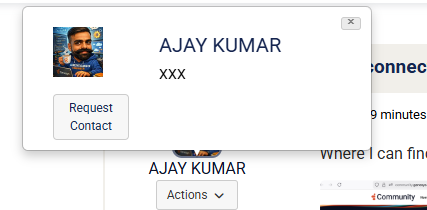
2. Hover the mouse over the name and click request contact
3. Open the profile, will have "Add as contact" below the profile picture.
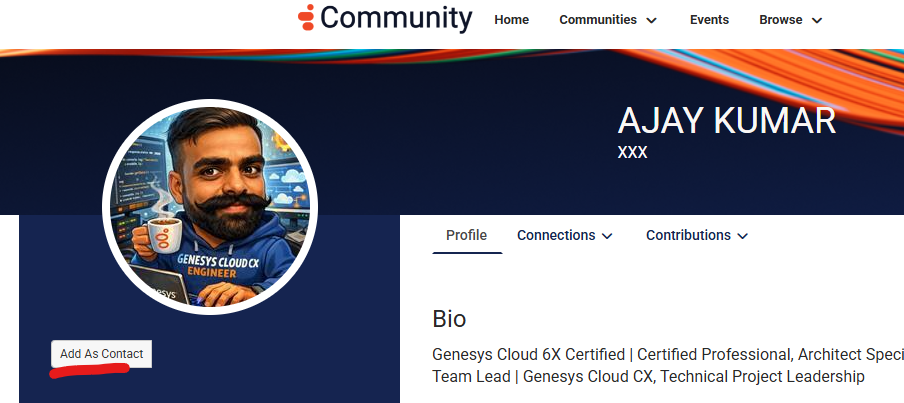
If it's not visible, try logging out of the community portal and log back in again.
Regards
------------------------------
Stephan Taljaard
EMBEDIT s.r.o
Original Message:
Sent: 04-15-2026 02:33
From: AJAY KUMAR
Subject: How to make a New connection in Community
Where I can find the Add as Contact Button?
------------------------------
AJAY KUMAR
XXX
Original Message:
Sent: 04-15-2026 02:26
From: Phaneendra Avatapalli
Subject: How to make a New connection in Community
Hi Ajay,
If you're referring to making a connection with another user in the Genesys Community, you can do that by:
- Opening the user's profile
- Clicking "Add as Contact"
- Once they accept, you'll be connected
Regards,
Phaneendra
------------------------------
Phaneendra
Technical Solutions Consultant