Original Message:
Sent: 08-13-2026 06:01
From: Paul Turner
Subject: Activity Planner and User Rules
Hi @Mike Morris
We're definitely interested in looking into this as that doesn't seem right at all. If you can log a ticket and include all the information about the rule and your queue in there we'll get engineering to take a look.
Thanks for your patience while we investigate it.
Cheers,
Paul
------------------------------
Paul Turner
Senior Product Manager
Genesys - Employees
------------------------------
Original Message:
Sent: 08-12-2026 04:07
From: Mike Morris
Subject: Activity Planner and User Rules
Hi @Paul Turner,
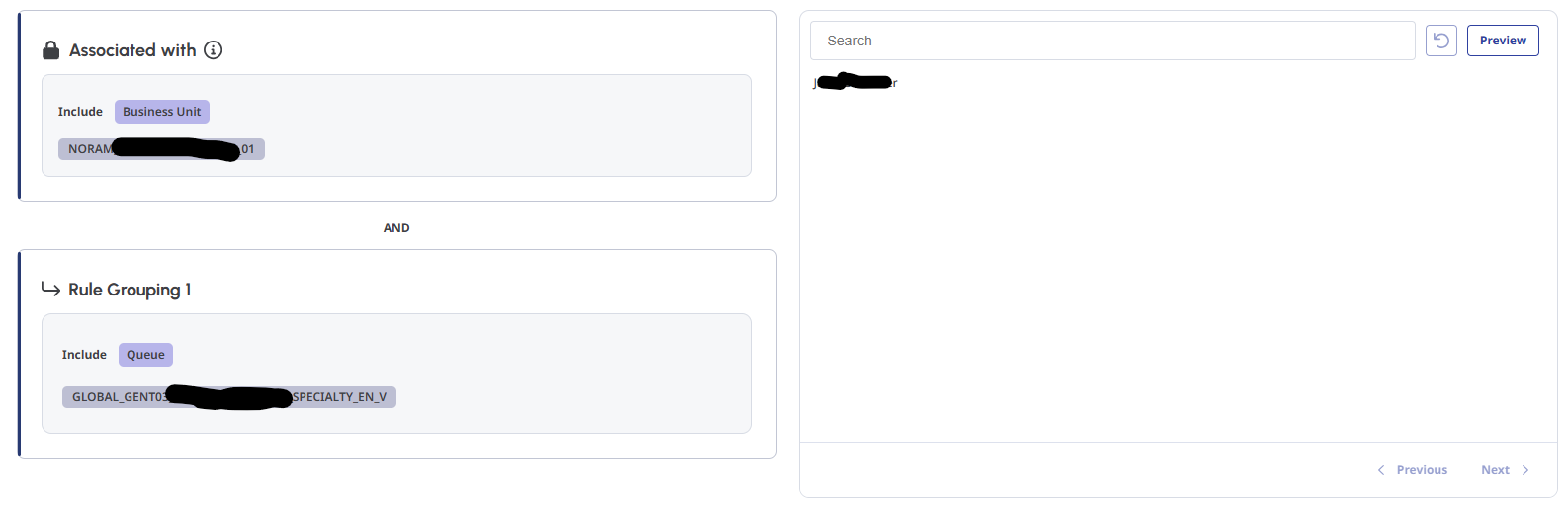
Thats right, We were testing picking a queue that is not part of that BU to see what happens and expected it to return no names, however on one queue it returns a name of an agent in the BU we are running the Activity Plan in, but has never been a member of the queue or a member of a group associated to that queue. I ran an audit for the last 14 days just to check and returned no results.
------------------------------
Mike Morris
Manager - BCD
------------------------------
Original Message:
Sent: 08-11-2026 12:11
From: Paul Turner
Subject: Activity Planner and User Rules
@Mike Morris
Ok. Thank you for checking. Just so I can fully confirm what is happening. Your user rule currently looks like this:
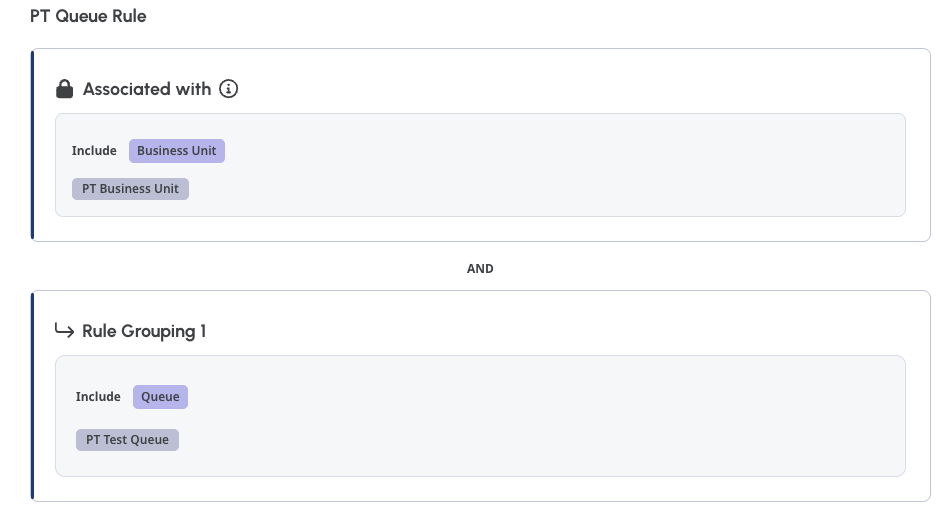
And your preview pane on the right hand side is returning a user from the included queue who you have confirmed is not a member of that queue?
If your config is any more complex I would appreciate it if you could share it with any sensitive values blanked out. If the example above is accurate then I would definitely like to look into it further via a ticket if you haven't already raised one.
Cheers,
------------------------------
Paul Turner
Senior Product Manager
Genesys - Employees
------------------------------
Original Message:
Sent: 08-11-2026 05:37
From: Mike Morris
Subject: Activity Planner and User Rules
Hi @Paul Turner,
I just checked the queues in the rule, none of them have groups allocated to them sadly. But it still shows this agent as the only agent that meets the user rule.
------------------------------
Mike Morris
Manager - BCD
------------------------------
Original Message:
Sent: 08-10-2026 10:35
From: Paul Turner
Subject: Activity Planner and User Rules
Hey @Mike Morris,
One thing worth checking is if your queue contains any groups. If your queue member list contains groups that include the user they would still appear under the user rule.
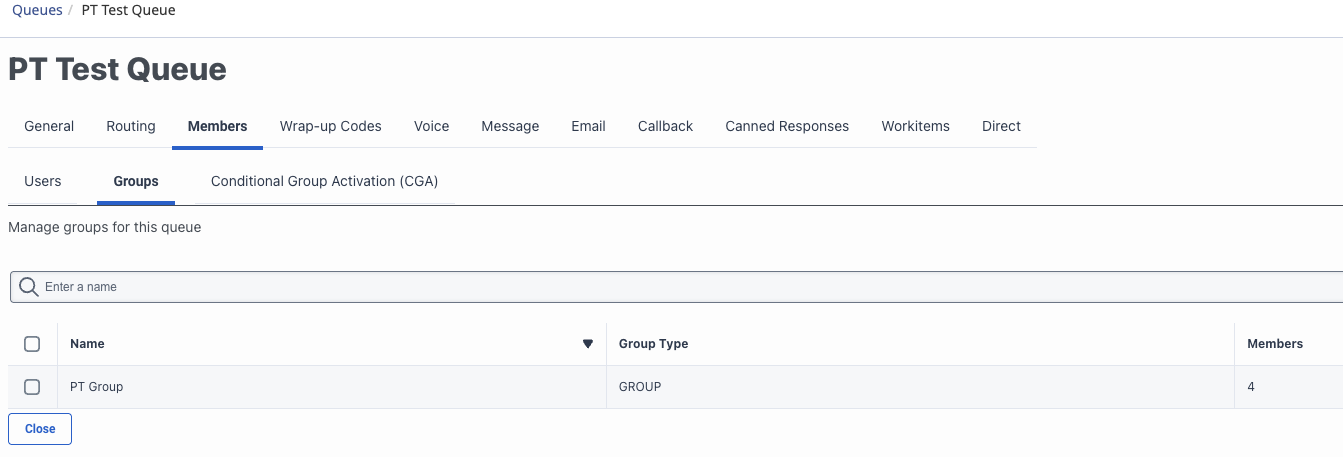
This can be easy to overlook as group members don't show in the Users list on the first tab. (Unless they have also been added there).
If that doesn't turn out to be the issue I'm happy to take a look at the config to see if there is anything we might have overlooked.
Cheers,
------------------------------
Paul Turner
Senior Product Manager
Genesys - Employees
------------------------------
Original Message:
Sent: 08-07-2026 04:33
From: Mike Morris
Subject: Activity Planner and User Rules
Thanks @Camila Meneghini, I removed all queues and just kept this one queue and the agent is still appearing in the Preview list despite not being a member of that queue, I will raise a case with Genesys for further investigation.
------------------------------
Mike Morris
Manager - BCD
------------------------------
Original Message:
Sent: 08-06-2026 12:19
From: Camila Meneghini
Subject: Activity Planner and User Rules
The behavior you're describing sounds unexpected. When you create a User Rule for an Activity Plan and select a specific queue with the "Include" condition, the rule is intended to dynamically target agents who are members of that queue . Agents who do not have membership in that queue should not appear in the resulting list.
If you're seeing an agent who does not belong to that queue, the cause likely lies in how the rule's logic is constructed. User Rules allow you to combine multiple conditions with "and" logic, meaning the rule will only include users who meet all the specified criteria . For example, if the rule is configured as "Queue A OR Queue B," an agent belonging to Queue B would be included even if they don't belong to Queue A. I would recommend double-checking the rule's full configuration to see if a second condition is causing the agent to be included .
Once you've added a User Rule to an Activity Plan, you can preview the resulting user list to validate that the correct agents are being included before saving . This is a useful step to confirm the logic is working as intended. If the issue persists after reviewing these points, it may be worth contacting Genesys Cloud support for further investigation.
------------------------------
Camila Meneghini
------------------------------