To add to James's explanation, it is also possible that all calls (24x7x365) are sent to a single Flow and within that Flow, the check is made to determine if it's After Hours or not. This could be by using one or more Schedules and / or Schedule Groups or using some other methodology entirely (I have see some places use an API call to another, external system, for example!)
As Caleb said, it would be almost impossible for anyone here to offer you advice without diving into the Flow to figure out how it is configured.
My suggestion is that you contact whoever implemented the system and have them give you an overview of what it is doing (and why.)
HTH
------------------------------
Paul Simpson
Views expressed are my own and do not necessarily reflect those of my employer.
------------------------------
Original Message:
Sent: 07-24-2024 12:21
From: James Foster
Subject: After Hours calls should go to after hours call flow, and we're showing calls coming into Active queue and waiting.
Hi John,
If you know the inbound DDI/DNIS that routes to the 'Active3' queue then you should be able to see what Call Route this number uses. You can find this under Routing - Call Routing from the admin menu. If the Call Route's open hours are defined by a schedule group then you should be able to see what call flow is being used for Closed Hours. Here's an example of one on our org: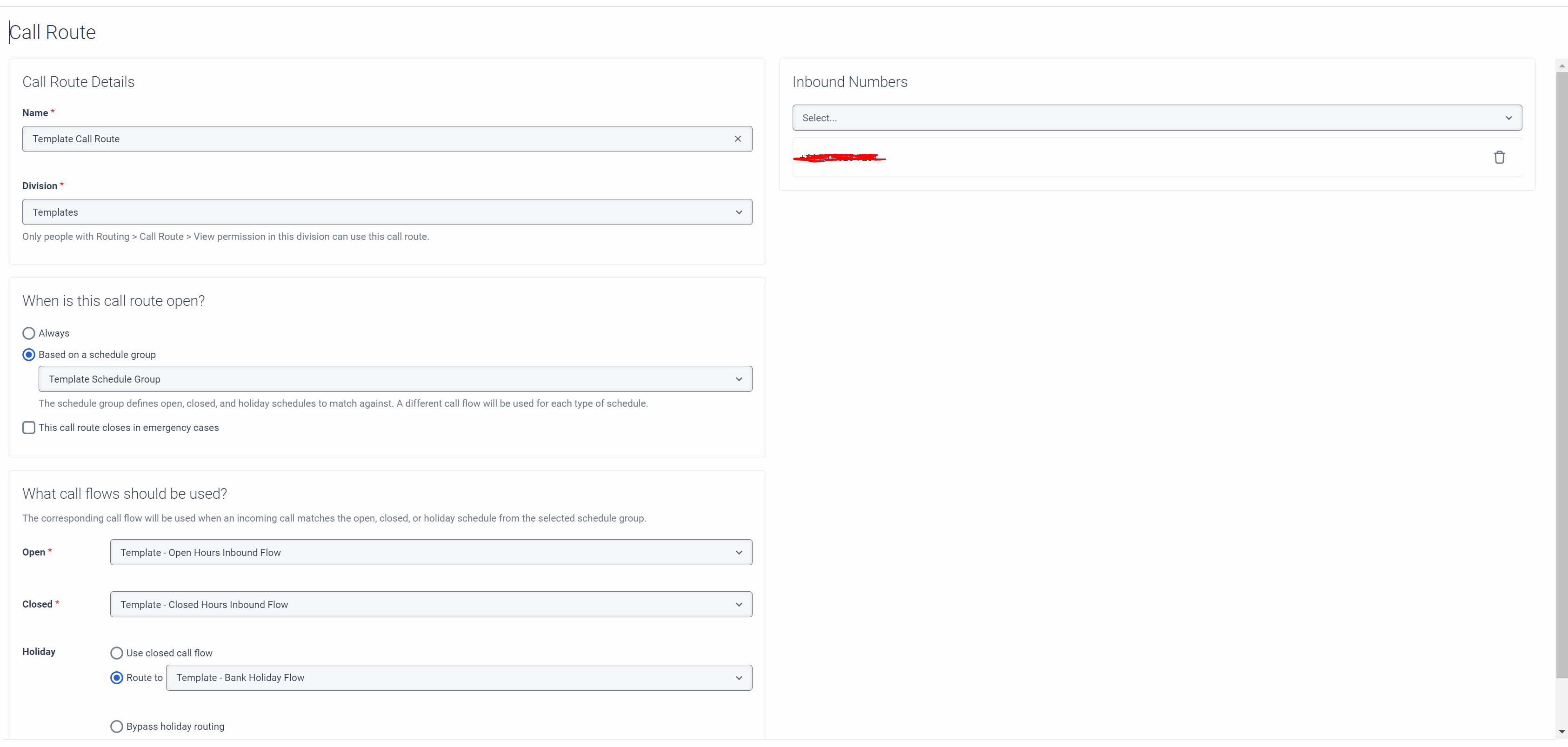
Regards,
James
------------------------------
James Foster
Connect Managed Services (UK) Limited
------------------------------