I recently did something to help with a project, but before implementing it, you need to keep in mind:
- Number of concurrent requests to avoid reaching the limits;
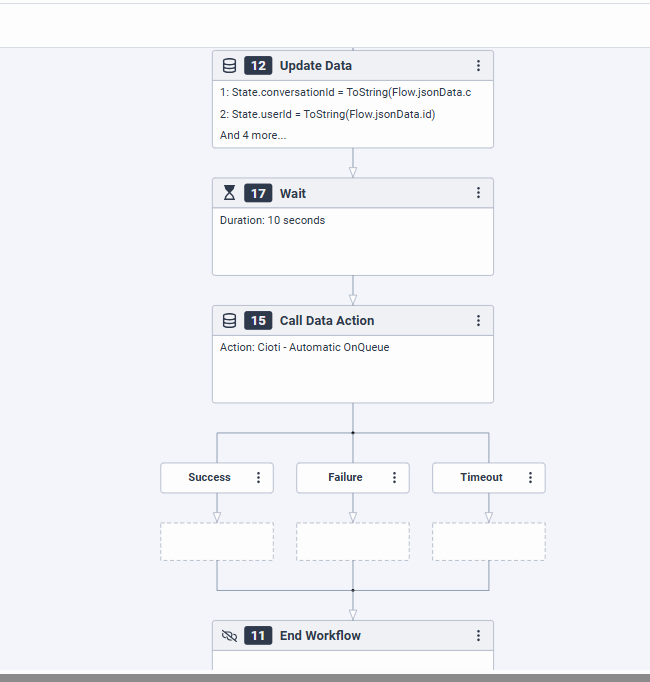
- I forced a 10s wait, which can be changed and/or triggered through a data table;
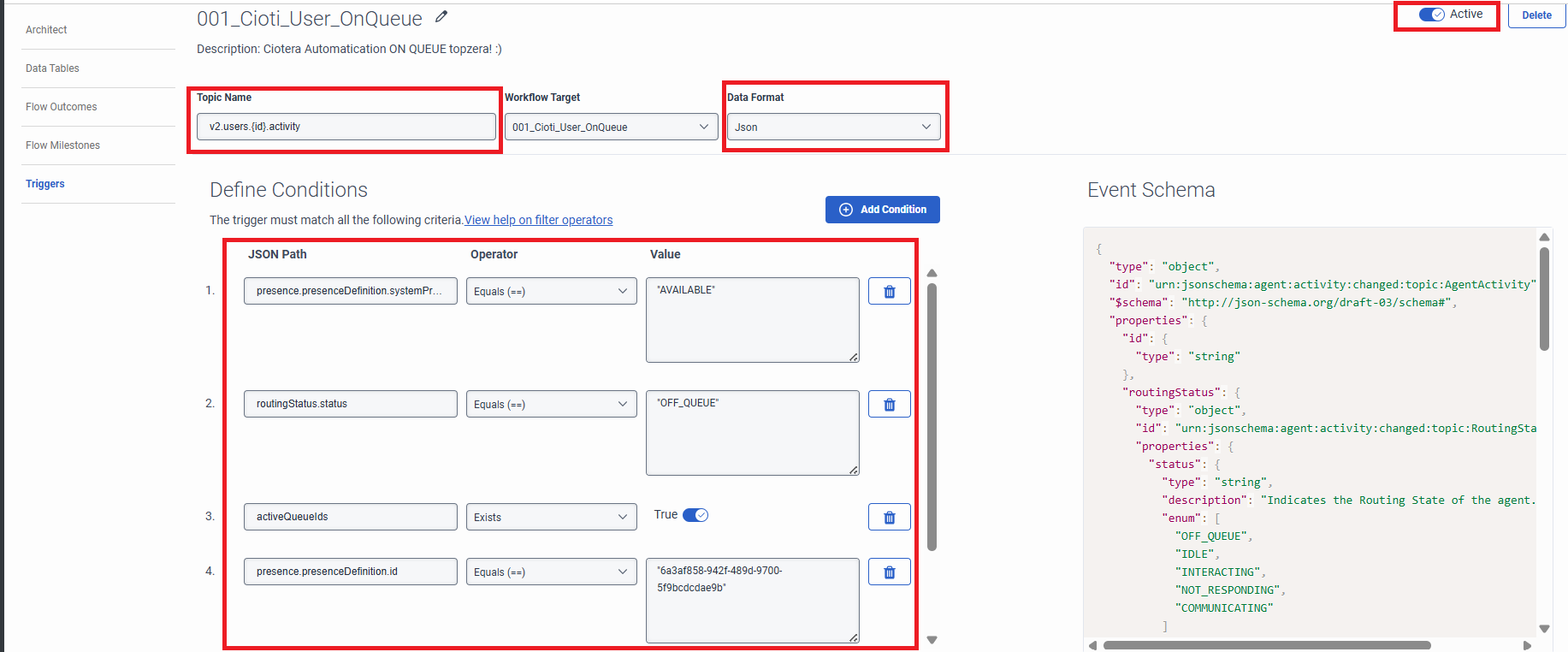
- Always check the Available status, which is the status after login;
- If you have a substatus in Available, it will not be checked;
You will need:
- trigger;
- Work Flow;
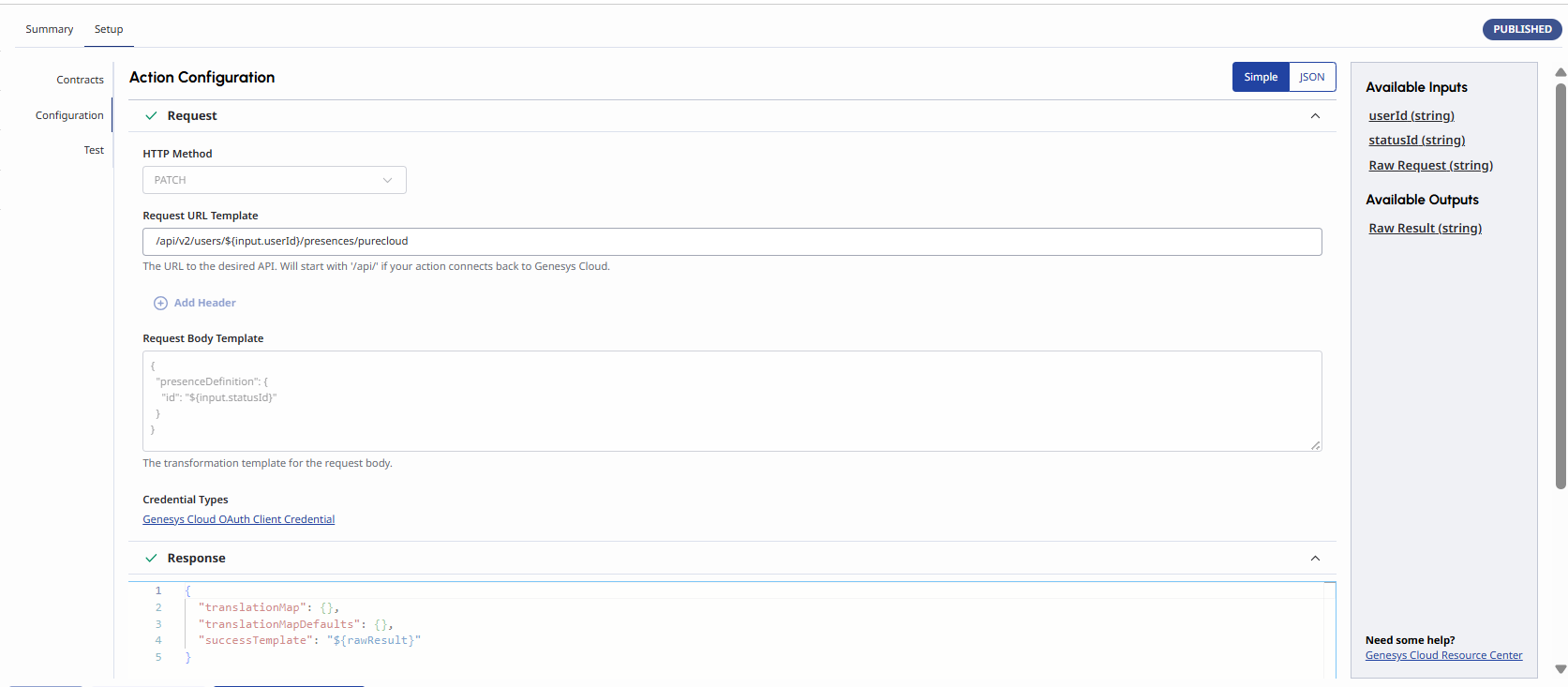
- Data Action;
Here are the examples:

Hope this helps!
------------------------------
Danniel Cioti
PS
------------------------------
Original Message:
Sent: 07-01-2024 02:28
From: Christoph Domaschke
Subject: Automatic Queue login
Hi Danielle,
have not done this by myself, but you should be able to use the trigger for Agent presence (Admin --> Triggers --> v2.users.{id}.activity) This would start a workflow in which you could call a data action. This could use PUT /api/v2/users/{userId}/routingstatus to set the userstatus. Please note, that you can pass the {id} from the trigger to the workflow by declaring it as an input variable in the workflow.
Best regards
Christoph
------------------------------
Christoph Domaschke
CRONBANK AG
------------------------------