This page will provide a very high level configuration guide to build a trunk for AT&T IP Toll Free and what AT&T options are supported based off of interoperability testing between PureCloud and AT&T.
How to configure External Trunk in PureCloud UI for BYOC AT&T IP Toll Free:Prereq
User making changes has Telephony Admin privileges
AT&T IP Toll Free information (DNIS value, SIP IP(s), SIP Port, etc)
Steps:
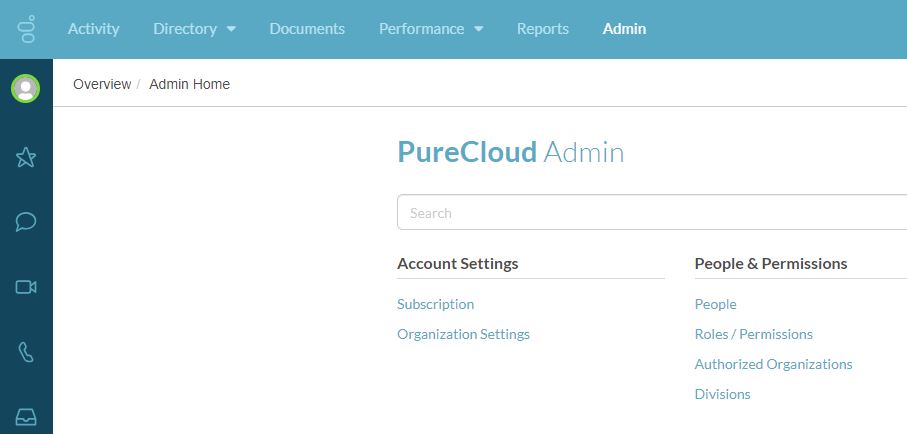
1. Click on Admin
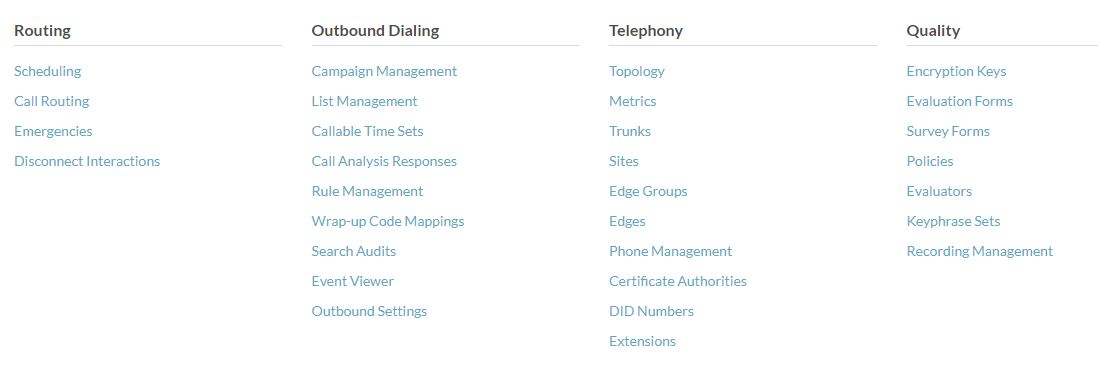
2. Under Telephony, click on Trunks
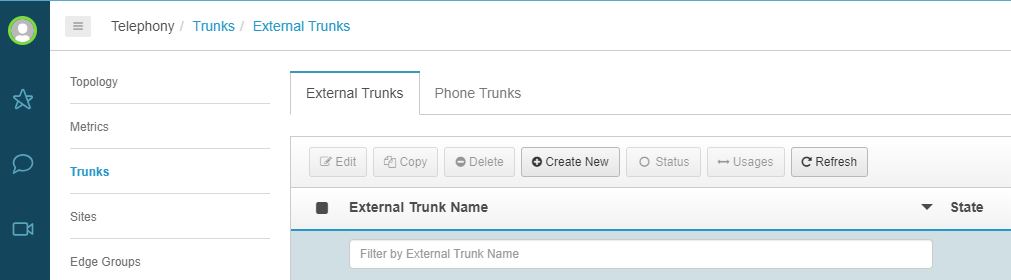
3. Create new external trunk, click on Create New
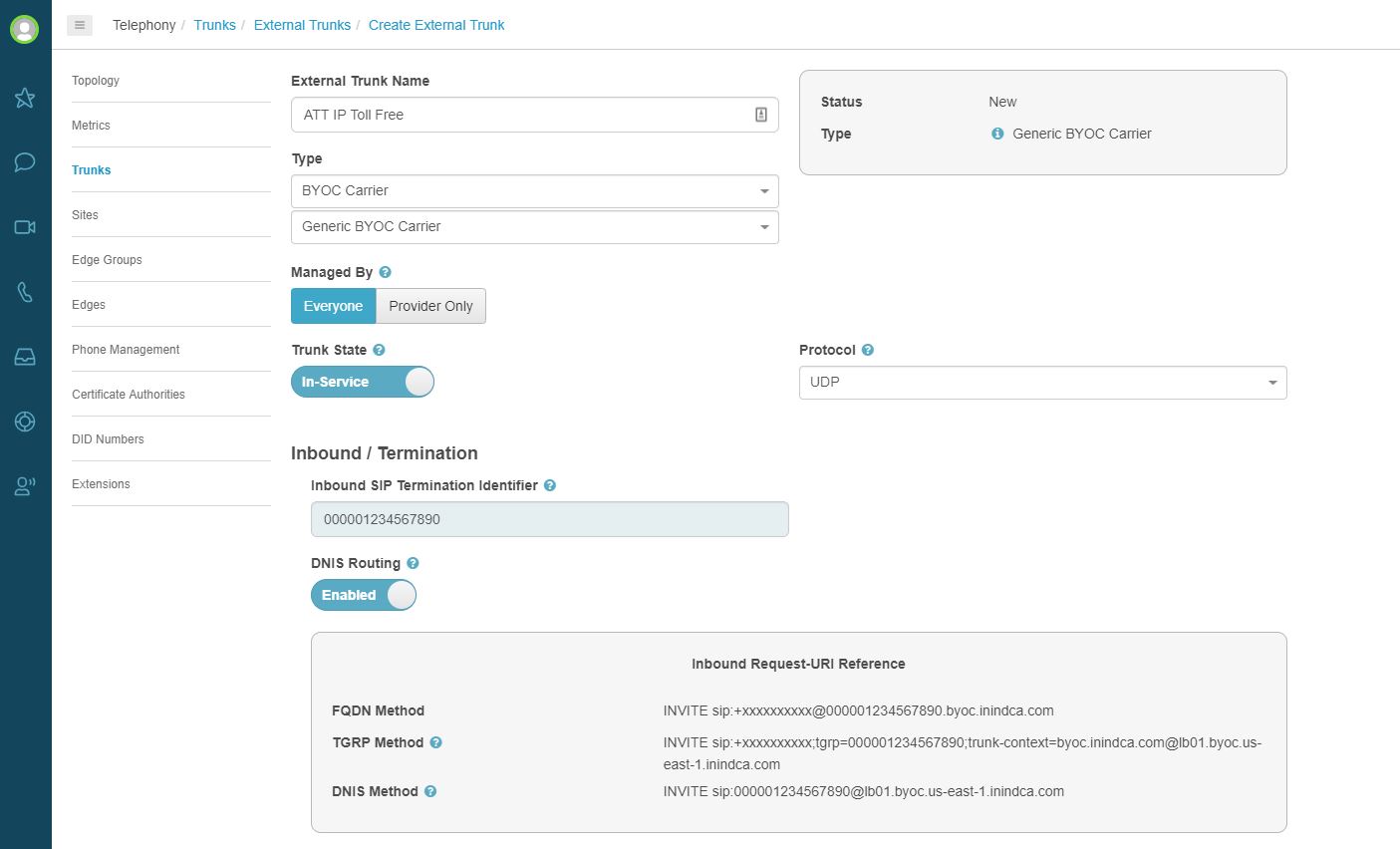
4.
a. Fill in External Trunk Name to name the trunk. For this example, we used ATT IP Toll Free.
b. For the Type drop down, select BYOC Carrier.
c. A drop down will appear below BYOC Carrier. Select Generic BYOC Carrier.
d. AT&T uses DNIS as the unique identifier for the trunk. In the Inbound SIP Termination Identifier text box, enter the DNIS value provided by AT&T. For this example, we used 000001234567890
e. Enable DNIS Routing by click on the button. It will say Disabled before you click on the button, once you click the button it will say Enabled.
f. Select the correct protocol, under Protocol. AT&T would provide this information. UDP is typically the protocol used.
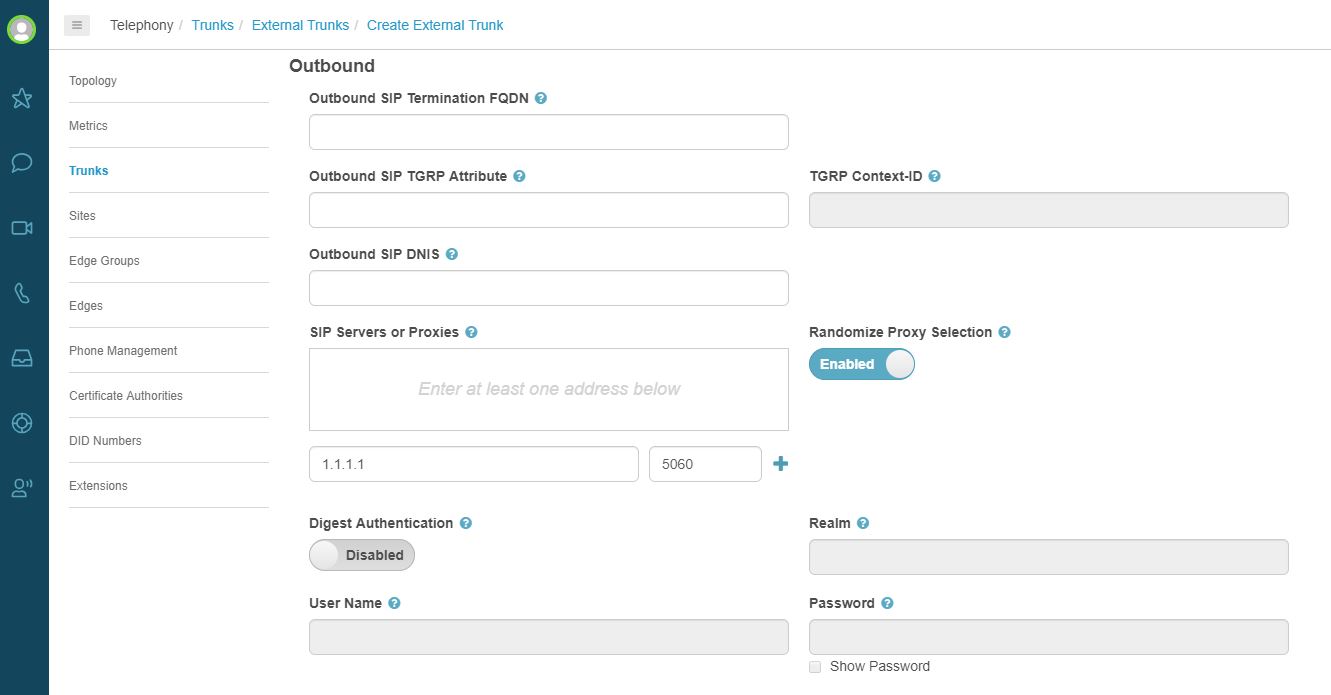
5. Next enter the SIP IP(s) and ports. This is under SIP Servers or Proxies. The SIP IP and port information will be provided by AT&T.
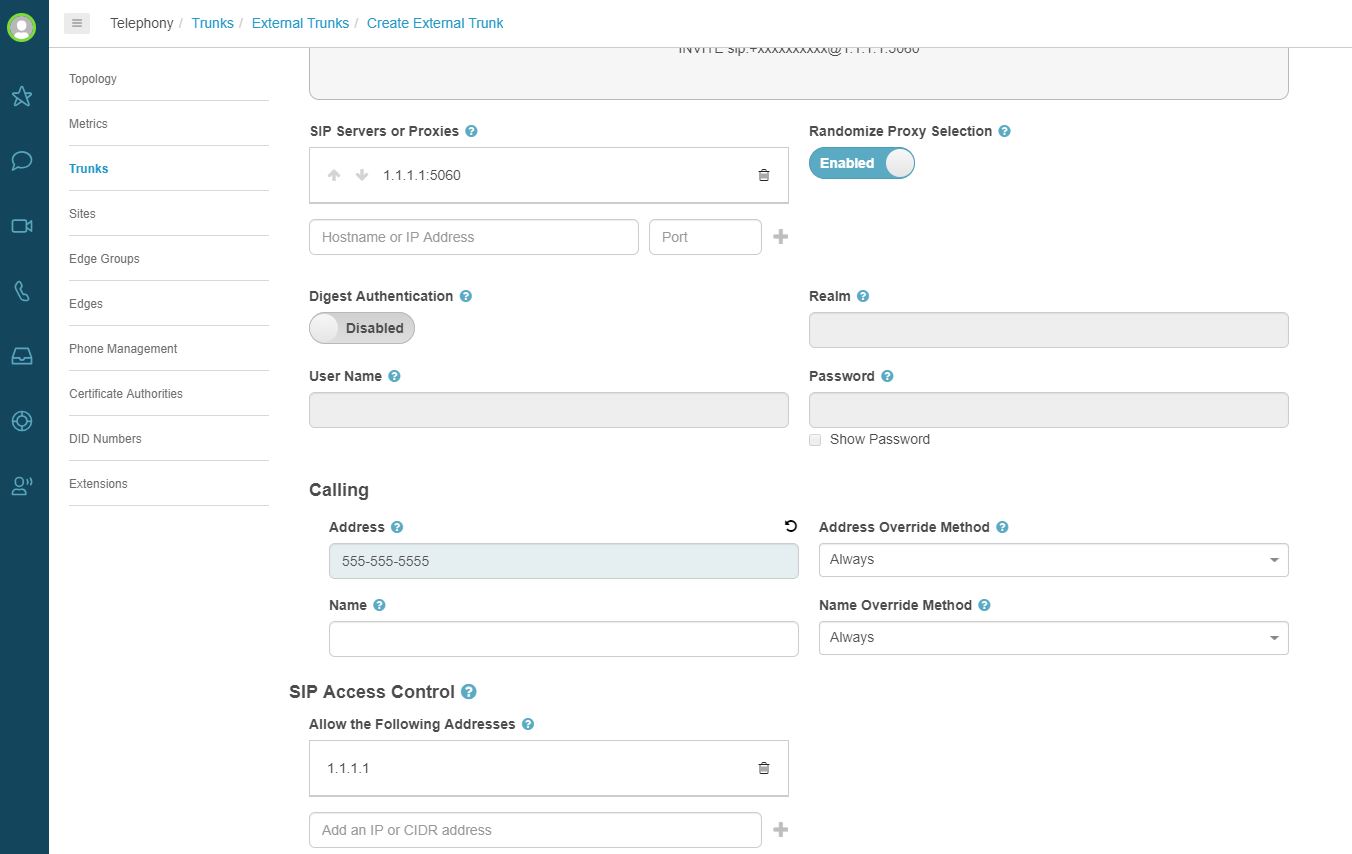
6. Next add a calling address under Calling and Address. Although AT&T IP Toll Free is inbound, a calling address is required by PureCloud. Also, make sure the SIP IP and port from step 5 show up in the SIP Access Control / Allow the Following Addresses box. If it doesn't, you will need to add the IP(s) and port(s).
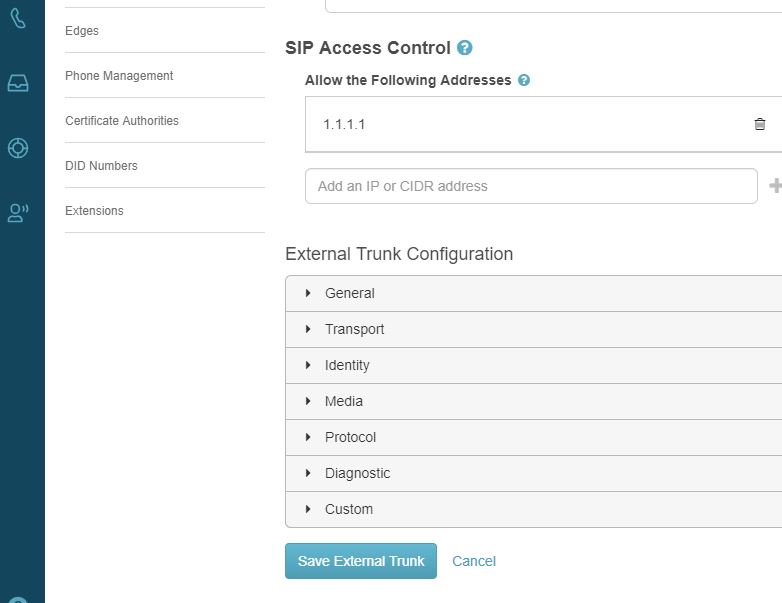
7. Save the external trunk, click on Save External Trunk
8. Next we must add the new trunk to the site that will host the trunk. This guide will assume the site is already created. If you are creating a site, please visit
help.mypurecloud.com for assistance with site creation.
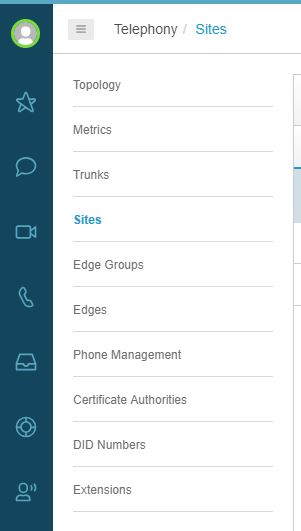
9. Click on Sites, this link should be available as long as you are still in the Telephony Admin section.
10. Click on the site you want to modify. In this example, we used Headquarters. (Don't worry about the caution icon)
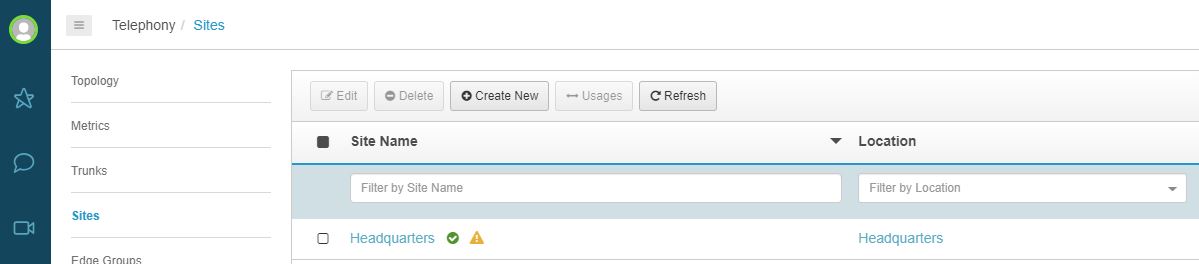
11. Click on Outbound Routes. As weird as this may seem since this trunk is Inbound only, we must add the trunk to Outbound Routes. This allows PureCloud to associate the trunk to the proper site. Under External Trunks, select the trunk you just created in steps 4-7.
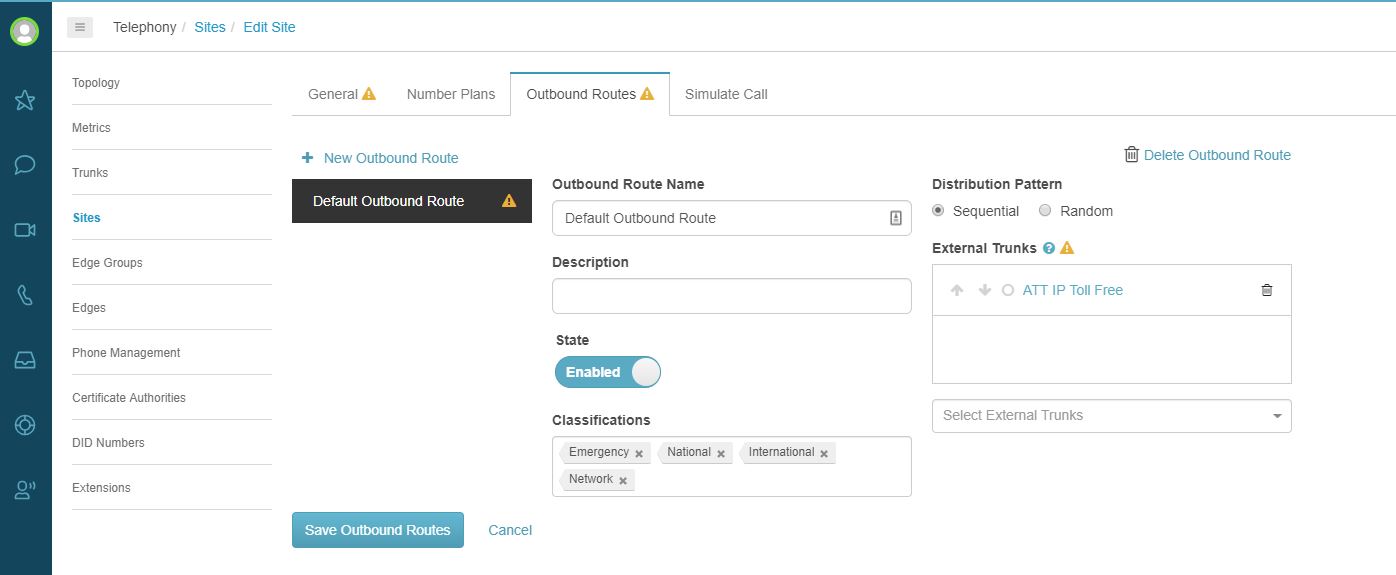
12. Save outbound routes, click on Save Outbound Routes.
13. Trunk creation is finished. Make sure to add your toll free numbers to your DID Numbers and assign those toll free numbers to an IVR, phone, person, or whatever is required by your organization.
PureCloud and AT&T Test Matrix Results Summary:DNIS or CED Based Routing - Pass with condition
Notes: AT&T expects an INVITE for on hold, off hold, retrieve from hold. PureCloud will not send an invite but will handle on/off holds by streaming music via media.
DNIS Translations: Pass
Codec Negotiation: Pass with condition
Notes: CPE should negotiate highest priority codec offered in INVITE. Priority list is based on CPE codec table. We do not honor INVITEs codec priority list. RFC mentions this as a SHOULD and will be discussed at a future time
Dynamic Payload: Pass
Codec Negotiation Failure: Pass
PSTN ADR and IP ADR: Pass (480 - Temporarily Unavailable) and Blocked (All other error codes)
Notes: These error codes can be generated and sent to AT&T. However, we cannot test these codes with our current setup of using PureCloud's UI. We would need to engage the PureCloud Voice development team to manually generate these codes for AT&T.
Legacy Transfer Connect (Inband) - Not Supported
Intra-site Unattended Transfer - Pass with condition
Notes: Ring Back Unattended Transfer is not supported. Once a blind transfer is executed, the transferring party is removed from the call. The transferred party will be connected to the other call, and if disconnected or terminated the call is completed.
Intra-site Attended Transfer - Pass
Intra-site Conference - Pass
CPE Fax - Not yet run
Notes: Testing will need to be done in Production if needed. No AT&T Support at this time.
Voice Quality - Pass
Simultaneous Calls - Pass
SIP OPTIONS - Pass
AVPN Transport (CoS) - Not Supported
Notes: CoS is not supported, however QoS using DSCP is supported. Signaling - CS3, Media - EF
INFOPACK - Pass
Enhanced CID (NSS / narrow band signaling) - Not Supported
Notes: PureCloud will fail the call with 488 Content – Type not Acceptable
IP Transfer Connect - Not Tested
#SIP/VolP#Telephony------------------------------
Josh Moon
Genesys - Employees
------------------------------