Really appreciate your effort and detailed response here. We tested the above logic and it seems to work very well! Thank you again for taking the time to put this together.
As a side note, we also have explored a Lambda function as Arthur suggested and that works without issue as well. We'd lean toward using the native approach as to lessen our external traffic and data action usage.
Appreciate you both replying. Have a great day!
Original Message:
Sent: 12-05-2025 21:15
From: Jan Heinonen
Subject: Can an agent script generate a random number?
Okey, I got curious as I was sure it could be done so here goes :)
Create a regular number variable called "index", and one called "randomCode", both with the value 0. (you can change the names if you want to)
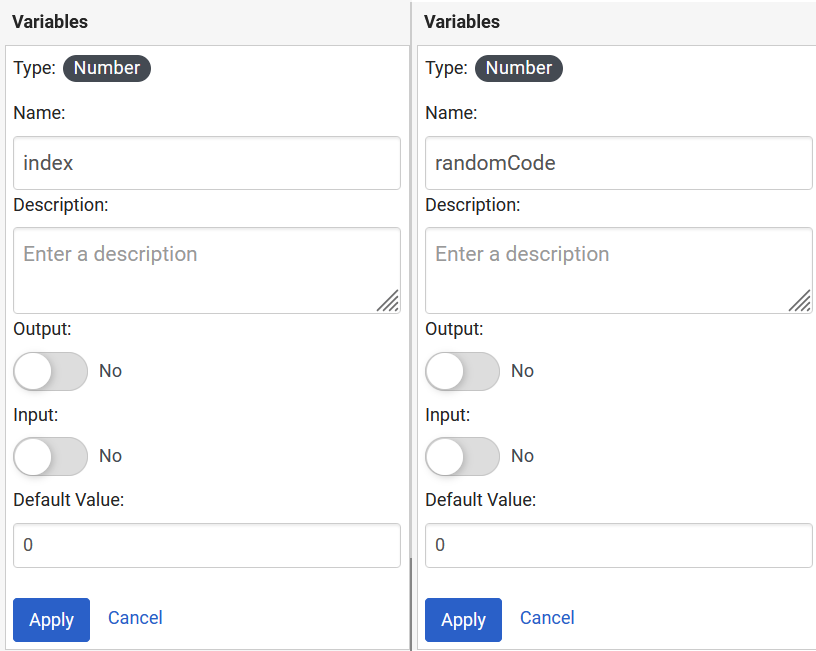
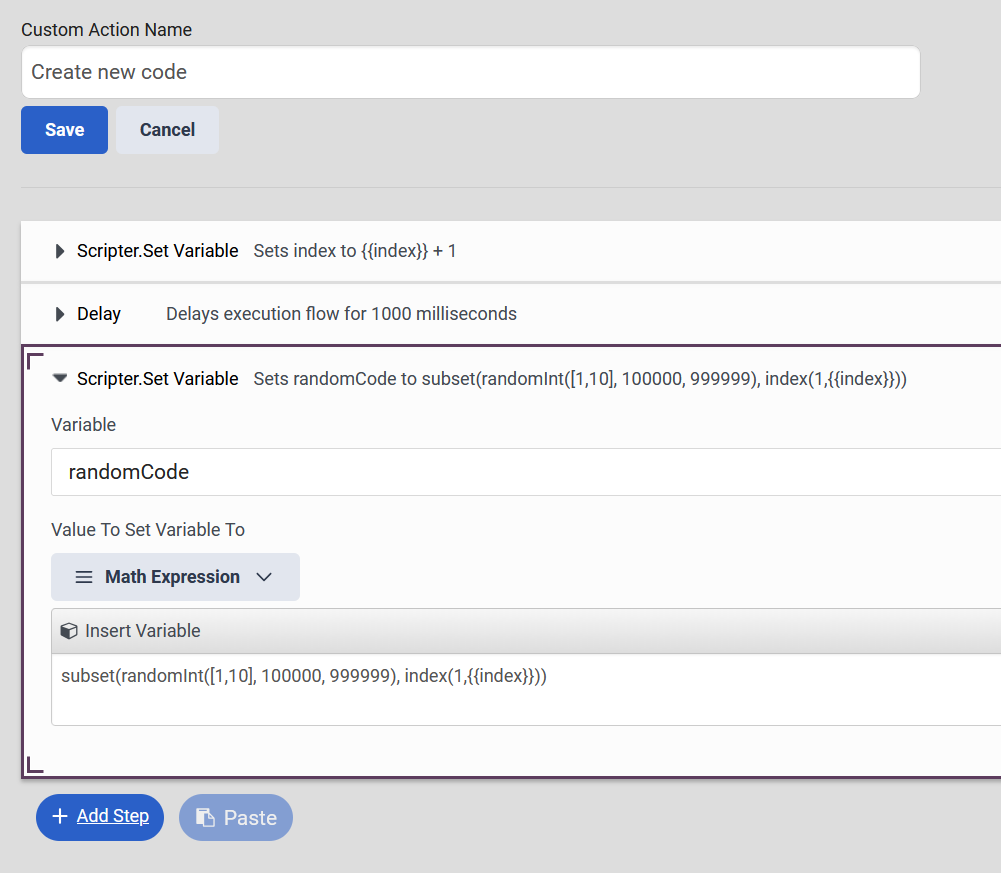
After that create a Custom Script Action with the following. (delay is not needed but it stops the user from double-clicking through numbers)
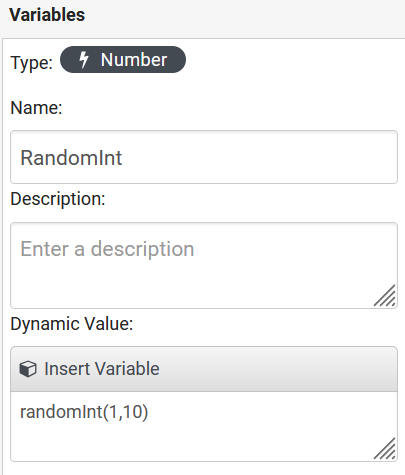
The 10 in randomInt[1,10] decides how many codes to create so that can be adjusted if more are needed.
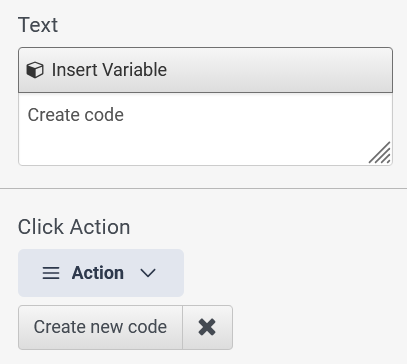
Add a button to the script and attached the Custom Action to the buttons Click Action setting
Now when you press the button it will add 1 to index which shows the next code in the list.
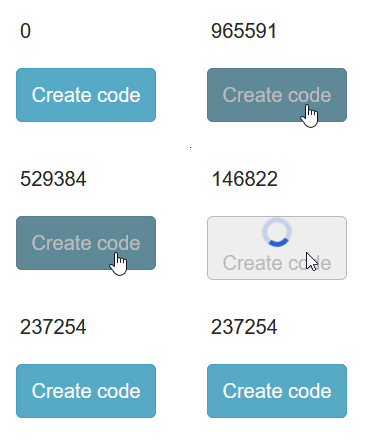
This can of course be finetuned to you requirements with error handling if you go over the numbers of codes etc, but hope this gets you in the right direction :)
------------------------------
Jan Heinonen
Contact Center Specialist
GlobalConnect AB
------------------------------
Original Message:
Sent: 12-05-2025 15:38
From: Shane Jenkins
Subject: Can an agent script generate a random number?
Thanks Jan! This works excellent. Now for part 2 of my challenge and I'm working on this part currently. Do you know if there is a way to have a button generate the random code and then reset it each time the button is clicked?
Example, agent clicks the button initially to get a random 6 digit code and then clicks button a second time to get another random 6 digit code. I should be able to use RandomInt(100000,999999) as you mention above to force a random 6 digits. Just not totally sure how to execute or reset it via a button click. (if possible).
We have executed Data Actions and Open URL's via agent script button clicks, but not set/reset a specific variable like this. Fingers crossed.
I'll keep testing.
Thanks again!
------------------------------
Shane Jenkins
IT Sys Admin Mgr
Original Message:
Sent: 12-05-2025 07:21
From: Jan Heinonen
Subject: Can an agent script generate a random number?
Hello Shane,
You can create a dynamic number variable and use random(x,y) for decimal number or randomInt(x,y) for integer number.
------------------------------
Jan Heinonen
Contact Center Specialist
GlobalConnect AB
Original Message:
Sent: 12-04-2025 14:48
From: Shane Jenkins
Subject: Can an agent script generate a random number?
Thanks Arthur! We will definitely explore that.
We were really hoping for a native ability using dynamic variables or something along those lines would allow for this functionality within the script itself (without stepping out to a data action).
We also know we can set a random code within Architect and pass into the script, but would like to give an agent the ability to generate a random code dynamically and more than once, if needed. Agent clicks a button, random 6 digit code generated. If agent needs to generate the code again, he/she would click the button again to get another 6 digit code.
Really appreciate the suggestion! If we pursue that and have success, I'll definitely report back.
Thanks again!
------------------------------
Shane Jenkins
IT Sys Admin Mgr
Original Message:
Sent: 12-04-2025 14:34
From: Arthur Pereira Reinoldes
Subject: Can an agent script generate a random number?
Hello, Shane.
You can use a data action function and consume this in a script. Using NodeJS, you can build a simple or more complex algorithm, if necessary, to generate those numbers.
------------------------------
Arthur Pereira Reinoldes