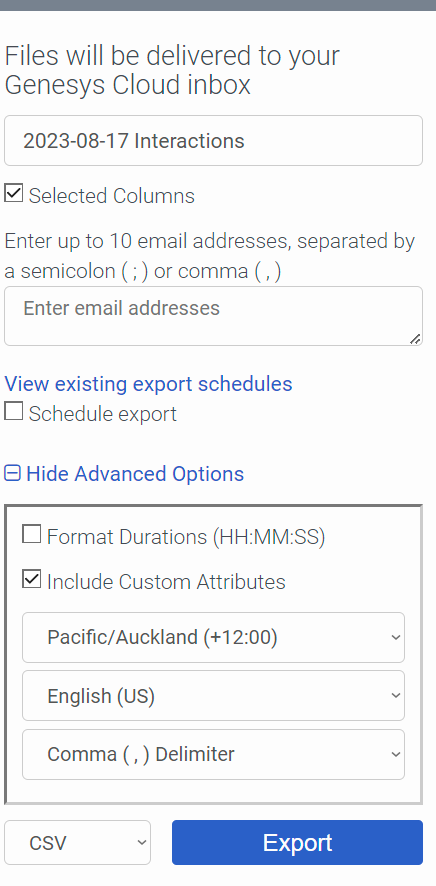
In the Interaction View, when you click export, there is a toggle called include custom attributes, just make sure that is ticked and that will pull the participant data through.
Now it use to be always about 24 hours behind, so the participant data wouldn't be available this way for 24 hours, but believe there was a recent update that reduced that down to a few minutes.
Otherwise it is available in one of the GET API calls.
------------------------------
Anton Vroon
------------------------------
Original Message:
Sent: 08-16-2023 22:16
From: Eve Mullen
Subject: Can you have multiple External Tags on a single call?
Ahhh, I was looking at participant data but hadn't found a way to pull that from the native Genesys reports, I could only see them in scripts for agents. Is there a way in the native interactions reports or do we need an API GET hook to get the participant data for reports?
(Thanks Anton)
------------------------------
Eve
------------------------------
Original Message:
Sent: 08-16-2023 21:22
From: Anton Vroon
Subject: Can you have multiple External Tags on a single call?
Correct only 1 External tag per call. Wish it was more. You could always append the answers together and then write one external tag. Or write the answers as participant data and pull those out in the reporting.
------------------------------
Anton Vroon