
We're excited to announce the release of Monthly View in Capacity Planning!
With this enhancement, Capacity Planners can now analyze results at both the weekly and monthly level, making it easier to align long-term staffing strategies and produce executive-ready reporting.
This release delivers deeper visibility, enhanced workforce movement tracking, and improved data integrity safeguards.
🌟 What's New
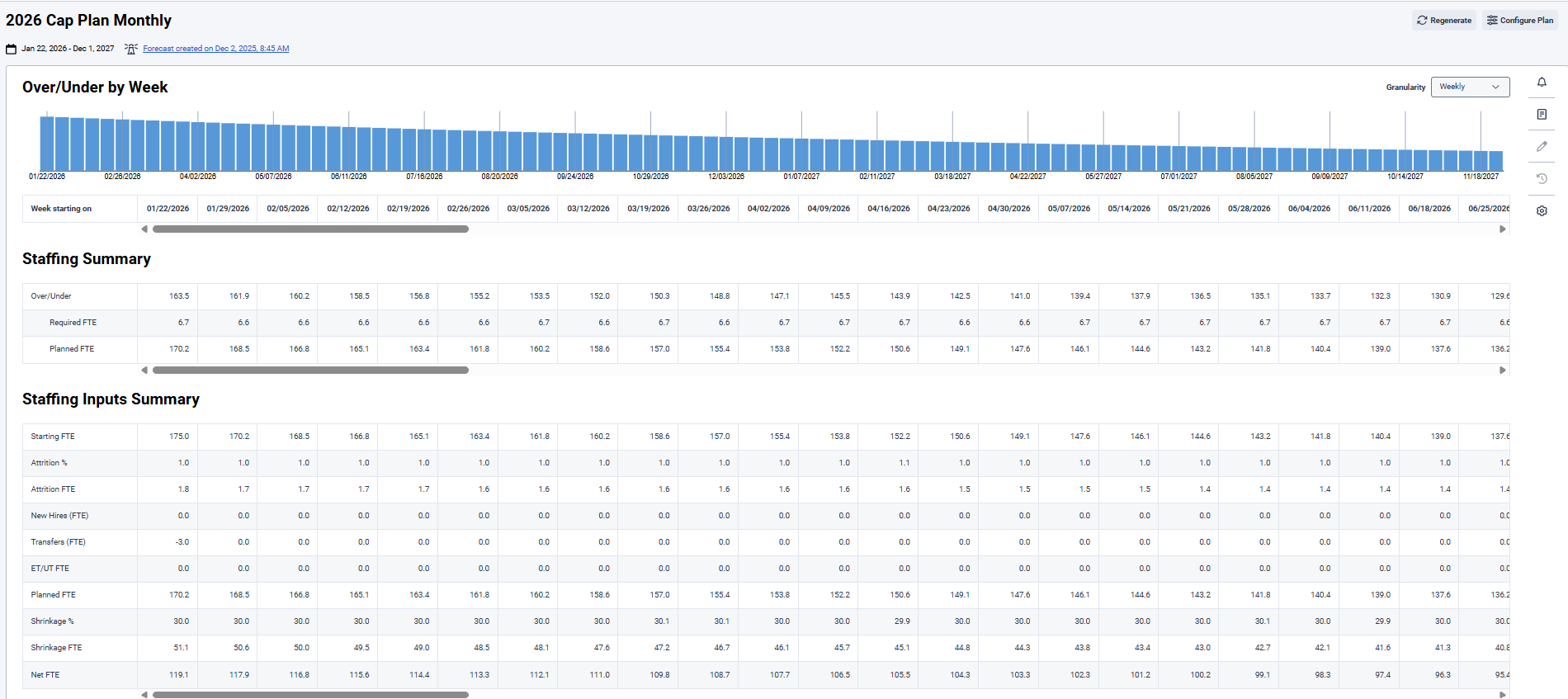
🔄 Weekly / Monthly Toggle
A new toggle has been added to both:
-
BU-level view
-
PG/SG-level view
You can now seamlessly switch between Weekly and Monthly results.
*Monthly view is read-only. All modifications must continue to be made in Weekly view.
📊 Monthly View Highlights
📈 Chart Enhancements

🗂️ Monthly Grid Updates
The Monthly grid includes:
➕ New Metrics (Weekly & Monthly)
Weekly View – New Metrics
Now available at BU and PG levels:
Tooltips included for clarity.
Updated Weekly Calculations
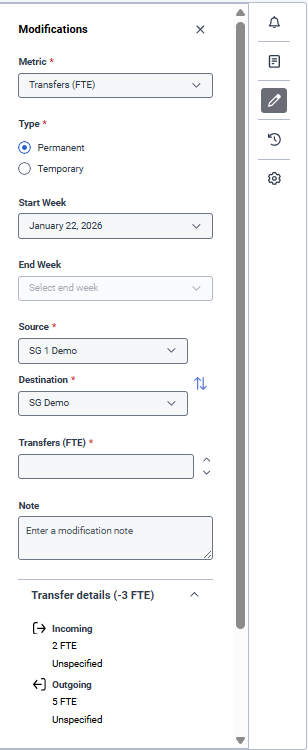
🔁 Transfers Management (Weekly Only)
Transfers can now be added or modified through the Modifications Panel.
Key Capabilities:
-
Permanent or Temporary transfers
-
Source & Destination SG selection
-
Swap icon for easy reversal
-
Automatic cumulative calculation
-
Transfer Details section showing:
-
All transfers in/out
-
Net transfer total
-
Expand/collapse option
Temporary transfers will automatically reverse at the end week.
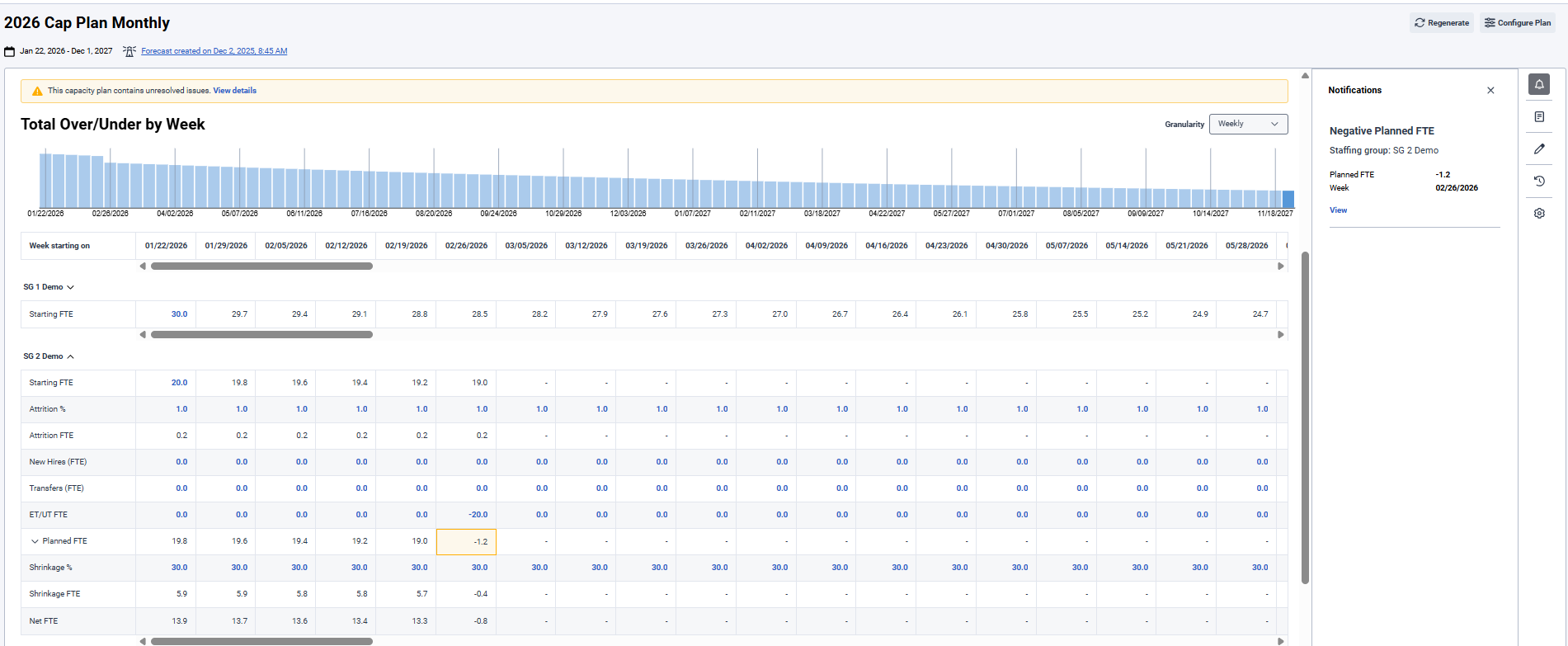
⚠️ Intelligent Issue Detection
If Transfers or ET/UT entries cause negative Planned FTE, the system will:
-
Highlight affected SGs
-
Stop calculating Over/Under and allocation values
-
Display dashes for impacted weeks
-
Prevent chart display for affected periods
-
Show a Capacity Plan Warning Banner
-
Provide a View Details link to a new Capacity Plan Notifications panel
The Notifications panel includes:
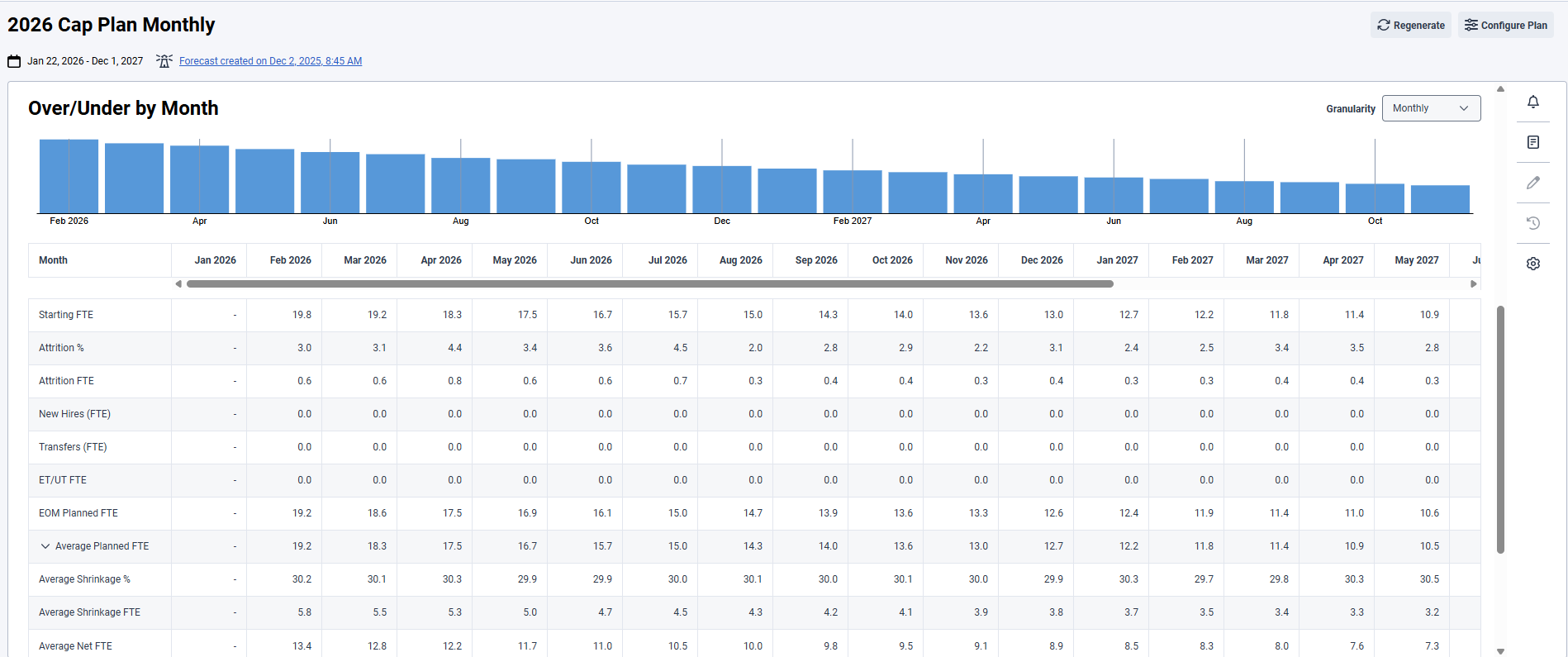
📆 Monthly View – New Metrics
The Monthly view introduces executive-level rollups including:
-
Average Over/Under FTE
-
Average Required FTE
-
Transfers FTE
-
ET/UT FTE
-
EOM Planned FTE
-
Average Planned FTE
-
Average Shrinkage %
-
Average Shrinkage FTE
-
Average Net FTE
All monthly calculations properly account for:
🎯 Business Impact
With Monthly View, planners can now:
-
Deliver stakeholder-ready monthly reporting
-
Analyze staffing health at strategic levels
-
Accurately track Transfers and ET/UT adjustments
-
Prevent planning errors with proactive issue alerts
-
Align weekly operational adjustments with long-term capacity strategy
📅 Availability
Capacity Planning – Monthly View is available by region beginning Tuesday, February, 24th and will be enabled in all regions by Friday, February 27, 2026
No new or additional permissions are required.
#CapacityPlanning
------------------------------
Belinda Herrera
Genesys, Staff Product Manager
------------------------------