Hi Dan,
A warm welcome to the community-and thank you for your detailed and thoughtful first post! No need to apologise-your explanation is clear, and it's fantastic that you've shared such a structured example of what you're aiming to achieve. Many organisations are working to move away from disconnected or clunky tools towards more integrated coaching workflows, so your question resonates with a lot of teams.
The good news is that Genesys Cloud includes built-in Coaching features as part of our Workforce Engagement toolkit. These allow you to schedule, deliver, and manage coaching sessions directly within the platform, complete with contextual performance data and flexible scheduling.
Starting a Coaching Session
You can create a coaching appointment from several places depending on your workflow:
1. From the Interaction Screen
Quickly initiate a session linked to a specific interaction.

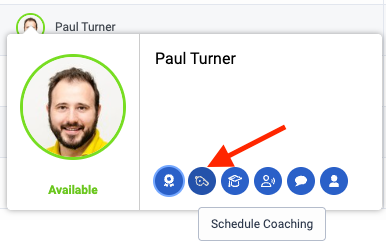
2. From Agent Activity
Launch coaching directly from an agent's profile card.
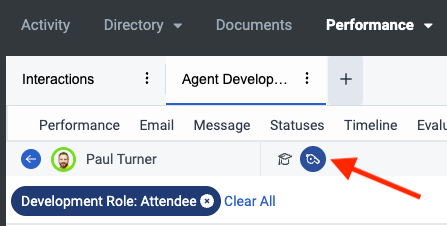
3. From the Agent Development Workspace
This central hub gives you visibility into coaching and learning sessions across agents. Clicking directly into an agent will show the option to create either Learning or Coaching.
Structuring Sessions
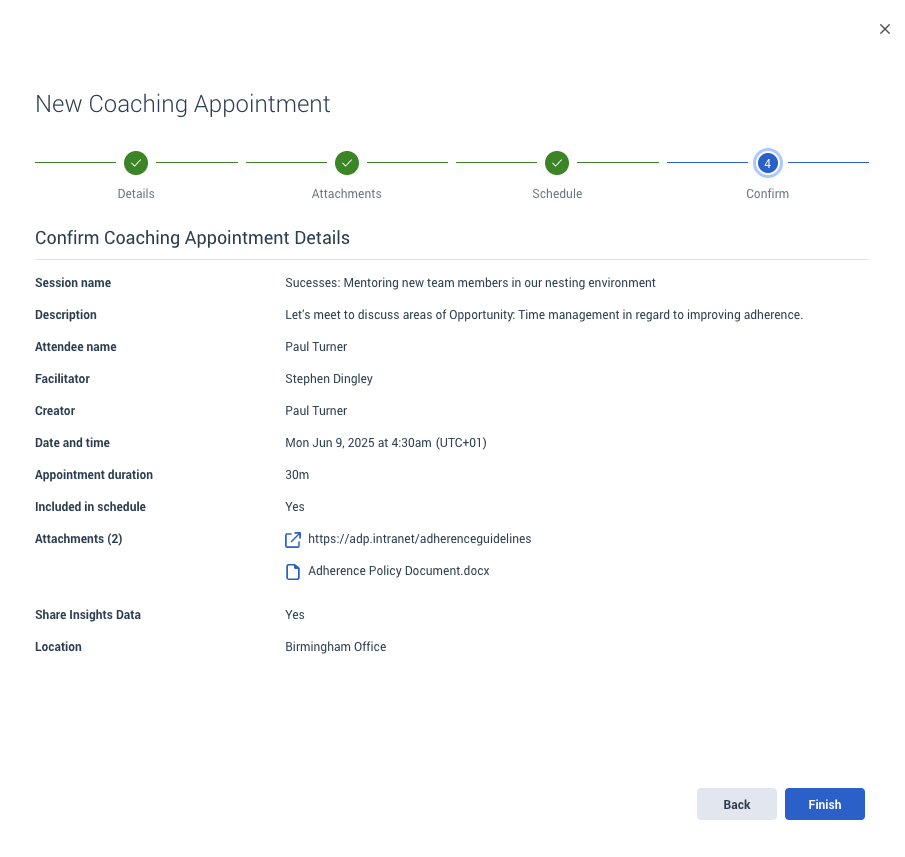
The session interface allows you to document Successes, Opportunities, and Comments-similar to the example you outlined. These details are typically entered in the description or notes fields, giving you flexibility to tailor each session.
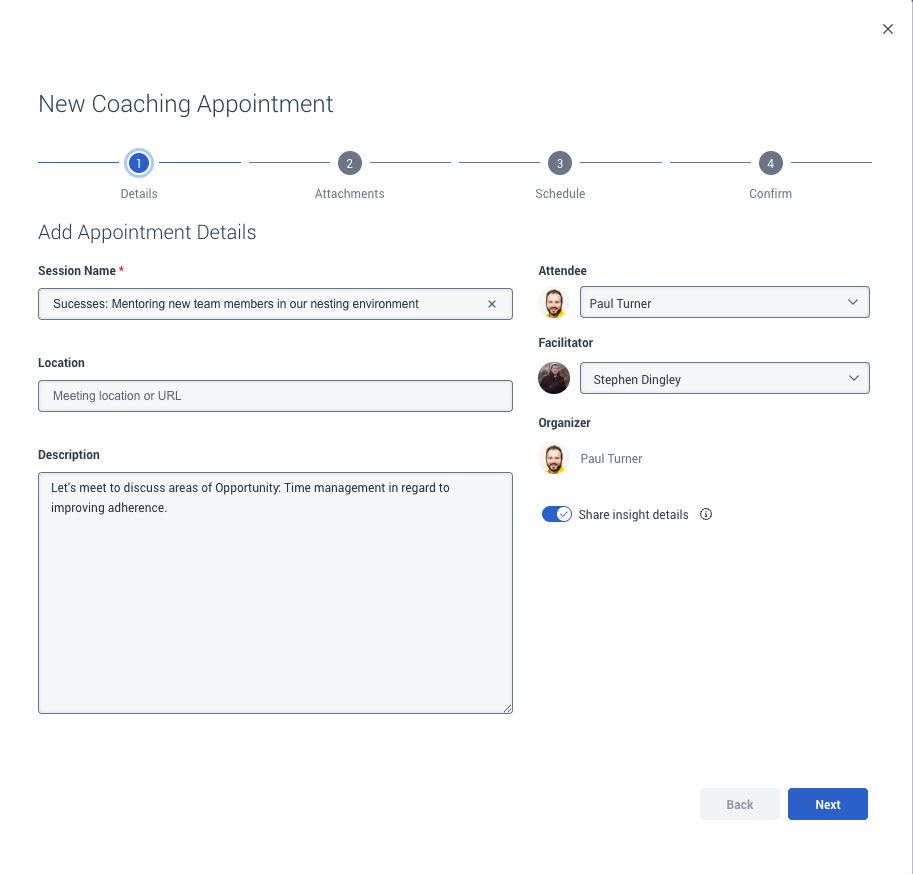
You'll also notice the "Share Insight details" toggle. When this is enabled, the agent can see metrics from your assigned Gamification profile during the session. These could include things like AHT, quality scores, or any other performance measures your organisation has chosen to include in that profile.
If you're configuring Gamification profiles, these resources might help:
You can also bring in external documents or data to support the session-ideal for highlighting qualitative insights or performance beyond what's tracked in-platform.
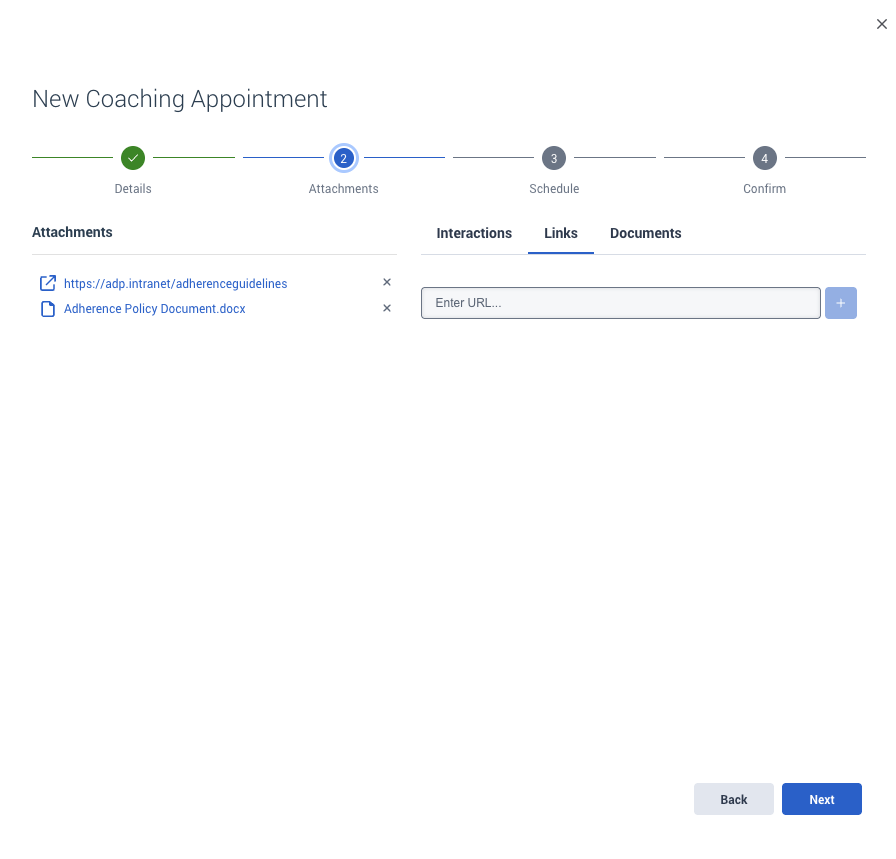
Adding Supporting Material
You can attach files, documents, or relevant links-such as policy guidance, interaction examples, or enablement resources.
Scheduling and Notifications
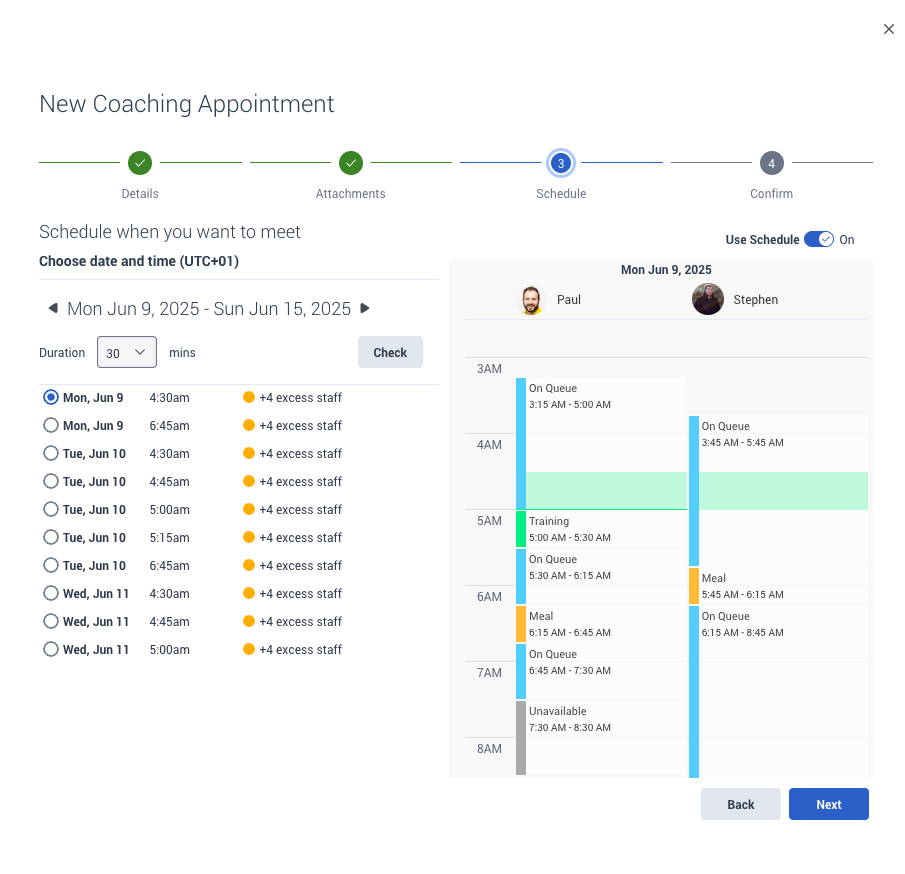
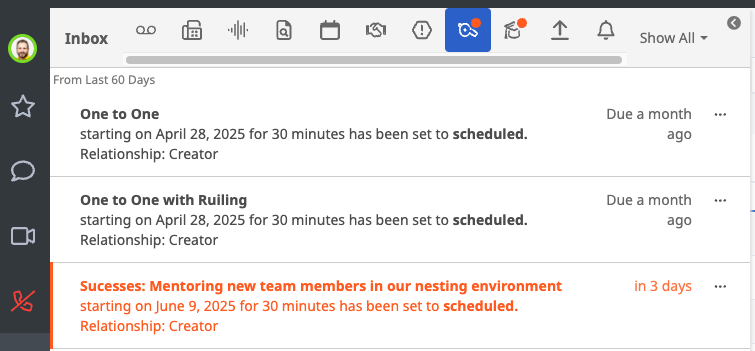
If your organisation uses Workforce Management, Genesys Cloud will suggest session times based on available interruptible activities. Once booked, the session appears in both the coach's and agent's inboxes, and is visible in the Agent Development view.

Running and Following Up
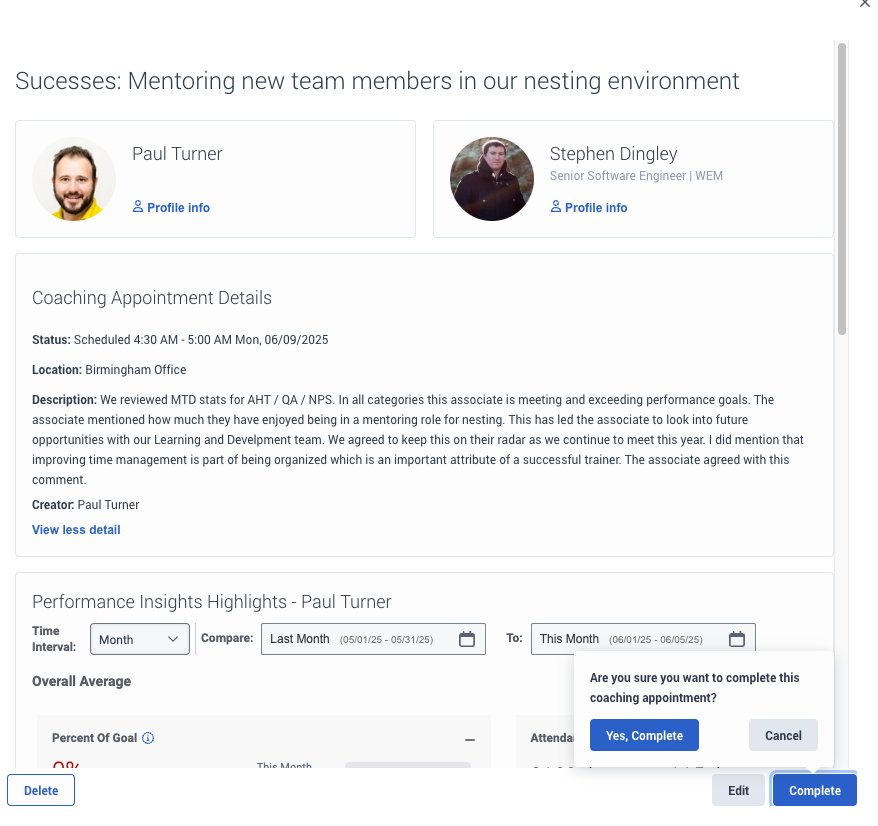
During or after a coaching session, you can capture outcomes in notes or update the description to reflect key discussion points and next steps.
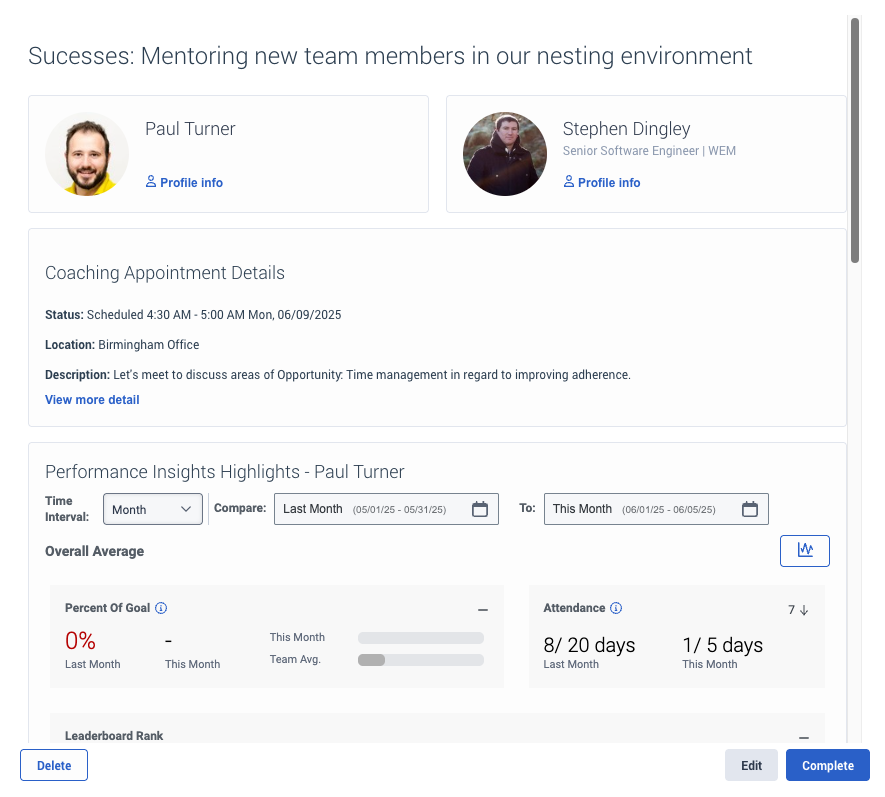
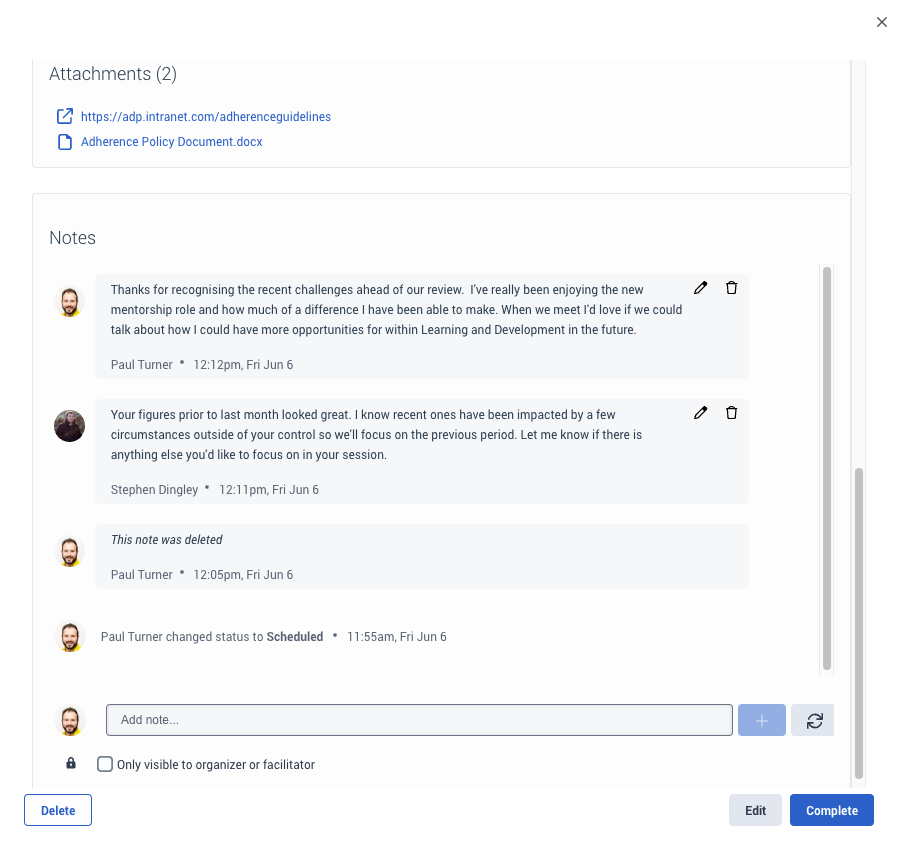
I could use these notes for all updates. Or alternatively, as the facilitator, I could edit the appointment description to include the conclusion ahead of completing the appointment as I have done here:
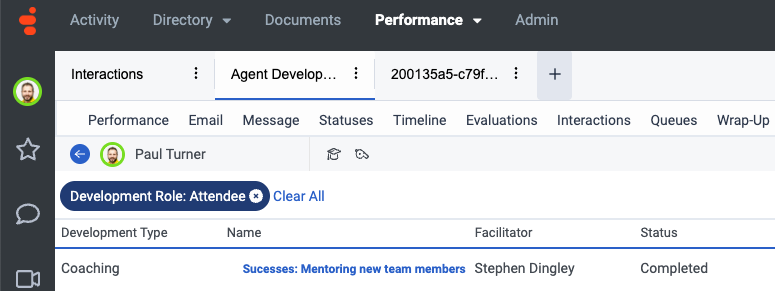
Completed sessions are removed from the inbox but remain available for reference via the Agent Development workspace.
Reporting and Filtering
In the Agent Development view, you can filter sessions by agent, date range, reporting line, development type (Coaching/Learning), and status (Planned, Completed, Overdue, etc.). These options are designed to support the most common management workflows.
That said, we know that some teams are looking for more advanced reporting-such as filtering by coaching themes, discussion points, or performance focus areas. While these aren't currently available as structured filters, we're always open to feedback on what would best support your process.
If there are specific fields, workflows, or reporting needs you're looking to enable, we'd love to hear more about them-your input helps shape the direction of future enhancements.
Final Thoughts
It sounds like you're working towards a structured and meaningful coaching framework that supports both data-driven and developmental conversations. Genesys Cloud's Coaching features are designed to give you the tools to do just that-while keeping everything in one place and connected to the agent's journey.
We really appreciate your post, Dan. If you have any follow-up questions-or ideas about how coaching or reporting could work better-we'd love to hear them.
------------------------------
Paul Turner
Senior Product Manager
Genesys - Employees
------------------------------
Original Message:
Sent: 06-03-2025 16:09
From: Dan Garrison
Subject: Coaching Notes
Replying to my own discussion thread. Left out the following: drop down fields would be searchable and reportable
------------------------------
Dan Garrison
------------------------------