Hi Thanks for providing the solution
We have tried with 1440 value and used in literal mode in the Transfer to ACD tool and tested it.it didn't work for 24 hours. its worked only for 2 hours. after 18 hours we tested. even it was not working.
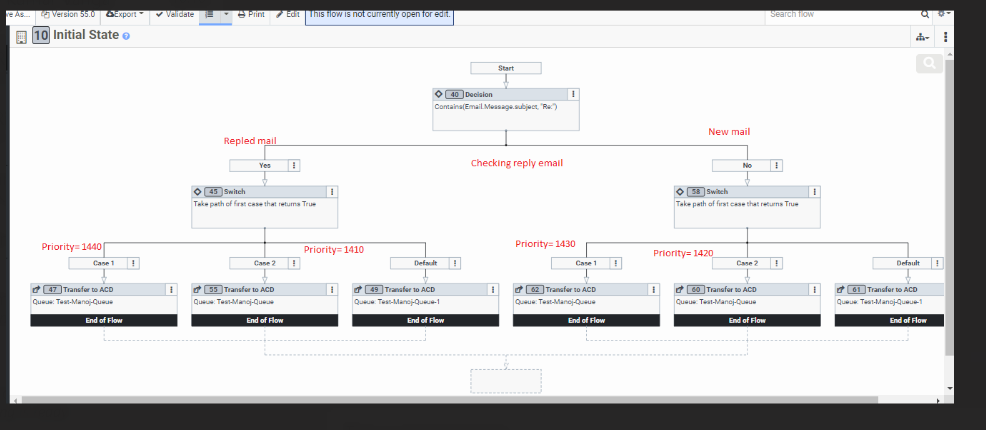
Here we are using three cases as mentioned below.
for Reply mail condtion:
Contains(Email.Message.subject, "Feedback | General Complaint")--1440
Contains(Email.Message.subject, "Returns | Online Returns")--1410
For New mail condition:
Contains(Email.Message.subject, "Feedback | General Complaint")--1430
Contains(Email.Message.subject, "Returns | Online Returns")--1420
Please anyone help on this one and to provide the solution for 24 hours logic priority and Please let us know if anything needs to be change.
------------------------------
Mourya Chintapatla
MAXIMUS, Inc.
------------------------------
Original Message:
Sent: 04-14-2022 01:59
From: Jeff Hoogkamer
Subject: Email priority
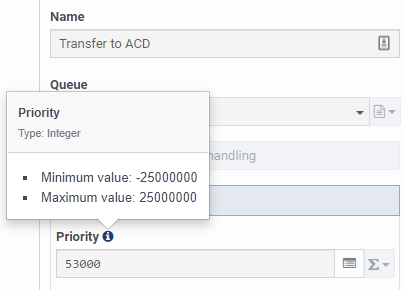
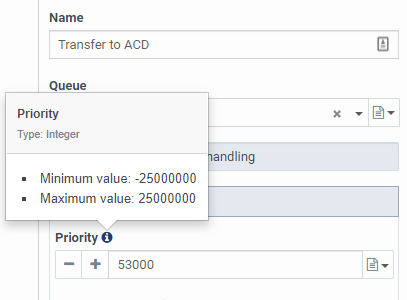
It looks like you don't need to use the calculation method anymore - bot the Literal and Expression fields appear to have been updated to support the full values ranging from -25000000 to 25000000
Expression mode:
Literal mode:
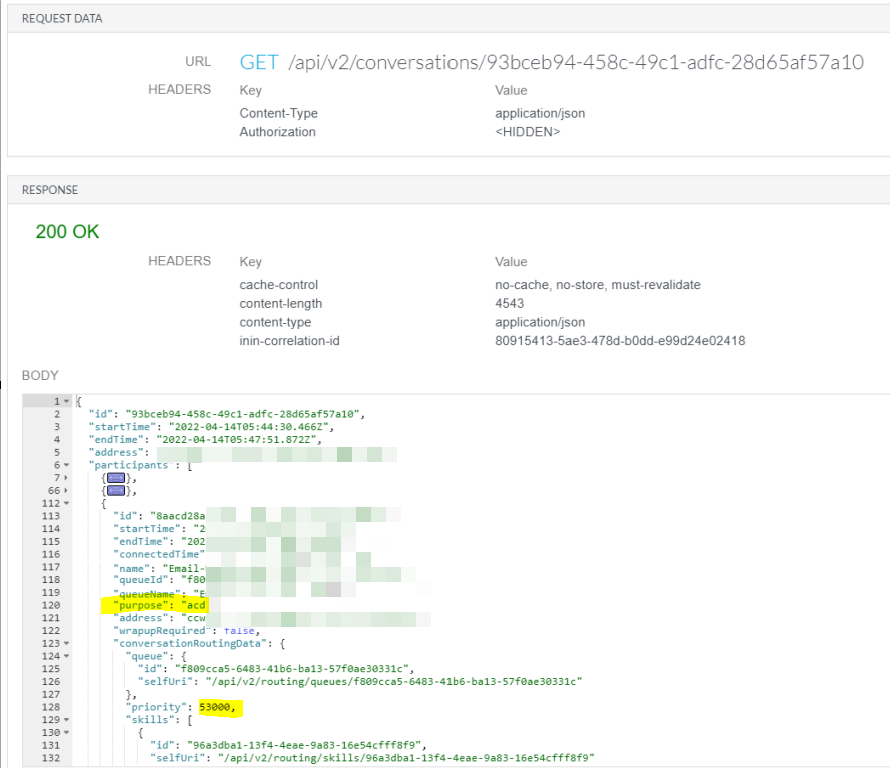
Just tested it using the API Explorer and the routing priority was set to the integer value populated as expected (look for the Participant segment with Purpose of ACD, and under Conversation Routing Data, check for Priority).
In saying that, we are still using the integer calculation method (i.e. 50000+3000) in Expression Mode across many of our Transfer to ACD steps and they are still functioning as expected as well.
------------------------------
Jeffrey
------------------------------