Unfortunately, there's no way to enable and disable it (it would be nice).
My idea is this: create the group and put the agents in the group.
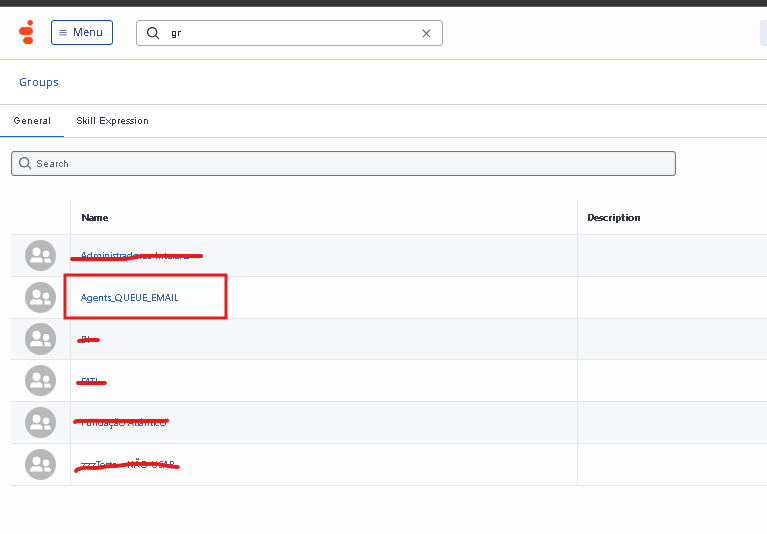
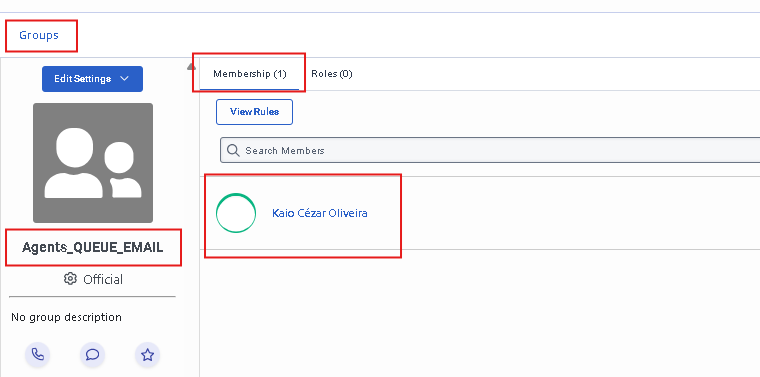
Next, add that group to the queue
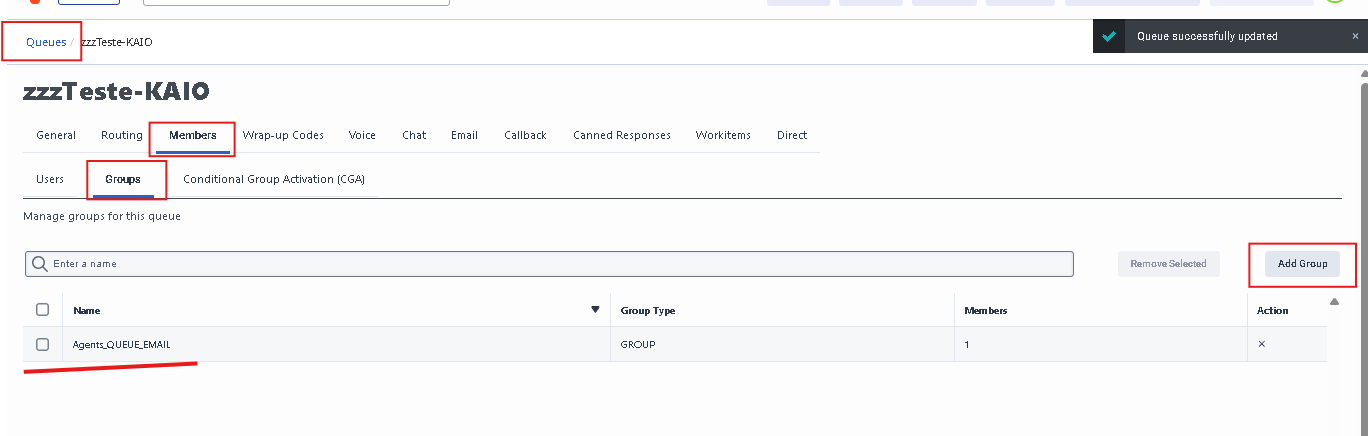
When you need to prevent agents from receiving interactions from this email queue, simply remove the group from the queue.
Then, add the group back to the queue when needed.
------------------------------
Kaio Oliveira
GCP - GCQM - GCS - GCA - GCD - GCO - GPE & GPR - GCWM
PS.: I apologize if there are any mistakes in my English; my primary language is Portuguese-Br.
------------------------------
Original Message:
Sent: 02-26-2026 14:06
From: Melissa Palmer
Subject: Email Queues vs. Phone Queues
Thank you, Kaio. I was unaware that I could add/remove a group. Just to clarify you are saying I can activate/deactivate rather than remove, correct? If so, do you mind to tell me where exactly I would activate or deactivate at the group level?
------------------------------
Melissa Palmer
------------------------------
Original Message:
Sent: 02-26-2026 12:50
From: Kaio Oliveira
Subject: Email Queues vs. Phone Queues
Hi Melissa,
Thinking quickly about a simple solution:
Create a group in Genesys containing only the agents who will be working with email during those specifics hours.
Instead of adding and removing users from the queue individually, you can simply add and remove the group from the queue.
This will make the process faster and simpler.
------------------------------
Kaio Oliveira
GCP - GCQM - GCS - GCA - GCD - GCO - GPE & GPR - GCWM
PS.: I apologize if there are any mistakes in my English; my primary language is Portuguese-Br.