
We're pleased to announce that User Rules are now available for use in Development and Feedback modules within Genesys Cloud. This new feature introduces a flexible, centralised way to define groups of users based on organisational criteria. It is designed to save you time, reduce duplication, and increase accuracy when assigning training content.
What are User Rules?
User Rules allow you to create reusable, dynamic groupings of users using inclusion and exclusion logic. You can group users based on attributes such as:
- Business Unit
- Management Unit
- Work Team
- Language
- Location
- Reports To
- Skills
- Queues
- Directory Groups
- User Name
Once created, these rules can be applied across multiple Learning modules, helping you maintain consistency when targeting specific agent groups for training.
It's as simple as selecting a rule from the list when creating or updating your module.
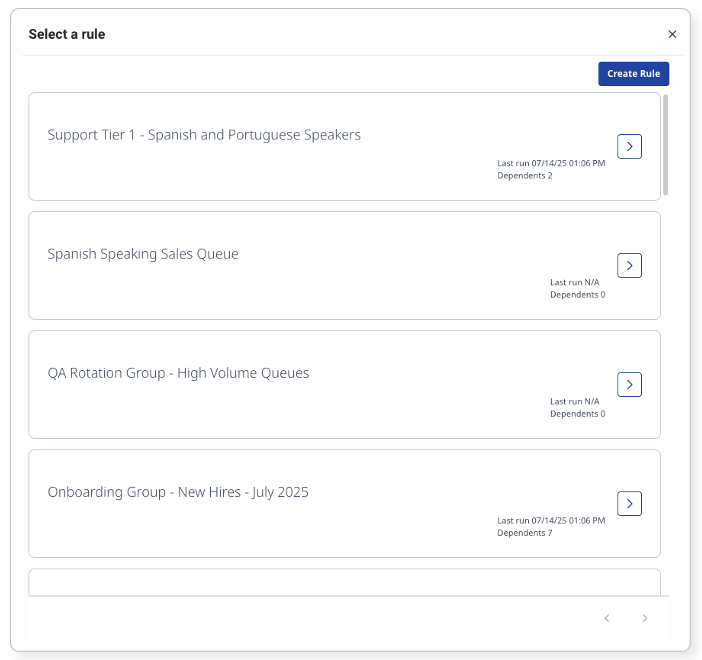
Learn how to work with User Rules
Why Are Auto-Assignment Rules Changing?
Previously, assigning users to Development and Feedback modules required using legacy auto-assignment rules, which were tied to individual modules and offered limited targeting criteria. Each rule had to be recreated from scratch and couldn't be reused.
User Rules replace this with a single, reusable rule set that can be applied across modules. This simplifies rule management and expands your ability to align assignments with your organisation's structure.
In addition, rule groupings allow you to combine multiple conditions using OR logic within a group, and connect different groups using AND or OR. This makes it easier to build powerful, targeted rules that suit complex business needs.
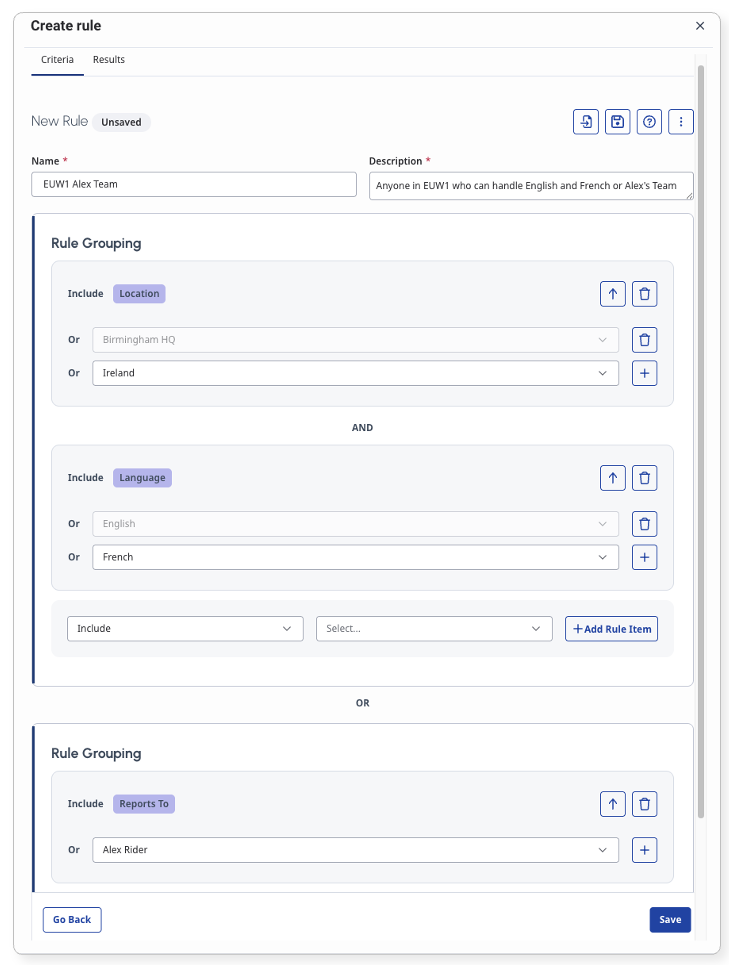
You can continue using Legacy Rules for now, but all newly created modules will default to the new User Rules experience.
How to assign a Development and Feedback module
What Do I Need to Use the New Rules?
User Rules are available now to anyone using Learning modules in Genesys Cloud. To get started:
- Open a Development and Feedback module
- Go to the Auto Assign tab
- Toggle on User Rules
- Create a new rule or select an existing one
Permissions Note:
The Performance Management Admin role includes all required permissions to create and manage User Rules. If you do not see the expected options, check whether this role is assigned in your organisation or ensure permission backfill is enabled.
The following permissions support the User Rules feature:
- Users > Rules > View, Add, Edit, Delete – manage rule sets
- Users > Rule Users > View – preview users in a rule
- Users > Rule Dependents > View, Edit, Delete – manage rule dependencies
What About My Old Rules?
All existing rules have been automatically migrated into the new system to preserve functionality and unlock new capabilities without interrupting your workflows.
In some cases, a rule may be too complex to migrate automatically. These modules will be highlighted in the Development and Feedback page.
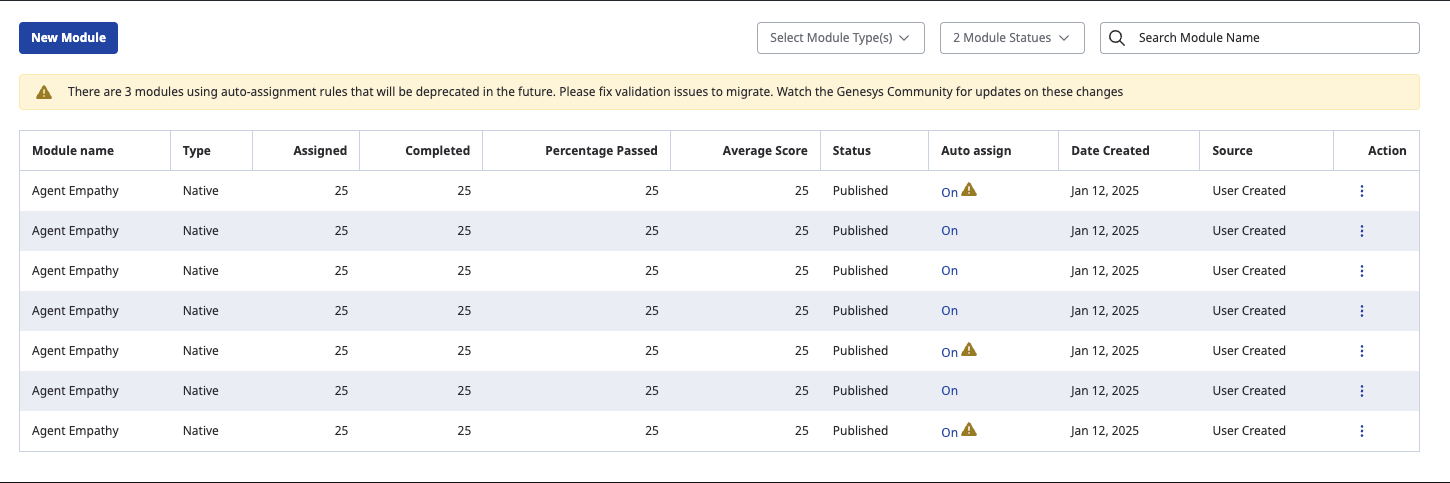
To fix this, you can either remove rule items until the complexity is reduced or manually recreate the rule using the new User Rules interface.
What if I still rely on a rule that cannot be migrated?
Legacy auto-assignment rules will continue to function, even if they haven't migrated yet. You can also toggle back to Legacy Rules within the Auto Assign tab if needed.
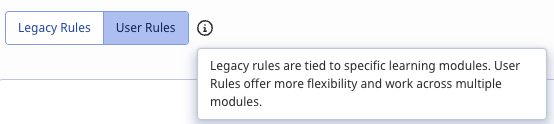
Any rules created or edited in the Legacy Rules experience will attempt automatic migration overnight. Most customers will benefit from the flexibility and reusability of User Rules, but legacy support remains in place for edge cases.
Looking ahead: We plan to deprecate legacy rules in future. We'll monitor usage and gather feedback to guide this decision, and we will provide clear and timely communication before any changes take place.
How Do I Manage My Rules?
Because rules are now reusable, we've introduced a centralised User Rules management page. Here, you can view, update, delete, and reuse rule sets across modules.
When your existing legacy rules were migrated, one User Rule was created for each Learning module that used auto-assignment. You may now wish to consolidate and reuse a single rule across multiple modules.
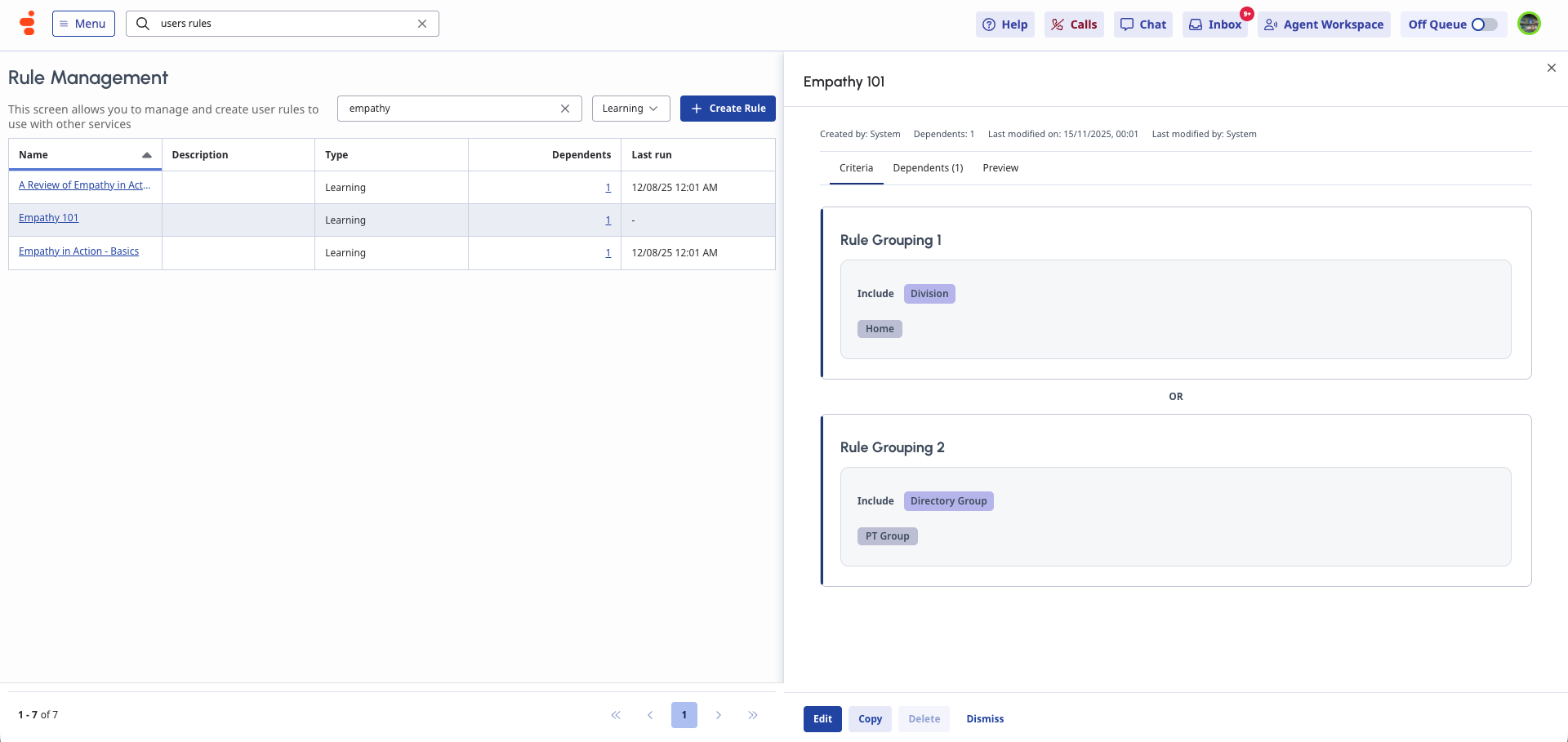
From the management page, you can:
- View what each rule includes
- See which modules depend on it
- Navigate directly to those modules via the dependents tab
- Remove dependencies to clean up or delete rules
Visit the User Rules management area
We Would Love Your Feedback
We hope you find the new User Rules helpful for managing Learning assignments. We'll continue to expand this feature set over time. Keep an eye on the Community and release notes for future updates, including upcoming support for Activity Plans.
Once you've had a chance to explore the new experience, we'd love to hear your thoughts:
- Are the available criteria meeting your needs?
- Has rule creation and reuse improved your workflow?
- Is anything unclear, missing, or harder to use than expected?
Reply here in the Community or share your feedback through your usual Genesys channels.
#CoachingandLearning
------------------------------
Paul Turner
Senior Product Manager
Genesys - Employees
------------------------------