Summary
We are experiencing an event ordering inconsistency for Preview Campaign interactions when using the Genesys Cloud Embedded Framework with the JavaScript SDK inside Microsoft Dynamics 365.
Because of this event ordering difference, custom attributes (including ActivityId) configured by customers are not available during the processCallLog event.
This causes our integration to create new Dynamics 365 activities instead of linking to the existing activity, leading to data inconsistencies and duplication in customer records.
Expected Event Flow (Auto Answer Calls / Callbacks)
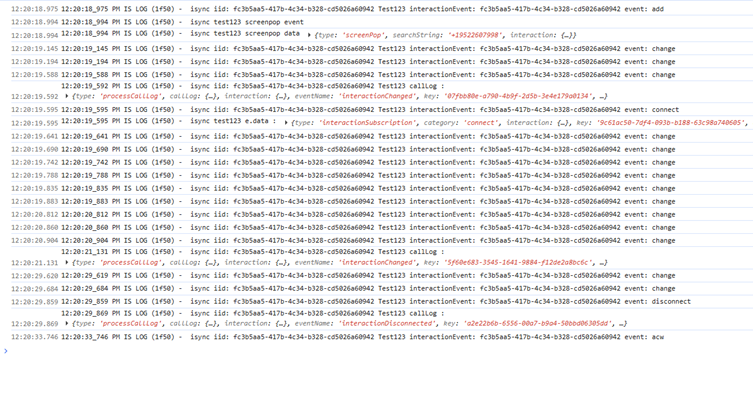
When Auto Answer is enabled, we receive the following event order:
add
screenpop
processCallLog
The screenpop event arrives before processCallLog, which allows us to:
- Retrieve custom attributes from the screenpop payload
- Attach them to the interaction using:
addCustomAttributes
Once added, the attributes are available throughout the interaction lifecycle, including inside processCallLog.
This flow works correctly.
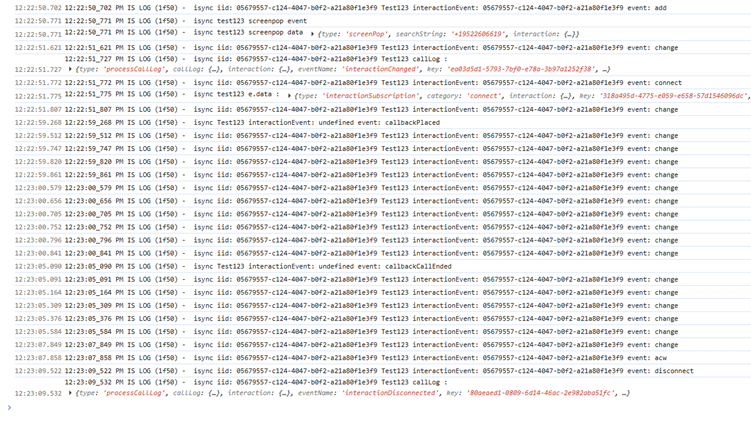
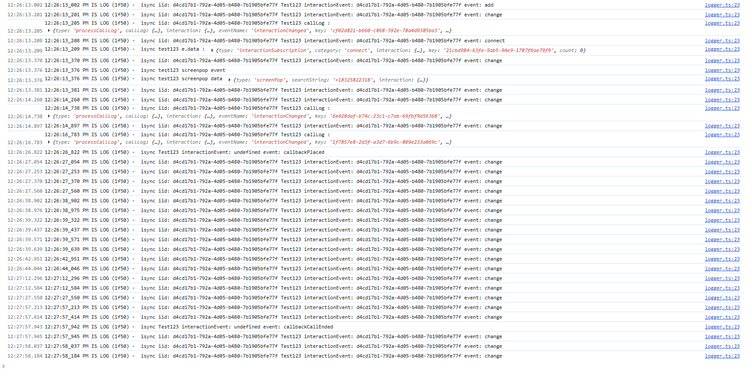
Actual Event Flow (Preview Campaign Calls)
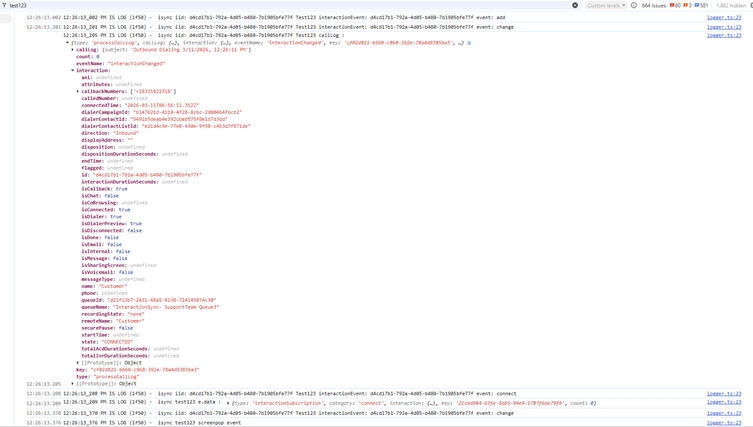
For Preview Campaign interactions, we observe the following order:
add
processCallLog
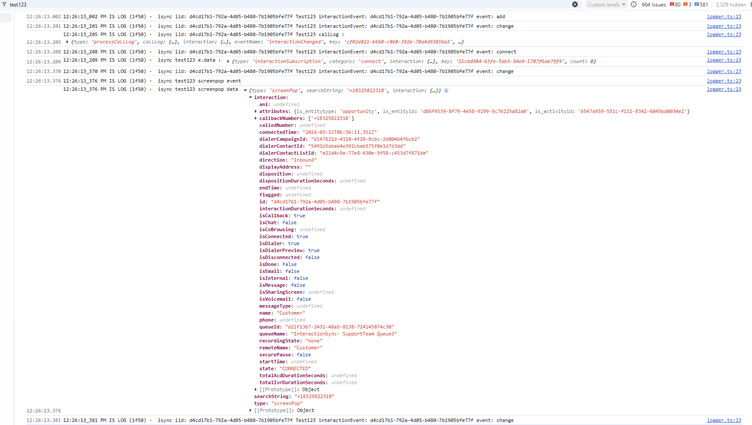
screenpop
Because processCallLog occurs before screenpop, the custom attributes are not yet available.
The screenpop event contains the customer-configured attributes, but they arrive too late for our processing logic.
Key Impact – Dynamics 365 ActivityId
One of the custom attributes included in the screenpop payload is:
ActivityId
This ActivityId is required to link the interaction to the existing Dynamics 365 activity record.
Because the attribute is not available during processCallLog, our integration cannot retrieve the correct ActivityId in time.
As a result:
- Our system creates a new activity instead of using the existing one
- The interaction becomes disconnected from the correct customer record
- Duplicate activities are created in Dynamics 365
- Customer data becomes inconsistent
This has a major impact on customers using preview campaigns, as activity tracking becomes inaccurate.
Current Workaround Logic
Our integration workflow currently works as follows:
- Wait for
screenpop
- Extract custom attributes
- Attach them to the interaction via:
addCustomAttributes
This ensures attributes propagate to later events such as processCallLog.
However, because screenpop arrives after processCallLog for preview campaigns, this mechanism does not work.
Attempts to Resolve
We explored alternative approaches:
1. Public APIs
We investigated whether Genesys APIs could retrieve interaction custom attributes earlier, but there appears to be no public API that exposes these attributes in real time for this use case.
2. Custom Attribute Search API
Support suggested using the Custom Attribute Search API with subscriptions.
However this approach is not feasible for our product because:
- Our solution integrates with multiple customer Genesys organizations
- Each customer maintains their own Genesys environment
- We deploy using the Genesys Cloud Embedded Framework inside Dynamics 365
- Requiring each customer to configure and maintain custom subscriptions is operationally difficult and not scalable.
#EmbeddableFramework#PlatformAPI#PlatformSDK------------------------------
Sai Shankar
x
------------------------------