Good Morning Cam!
Sorry for the delay, it's been a busy week!
The calibration screen currently only allows for you to see a max of 4 evaluators- we currently have 6 that participate every time. So in order to see the 2 that happen not to be the lucky ones, I have to go back to the evaluation list and see which ones are calibration ones. Additionally, the bubbles do indicate where there are comments but as I mentioned, you have to click on each one individually.
Some ideas I had were
1- if there are comments, allow for all evaluators scores for that particular line item to be reviewed at the same time The goal is to see if other evaluators marked down for the same thing and if the comments were similar. This is key to see where the QA team may not be in alignment.
2- Allow for all of the evaluations to be exported to a CSV/Excel so that the discrepancies could be sorted. Again, looking for where we are not in alignment.
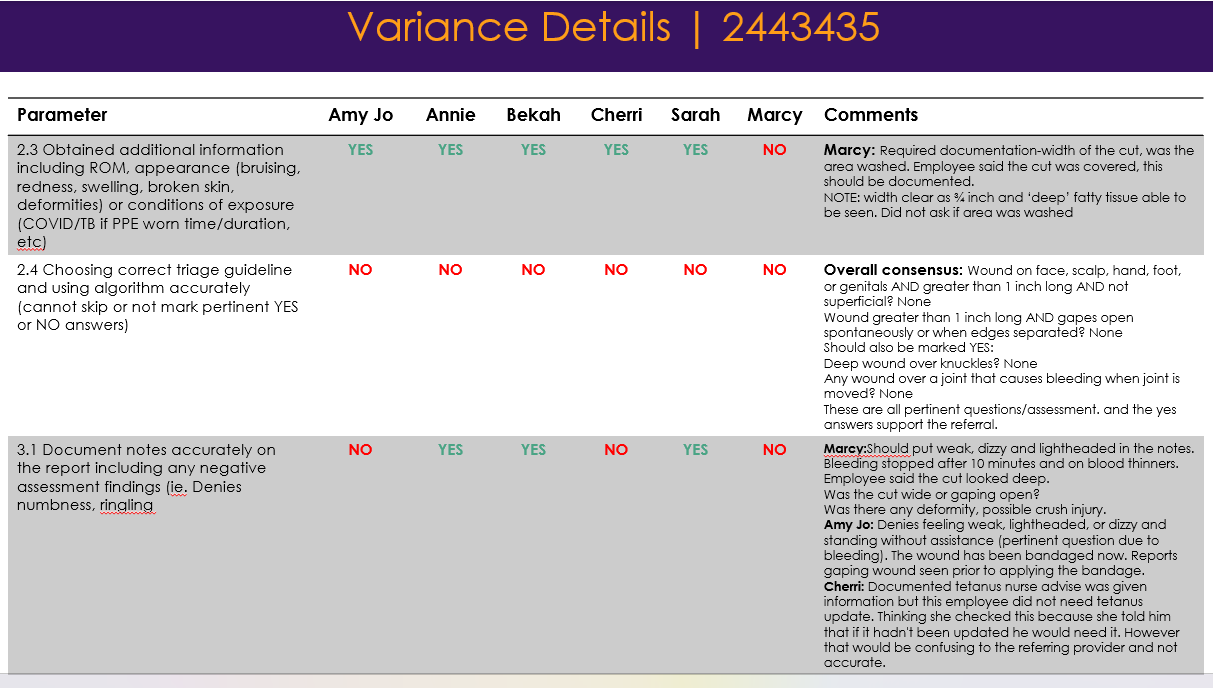
I use both where we scored the same and discrepancies to guide our quarterly meetings. I take the information line by line to create a power point which is very time consuming but worthwhile. The CVS/Excel would speed up this process by hours and would allow me to do these meetings monthly.
Example of one of a few slides
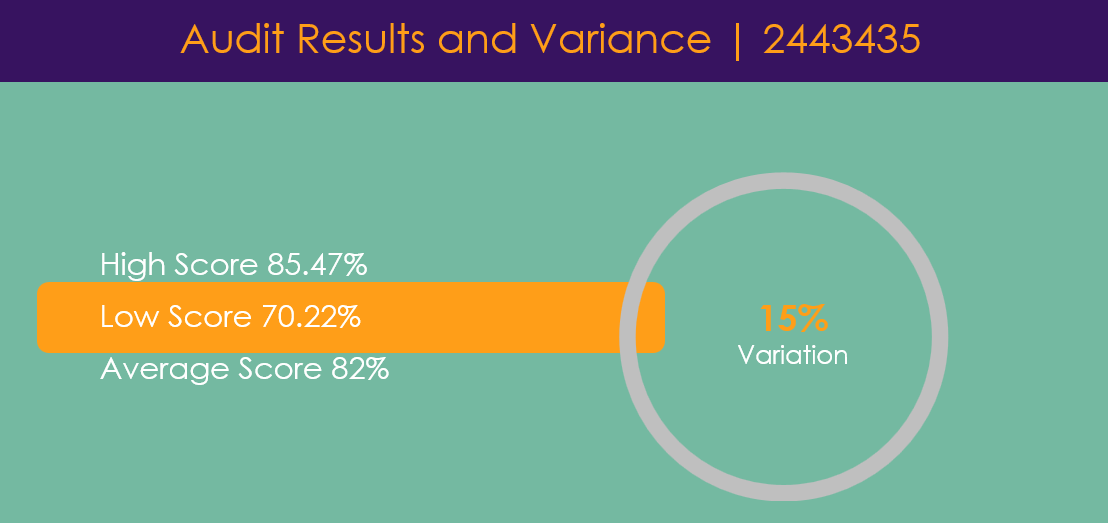
What is great about this screen is the high/low/average/variance. I wouldn't change that at all
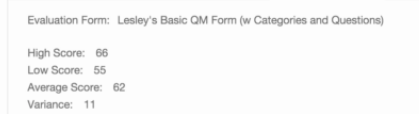
Let me know what other questions/ideas I can answer!
------------------------------
Cherri Lindquist
Company Nurse
------------------------------
Original Message:
Sent: 08-30-2022 18:45
From: Cameron Smith
Subject: Ability to Export QA Calibration Results
Hi Cherri
Are there improvements we can make to the calibration review screen to help with this use case? Example below
Would love your feedback as always.
Cheers
------------------------------
Cameron Smith
VP, Product Management - Workforce Engagement Management
------------------------------