Genesys Cloud - Main

 View Only

Sign Up

  Thread closed by the administrator, not accepting new replies.
  • 1.  How Genesys Cloud gets the value for "Contact Abandon" and "True Abandon" fields in the Campaign Performance Detail Report

    Posted 04-24-2025 15:33
    Edited by System 10-28-2025 09:52
    No replies, thread closed.

    Hi Dears, 

    I am trying to know how to get the values of the fields "Contact Abandon" and "True Abandon" of the Campaign Performance Detail Report via API using the endpoint /api/v2/analytics/conversations/aggregates/query.
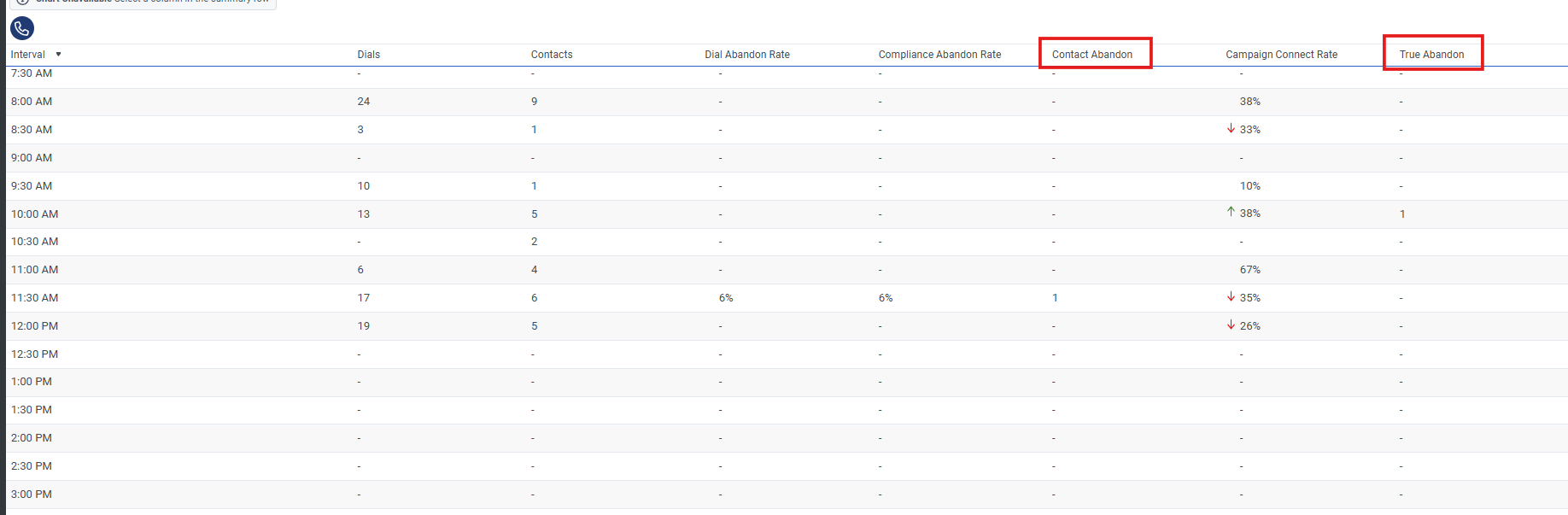

    I could see using the developer tools of the browser that when this report is execute in the browser in the backend Genesys is executing the next API endpoint:

    And we can see that are being these statistics to get the values of these fields how you can see below:

     nOutboundAbandoned ----> "Contact Abandon"

    tAbandon---> "True Abandon"

    So, We want to be sure if these statistics are the correct to get the values of these fields. If it is correct there is a link in the documentation in where we can read about which statistic match with the fields of this report. In  otherwise if there is another way to get these values via API which can be the best way.

    Regards


    #Calculations

    ------------------------------
    Edwin Moreno Ramos
    ------------------------------


  • 2.  RE: How Genesys Cloud gets the value for "Contact Abandon" and "True Abandon" fields in the Campaign Performance Detail Report

    Posted 04-29-2025 12:23
    No replies, thread closed.

    Hi Edwin,

    The best place to look up the definition of the Analytics Metrics is here: Metrics


    ------------------------------
    Sam Jillard
    Online Community Manager/Moderator
    Genesys - Employees
    ------------------------------


  • 3.  RE: How Genesys Cloud gets the value for "Contact Abandon" and "True Abandon" fields in the Campaign Performance Detail Report
    Best Answer

    Posted 04-30-2025 09:28
    No replies, thread closed.

    The definitions of those columns are found in the resource Center at https://help.mypurecloud.com/articles/view-available-columns-in-performance-views-by-category/#campaign-performance-detail-view

    Look in the Campaign Performance Detail view section.

    You will see that those values are calculated from other statistics, so there is no 1:1 correlation to the metrics you can query, like tAbandon (which is a time, not a count, anyway) or nOutboundAbandoned.

    There is a little more info at https://help.mypurecloud.com/articles/outbound-abandoned-calls/


    ------------------------------
    George Ganahl GCCX-AI, GCP, GCSME, ICCE, ICHD, etc.
    Technical Adoption Champion
    Genesys
    ------------------------------