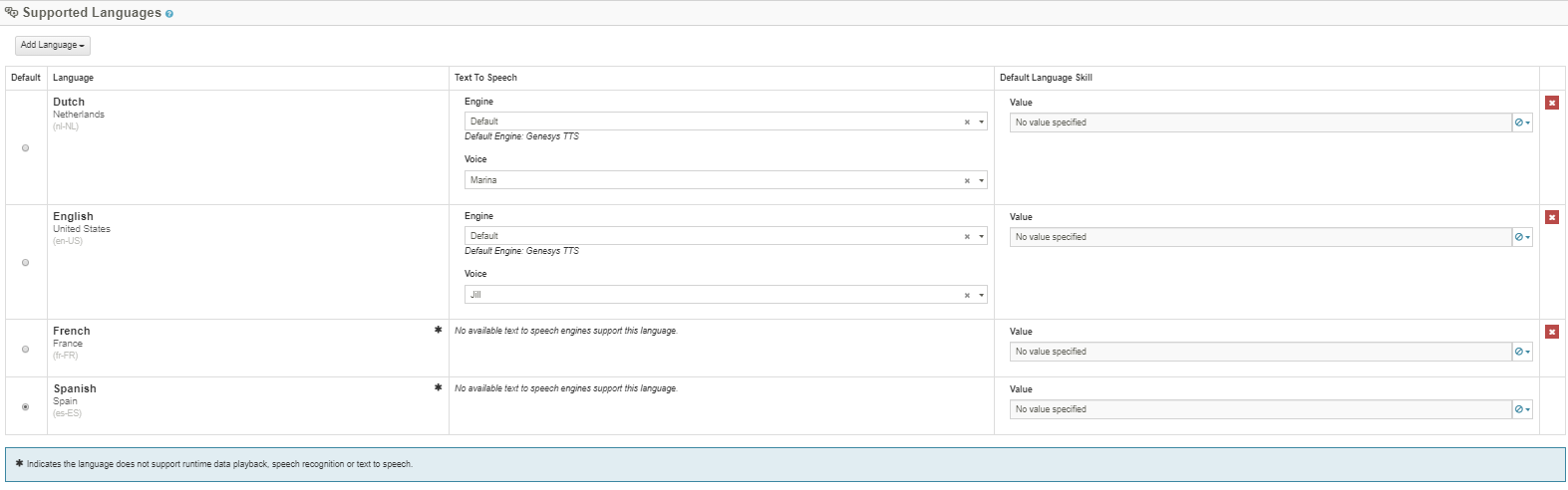
When you add a Language under Supported Languages, click
More Languages at the bottom. That will display all languages with an indicator as to whether or not they support Speech Rec and TTS.
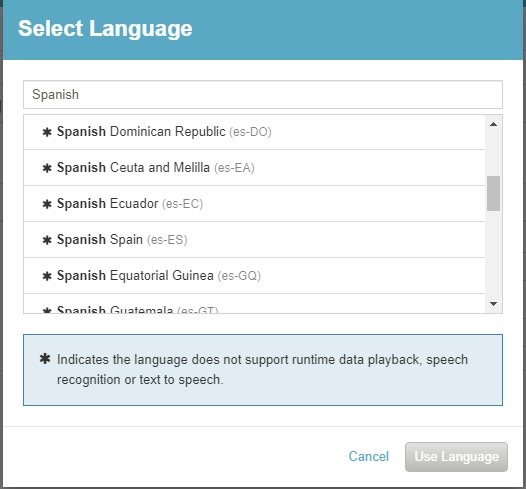
You selected
Spanish Spain (es-ES), which does not support TTS. Only
Spanish United States (es-US) supports TTS and Speech Rec for Spanish.
For French, only
French Canada (fr-CA) is supported.
You can also see the
* in the Audio Sequence dialog for languages that do not support TTS/Speech Rec.
------------------------------
George Ganahl CCXP, GCP
Principal Technology Consultant
Genesys
------------------------------
Original Message:
Sent: 05-22-2019 08:27
From: Nicolas Urgin
Subject: How to add new languages in Set Language
Hello Matt and Gorges
I find the answer very good and Georges did some miracles again !
But one question remain when I actually put french in my "Set Language" the widget "Play Audio" and "Collect input" turn red.
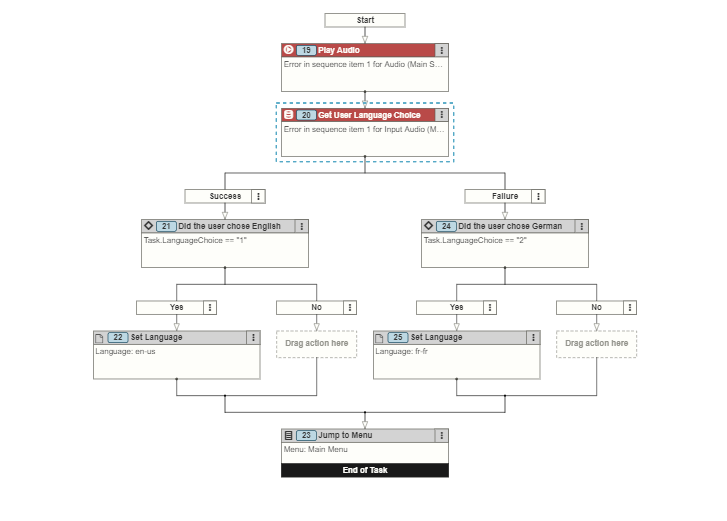 If I check the red box I can see Text to speech is not supported
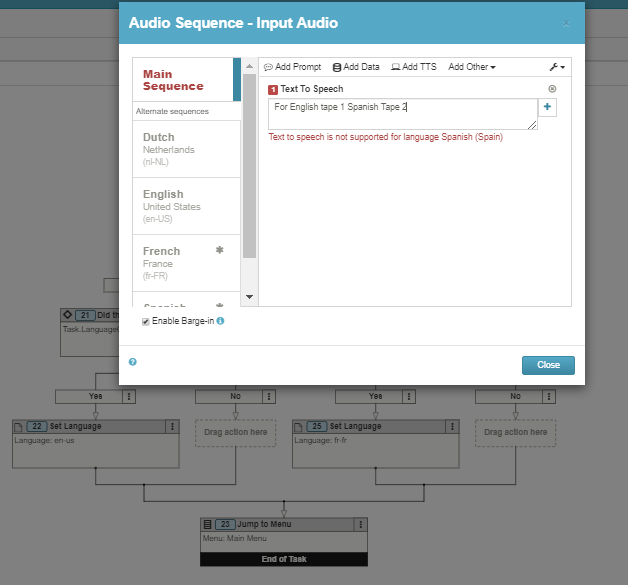
So French and Spanish are not available to text to speech so that why we got this issue and I don t know how to fixed it.
Best Regard,
Nicolas
------------------------------
Nicolas Urgin
Dimension Data France
------------------------------
Original Message:
Sent: 05-21-2019 17:13
From: Matt Lawson
Subject: How to add new languages in Set Language
Hey @Nicolas Urgin,
We discuss this question on the latest episode of the PureCloud Community Q&A Show. If you get a minute, check out the episode and let us know what you think.
Best,
Matt
------------------------------
Matt Lawson
Genesys - Employees
Online Community Manager