Hi AJAY KUMAR,
If you need an org-level view, one option is to use the Users Search API and expand `routingStatus` and `primaryPresence`, then calculate/export the counts outside Genesys Cloud.
Example:
POST /api/v2/users/search
{
"enforcePermissions": true,
"pageSize": 100,
"pageNumber": 1,
"sortOrder": "ASC",
"sortBy": "name",
"expand": [
"routingStatus",
"primaryPresence"
],
"query": [
{
"type": "EXACT",
"fields": [
"state"
],
"values": [
"active"
]
}
]
}
Then you can paginate through all users and group the result by:
- primaryPresence.systemPresence for Available, Busy, Away, Offline, etc.
- routingStatus.status for Off Queue, Idle, Interacting, Communicating, Not Responding, etc.
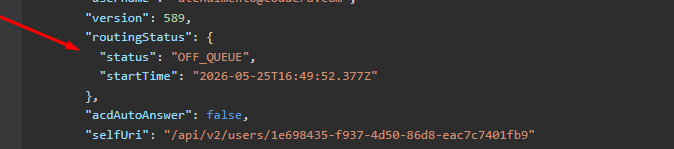
For example, if the user is not "Offline: , you could consider that user as online/logged in, depending on your business definition. For On Queue / Busy / Interacting, I would use the routing status instead of only the presence.
So, for a downloadable/global report, I would probably build a small script or scheduled job using the API and export the grouped data to CSV.
Hope this helps.
------------------------------
Luiz Rosa
Full stack developer
------------------------------