Hi Takayuki,
Sorry for the delayed response.
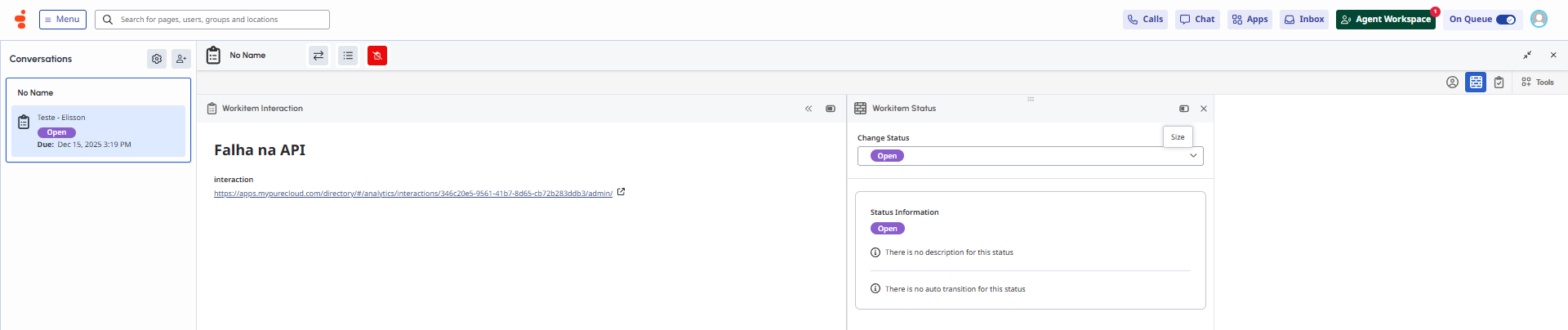
Within the Genesys Cloud interface, it's not possible to generate a native notification for this scenario. In my opinion, the closest alternative would be to create a WorkItem interaction and route it to the user. However, it’s important to emphasize that Work Automation is a paid add-on, meaning it involves additional cost.
Since there is an API available for creating WorkItems, you could use it within a Workflow. This way, the WorkItem could be created in a dedicated queue for this purpose and routed to the agent who handled the interaction that experienced the issue.
------------------------------
Elisson Fernandes
------------------------------
Original Message:
Sent: 11-18-2025 22:24
From: Takayuki Suzuki
Subject: How to notify errors that occur in a workflow on the Genesys Cloud UI
Thank you for your message.
With email, even if it's sent, operators can't notice in real time, so it's not a viable option. As asked in Q2, is there any way, other than email, to notify the standard Genesys Cloud UI?
------------------------------
Takayuki Suzuki
NA
------------------------------
Original Message:
Sent: 11-18-2025 10:24
From: Elisson Fernandes
Subject: How to notify errors that occur in a workflow on the Genesys Cloud UI
Hi Takayuki,
In this case, would sending an email be a valid option for you? If so, you could use the "Send Notification" action to handle the notification.
https://help.mypurecloud.com/articles/send-notification-action/
Alternatively, you may use the "Set Conversation Data" action to record the failure information in the interaction data and process it later in an external BI system.
https://help.mypurecloud.com/articles/set-conversation-data-action/
------------------------------
Elisson Fernandes