neither of those is necessary to log in to the platform. simply put, your URL is wrong, which is why it's not resolving. If you're still having problems resolving the correct login page, then you may want to take that to Genesys Cloud Care, including a screenshot and console logs detailing the error message you're receiving from the login screen.
------------------------------
Richard Schott
Genesys - Employees
------------------------------
Original Message:
Sent: 12-22-2021 13:32
From: Vinayak Vagal
Subject: Integration with FreshDesk getting error
Hello Richard ,
I have tried to mentioned configuration but still m getting same issue. attachment included.
i have some queries
1. currently our MPLS setup is not up, due to this may be we are not getting access for setup.
2. in addon feature we are still not activated Genesys Cloud Voice due to this is there any issue ?
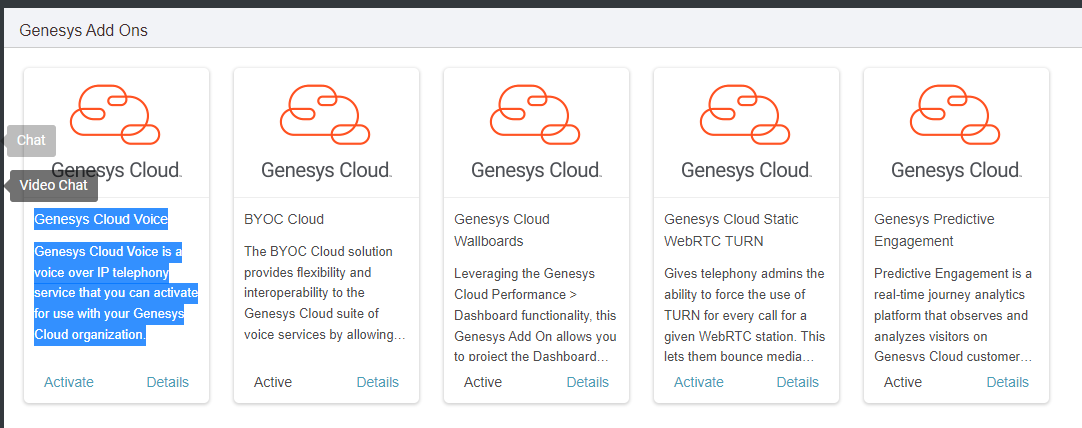
Regards,
Vinayak Vagal
------------------------------
Vinayak Vagal
SmartConnect Technologies Pvt. Ltd
------------------------------
Original Message:
Sent: 12-22-2021 09:51
From: Richard Schott
Subject: Integration with FreshDesk getting error
For browser based apps, you should be using either implicit grant or code authorization. Based on the above error, I believe there is a mistake in the login URL you're attempting use; it should be https://login.aps1.pure.cloud (you have include "apps" in the URL path, which is why it's not resolving). See: https://help.mypurecloud.com/articles/aws-regions-for-genesys-cloud-deployment/
------------------------------
Richard Schott
Genesys - Employees