Meet the New Customizable Launcher Button for Web Messaging
First impressions matter. For many customers, the first interaction with your brand begins when they start browsing your website, before they even send a message.
That's why we're excited to announce the release of the Customizable Launcher Button for Web Messaging. This gives your organization greater control over how customers discover and start conversations on your website.
Make Every Conversation Feel Like Your Brand
Your messaging launcher is more than just a button for customers to get in touch with your brand, it's an extension of your digital experience. Every website has its own language, branding, and purpose. A generic messaging launcher doesn't always fit seamlessly into that experience.
With the new Customizable Launcher Button, businesses can tailor the appearance of their Web Messaging entry point to better align with their brand identity and engagement strategy.
Three launcher styles are available to choose from:
1. Icon Only
For a clean minimalistic visual that integrates naturally into modern website designs.
2. Text Label
For a simple prompt that fits specific purposes or expresses a clear call-to-action.
For an increased visibility while reinforcing brand recognition with a clear label.
Designed for Flexibility
Whether you're launching a premium brand experience, promoting seasonal campaigns, or optimizing your website's layout, the launcher can be customized directly within Genesys Cloud for each Messenger Configuration.
In addition to customizing the launcher's appearance, the launcher label can be tailored for every language selected in the Messenger Configuration, ensuring customers see a natural and relevant call-to-action in their preferred language.
The new customizable launcher offers the flexibility to tailor the messaging experience for different websites, countries, brands, or use cases while maintaining a consistent customer experience.
Encourage More Conversations
Design choices can have a significant impact on customer engagement. Some website visitors respond better to a recognizable icon, while others are more likely to start a messaging conversation when the launcher communicates a clear and descriptive purpose using a text label.
By offering multiple launcher styles, organizations can create a visual experience that matches their audience and business objectives, helping create a more intuitive path for customers to engage with you business and encourage them to initiate conversations with confidence.
Available Now
The Customizable Launcher Button is now available as part of your new and existing Messenger Configurations in Genesys Cloud, giving your organization a simple yet powerful way to create a messaging experience that unmistakably represents your brand.
To start creating a launcher that reflects your brand, navigate to the Appearance step of your Messenger Configuration in Genesys Cloud and customize your launcher in just a few steps.
1. Maintain a consistent color scheme
Your configured Messenger Color is automatically applied to the launcher button, ensuring a consistent look and feel across your Web Messaging experience, regardless of the launcher style you choose. 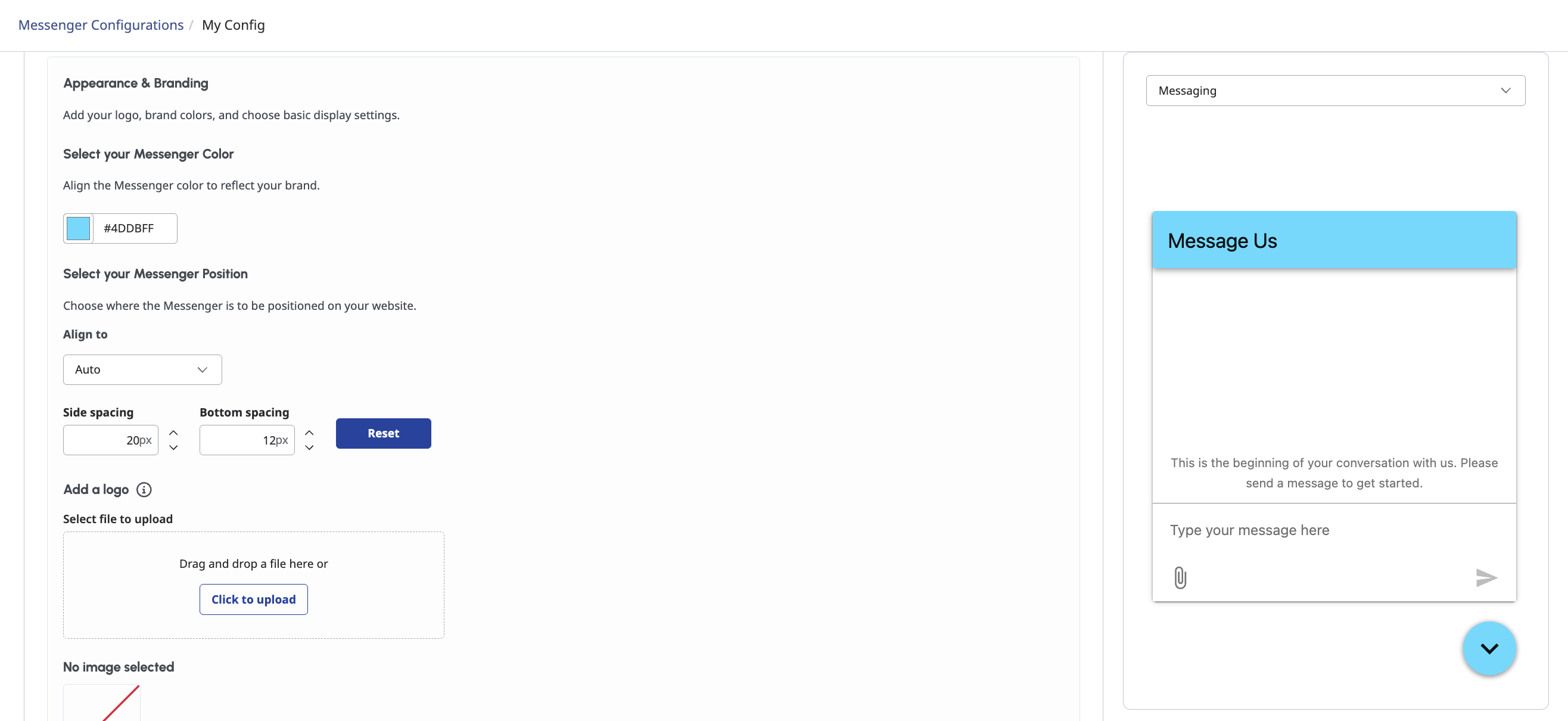
2. Choose a launcher layout that fits your needs
Select the Launcher Display that best fits your website and customer experience goals. Choose from Icon and Text, Icon Only or Text Only to balance between branding and visibility.
3. Create a branded visual
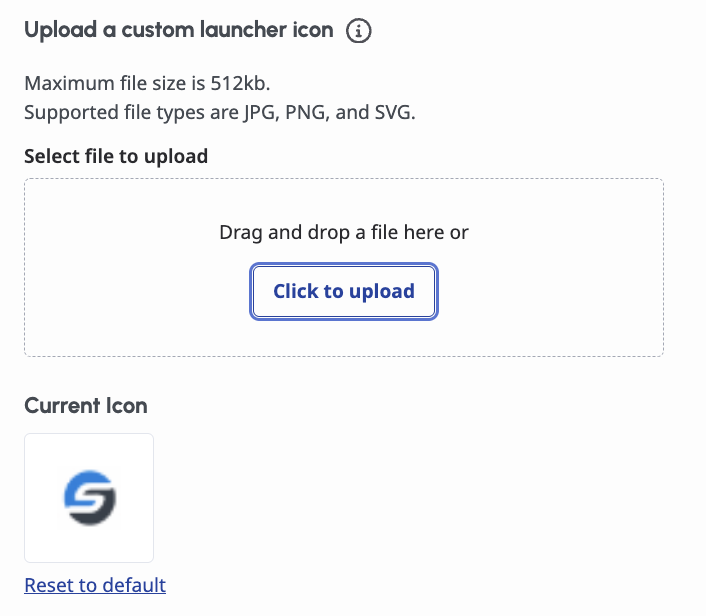
For launcher styles that include an icon, you can choose between the default Messenger icon or upload your own branded image under Upload a customer launcher icon. You can update your icon at any time or revert to the default with a single click.
4. For a localized experience
For launcher styles that display text, you can preview the launcher label directly from the Appearance step of your Messenger Configuration.
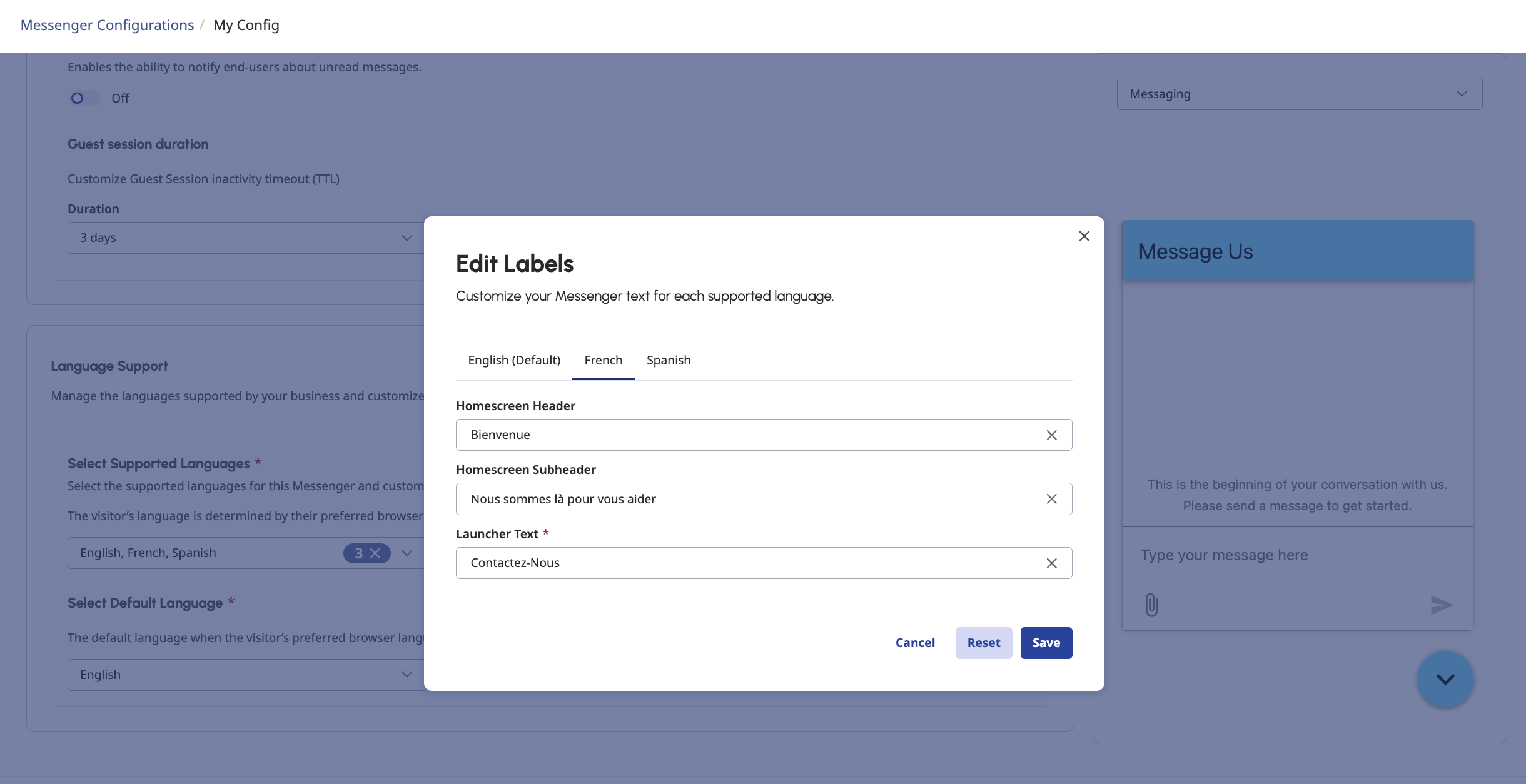
To customize the displayed text, navigate to the Behavior step and open Edit Labels in the Language Support section. From there, define localized launcher text for each supported language, ensuring customers see an intuitive and relevant label in their preferred language.
5. Publish and go live
Once you've finished customizing your launcher, publish a new version of your Messenger Configuration to save your changes. Then, update your Messenger Deployment to use the latest published version. Your newly branded launcher will be live immediately, giving web visitors a refreshed messaging experience without any additional implementation step.
For more information about customizing Messenger, see Configure Messenger and Deploy Messenger.
Every great customer conversation starts with an entry point, and now that entry point can look exactly the way you want.
#DigitalChannels#CommunityAnnouncements#GenesysAnnouncements------------------------------
Mai-Christine Hoang
Senior Product Manager
------------------------------