Hi Bruno, welcome to the community! Arthur is right that native column filtering does not exist today, so the ideas portal submission is definitely worth doing.
In the meantime, the API gives you everything you need, and you can take this further than just identifying the orphaned phones. I actually had to build something similar before; I figured I would share it here.
Using GET /api/v2/telephony/providers/edges/phones with the fields parameter set to webRtcUser and lines.defaultForUser you can pull your full phone inventory. Phones with a user assigned return a WebRTCUser object with the user name and ID. Phones with no user assigned have neither field in the response at all, making orphaned phones easy to identify programmatically. This would be before you implemented the deletion process, finding the older orphaned phones.
From there, you build two data actions and an Architect Workflow to handle the cleanup automatically.
WebRTC - Find Orphaned Phones
Go to Menu > Admin > Integrations > Actions > Add Action and select Genesys Cloud Data Actions. Name it WebRTC - Find Orphaned Phones.
Request Type: GET
Request URL Template: /api/v2/telephony/providers/edges/phones?fields=webRtcUser,lines.defaultForUser&sortBy=id&pageSize=500
Request Body Template:
{}
Input Contract:
{
"$schema": "http://json-schema.org/draft-04/schema#",
"title": "Input",
"description": "No input required",
"type": "object",
"properties": {},
"additionalProperties": true
}
Output Contract:
{
"$schema": "http://json-schema.org/draft-04/schema#",
"title": "Output",
"type": "object",
"properties": {
"pageCount": { "type": "integer" },
"total": { "type": "integer" },
"phoneIds": {
"type": "array",
"items": { "type": "string" }
},
"phoneNames": {
"type": "array",
"items": { "type": "string" }
},
"webRtcUserIds": {
"type": "array",
"items": { "type": "string" }
}
},
"additionalProperties": true
}
Response Translation:
{
"translationMap": {
"pageCount": "$.pageCount",
"total": "$.total",
"phoneIds": "$.entities[*].id",
"phoneNames": "$.entities[*].name",
"webRtcUserIds": "$.entities[*].webRtcUser.id"
},
"translationMapDefaults": {
"pageCount": "0",
"total": "0",
"phoneIds": "[]",
"phoneNames": "[]",
"webRtcUserIds": "[]"
},
"successTemplate": "{\"pageCount\": ${pageCount}, \"total\": ${total}, \"phoneIds\": $output.phoneIds, \"phoneNames\": $output.phoneNames, \"webRtcUserIds\": $output.webRtcUserIds}"
}
Results should look like this:
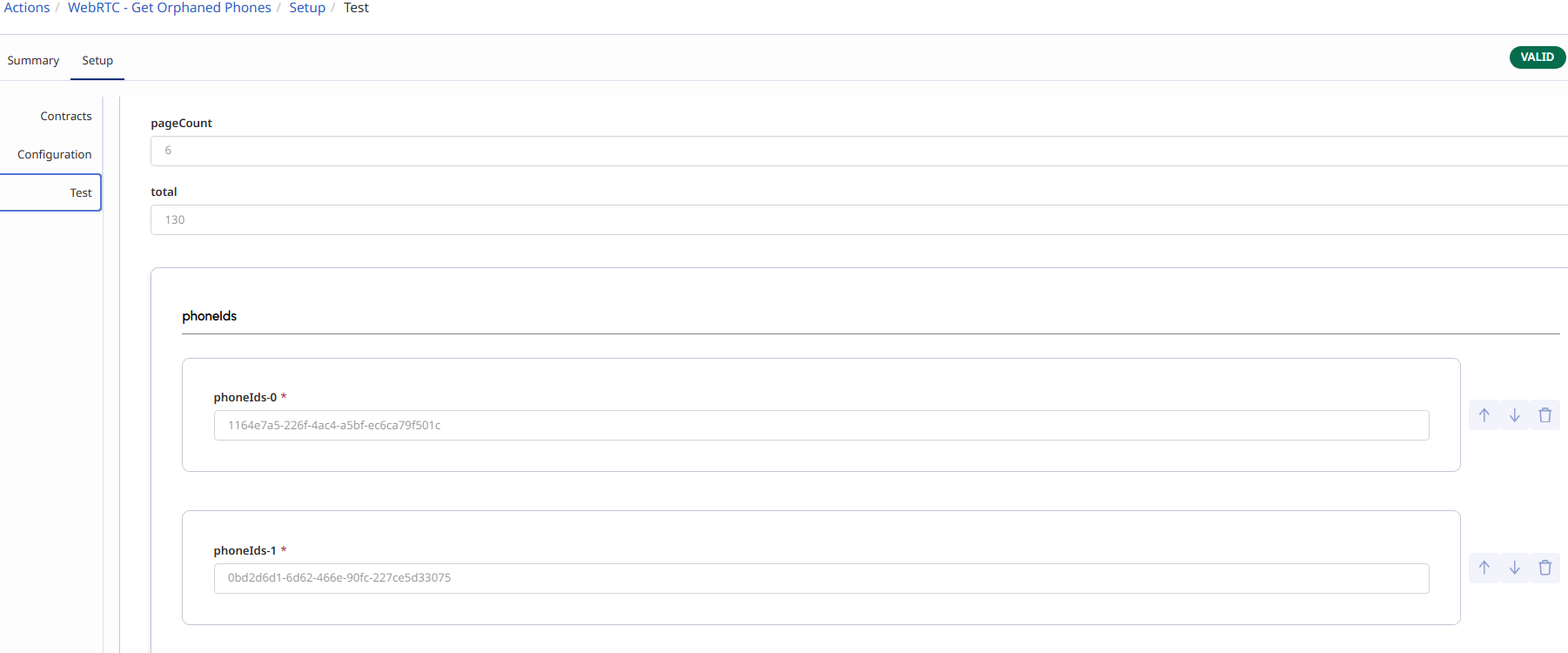
You probably already have this one, but I am adding it just in case!
WebRTC - Delete Phone
Add another action and name it WebRTC - Delete Phone.
Request Type: DELETE
Request URL Template:
/api/v2/telephony/providers/edges/phones/${input.phoneId}
Request Body Template:
{}
Input Contract:
{
"$schema": "http://json-schema.org/draft-04/schema#",
"title": "Input",
"description": "Phone ID to delete",
"type": "object",
"required": ["phoneId"],
"properties": {
"phoneId": {
"type": "string",
"description": "The ID of the phone to delete"
}
},
"additionalProperties": true
}
Output Contract:
{
"$schema": "http://json-schema.org/draft-04/schema#",
"title": "Output",
"type": "object",
"properties": {
"success": { "type": "boolean" }
},
"additionalProperties": true
}
Response Translation (Default):
{
"translationMap": {},
"translationMapDefaults": {},
"successTemplate": "{\"success\": true}"
}
Then build a Workflow:
You may already have this as part of your automatic deletion, so you can add it there or make a one-time workflow for it!
Go to Menu > Orchestration > Architect > Flows > Workflow and create a new workflow named Delete Orphaned Phones.
Call Data Action 1 to get the full phone list. Loop through the phoneIds array using a For Each action. For each phone, check if the corresponding position in the webRtcUserIds array is empty or null. If empty, call Data Action 2, passing that phoneId to delete it. If populated, skip it and move to the next.
Schedule this workflow via a Scheduled Trigger to run once during off-hours until your legacy list is clean. That gives you the same automated cleanup you already have for new phones, but covering everything that existed before your automation was in place.
Worth submitting that ideas portal idea too for native column filtering, since that would make day-to-day management much cleaner without needing the API at all.
I hope this helps!
Edit: sorry, the HTML is not liking this code, so I had to edit it a bunch of times for this to stick😅