Thank you for update. That's make sense, but I agree with you, for reporting purpose it's a problem.
Original Message:
Sent: 05-26-2026 16:14
From: Kevin Eng
Subject: Missing queues from Predictive Routing report in Analytics Workspace
So Genesys shared back the following link:
https://help.genesys.cloud/articles/view-performance-of-queues-with-predictive-routing/#accordion-content-accordion-#citem-6d9c-52f1
The issue appears to be how the start/end timestamps need to be configured in order to show the correct queues.
Per the link:
- Only queues that are currently enabled until the selected start date are included in the results, that is, the queues that are already active by the start date. For example, if you select the date range as October 20, 2025 to November 20, 2025, only queues that are already enabled until October 20, 2025 are considered. The queues enabled after October 20, 2025 are excluded.
What this means is that when I enabled my queues on May 21st, only 1 of the 4 queues activated prior to May 22nd @ Midnight. Because my search criteria was from May 22nd @ midnight to May 23rd, it only shows the 1 queue active. If I adjust to May 22 @ 12:00pm to start (post after when the queues were activated), it shows all 4 queues.
While this logic somewhat makes sense - it's not great for reporting if you don't know the exact date when a queue was enabled...
------------------------------
Kevin Eng
------------------------------
Original Message:
Sent: 05-22-2026 17:58
From: Arthur Pereira Reinoldes
Subject: Missing queues from Predictive Routing report in Analytics Workspace
That´s great.
Please, share the case result. I think that´s curious; it will be valuable if it happens for someone
------------------------------
Arthur Pereira Reinoldes
Original Message:
Sent: 05-22-2026 11:33
From: Kevin Eng
Subject: Missing queues from Predictive Routing report in Analytics Workspace
So what's funny is for today, all the queues show up. I'll log a support ticket and have Genesys investigate since they were all activated at the same time and also had results.
------------------------------
Kevin Eng
Original Message:
Sent: 05-21-2026 20:18
From: Arthur Pereira Reinoldes
Subject: Missing queues from Predictive Routing report in Analytics Workspace
Interesting.
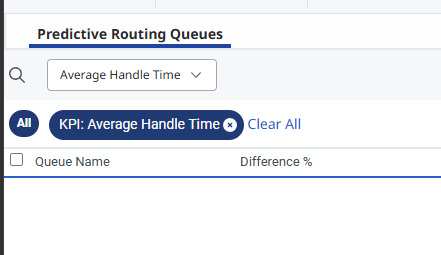
Have you tried to validate the KPI filter to see if they are showing some data?
------------------------------
Arthur Pereira Reinoldes
Original Message:
Sent: 05-21-2026 17:39
From: Kevin Eng
Subject: Missing queues from Predictive Routing report in Analytics Workspace
Hi Arthur,
The queues are all in the same division and I have all the permissions mentioned.
What's interesting is if I use the UUID for the respective queue names, I can view each queue separately but not in a combined view.
------------------------------
Kevin Eng
Original Message:
Sent: 05-21-2026 15:46
From: Arthur Pereira Reinoldes
Subject: Missing queues from Predictive Routing report in Analytics Workspace
Hello Kevin.
Do all those queues belong to the same division?
If the queues are in different divisions and you don't have permissions to all of them, only the queues from the divisions you can access will appear.
- Routing > Queue > View
- Routing > Predictor > View
- Routing > Comparison Period > View
- Analytics > Conversation Aggregate > View
- Analytics > Tab Configurations > All Permissions
- Routing > comparisonThroughput > View
I haven't seen similar problems here.
------------------------------
Arthur Pereira Reinoldes