I've followed the specified format, so just checking, am I missing something here?
Original Message:
Sent: 07-06-2025 06:15
From: Prem Venkatesh
Subject: Multiple Agent Copilot Summarization behavior across Queues
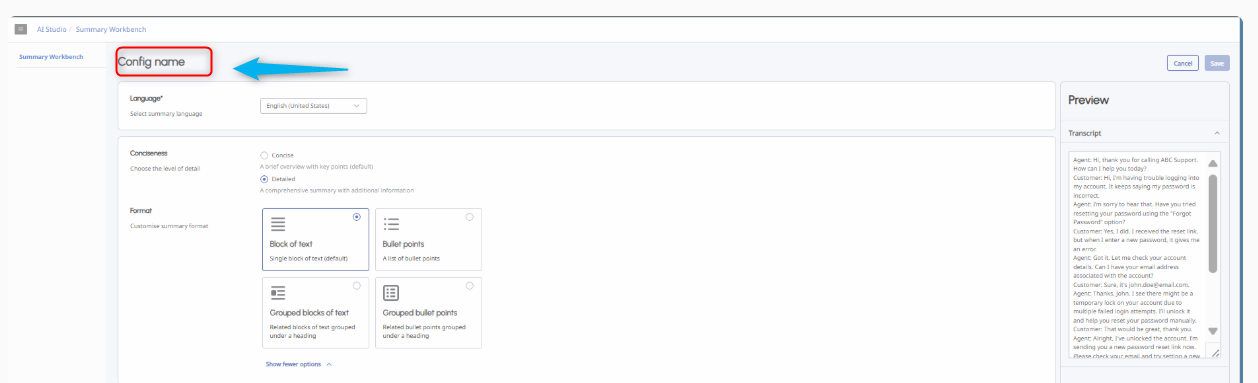
Simply click "config name" and update the configuration name, then it will enable the save button.
------------------------------
Prem
------------------------------
Original Message:
Sent: 07-04-2025 08:46
From: Ramsha Shaikh
Subject: Multiple Agent Copilot Summarization behavior across Queues
Noted, thank you for the information.
On a related note,
I'm trying to explore AI Studio > Summarization Workbench, but both the "Save" button and the "Generate Preview" button are disabled in the UI.
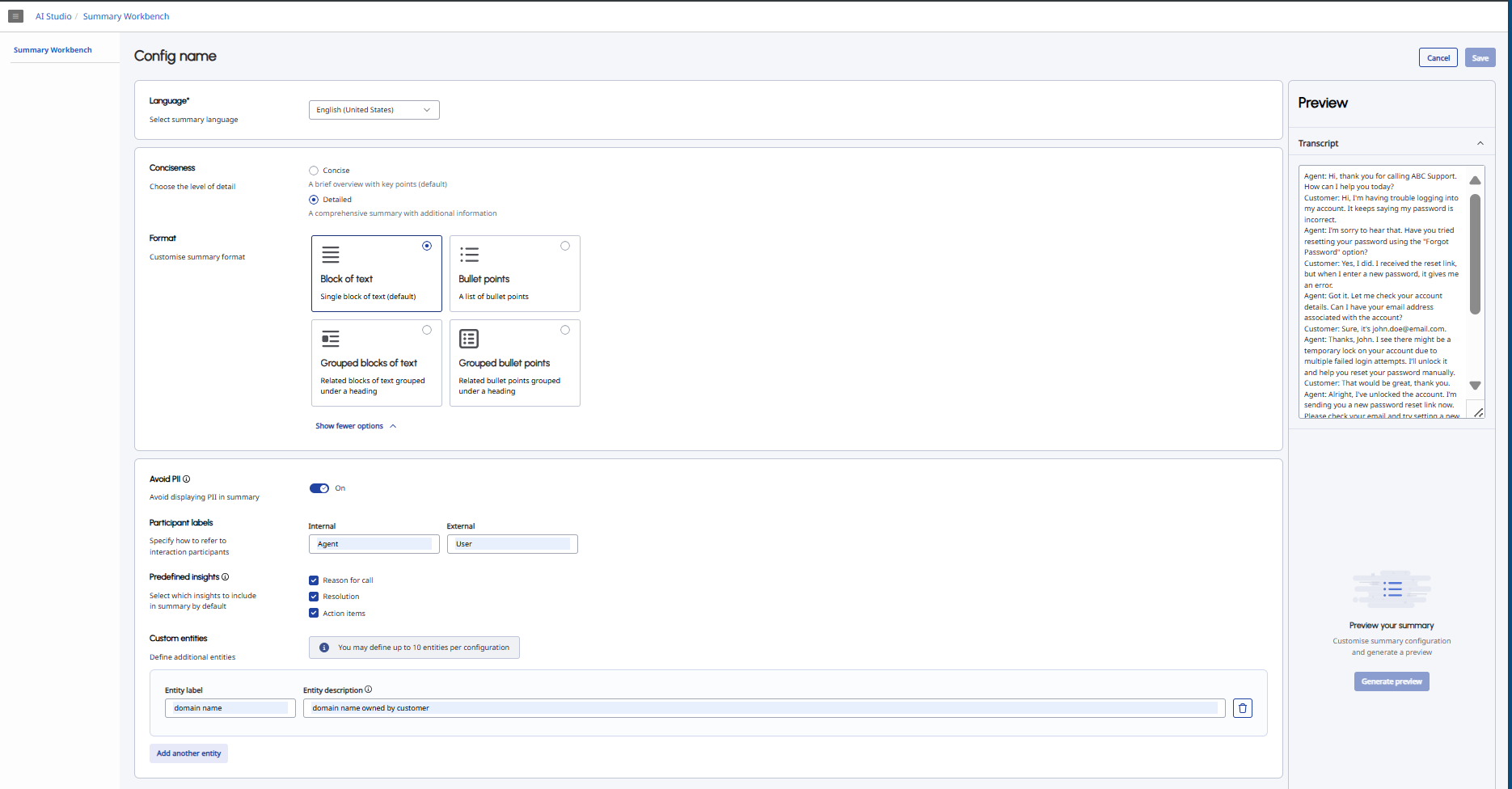
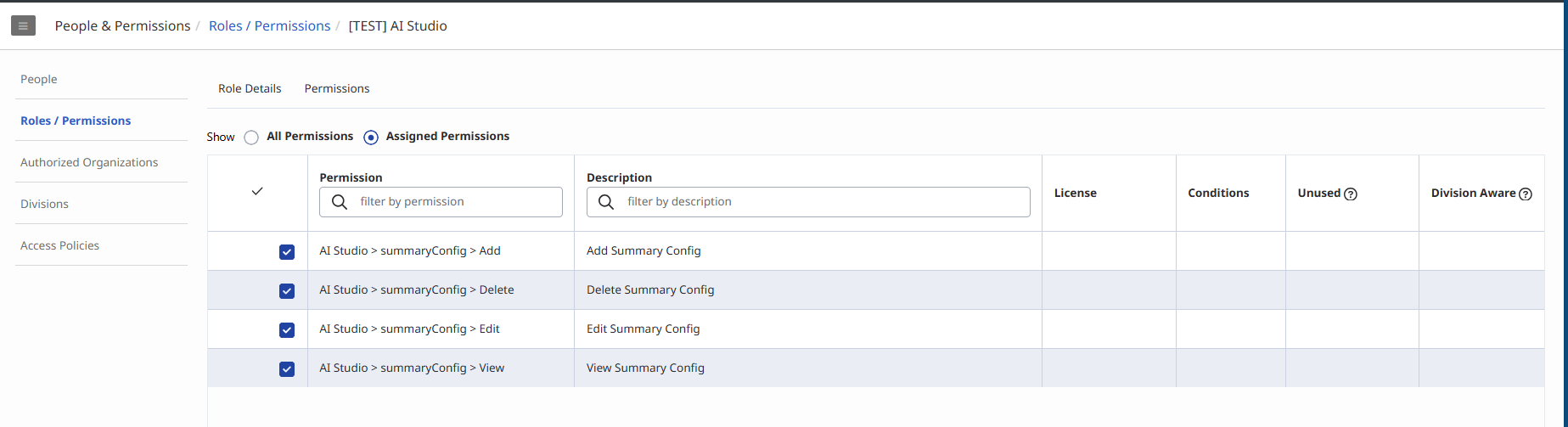
I've already assigned the necessary AI Studio summaryConfig permissions, so I'm wondering if I might be missing a step.
Thanks!
------------------------------
Ramsha Shaikh
Telecom/AI Engineer
Original Message:
Sent: 07-04-2025 08:39
From: Amanda Halpin
Subject: Multiple Agent Copilot Summarization behavior across Queues
Hi Ramsha,
You can have the same Agent Copilot assigned to different queues. The restriction is a queue can only have one Agent Copilot assigned to it.
There's no financial implications, it's just more of a admin overhead to create and maintain the queues.
Hope that helps!
Amanda
------------------------------
Amanda Halpin
EMEA Strategic Solutions Lead
Original Message:
Sent: 07-04-2025 08:08
From: Ramsha Shaikh
Subject: Multiple Agent Copilot Summarization behavior across Queues
Hi Amanda,
Thanks for the information
If we decide to split the queues and assign separate Copilots, I just had a couple of follow-up questions:
Appreciate your guidance!
------------------------------
Ramsha Shaikh
Telecom/AI Engineer
Original Message:
Sent: 07-04-2025 04:26
From: Amanda Halpin
Subject: Multiple Agent Copilot Summarization behavior across Queues
Hi Ramsha,
Summary configurations are applied at the Agent Copilot level, so if those different queues have different Copilots assigned then yes, they could have different summary configurations.
In your scenario, you have just one queue so you will likely have to create a summary template that works for all those teams on that queue. If the teams have strong needs for different summary outputs, they would need to be spilt out to a separate queue so a new Copilot could be applied.
Thanks,
Amanda
------------------------------
Amanda Halpin
EMEA Strategic Solutions Lead