Seems your situation is indeed a bug. Mine however is not, we do not have it reset to unlimited. The answer Jason gives below seems to be the explanation.
Although I don't know why the status would NOT change when you start a outbound call? You are still on a call no? I don't think it should matter which direction the call is going, a user can only have 1 call at a time (unless they have mulitple phones).
I can see how ACD is 'more important' and so you should "always be available", but that's just not how I would expect the system to behave. Atleast not out of the box. But seeing how much of a pain it was to get were we are today, I do not think we'll be getting that anytime soon. So I'll just be happy with what we got right now.
Original Message:
Sent: 03-13-2026 04:04
From: Robert Niblock
Subject: New popup text?
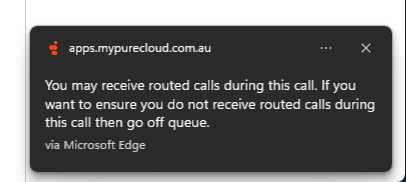
I tested this by going on Queue and making an Outbound call via Non-ACD and this message appears.
However when I set my own Utilisation Inbound Max Voice Calls to 1 and save it for myself, refresh and then replicate the above, the message still pops up. Then if i log out of Genesys and back in, my Utilisation reverts back to Unlimited :/ I've made sure that Genesys has saved the setting by revisiting my Utilisation page, and I also dont have it enabled to use the Org's settings.
Not sure if there's a bug here.
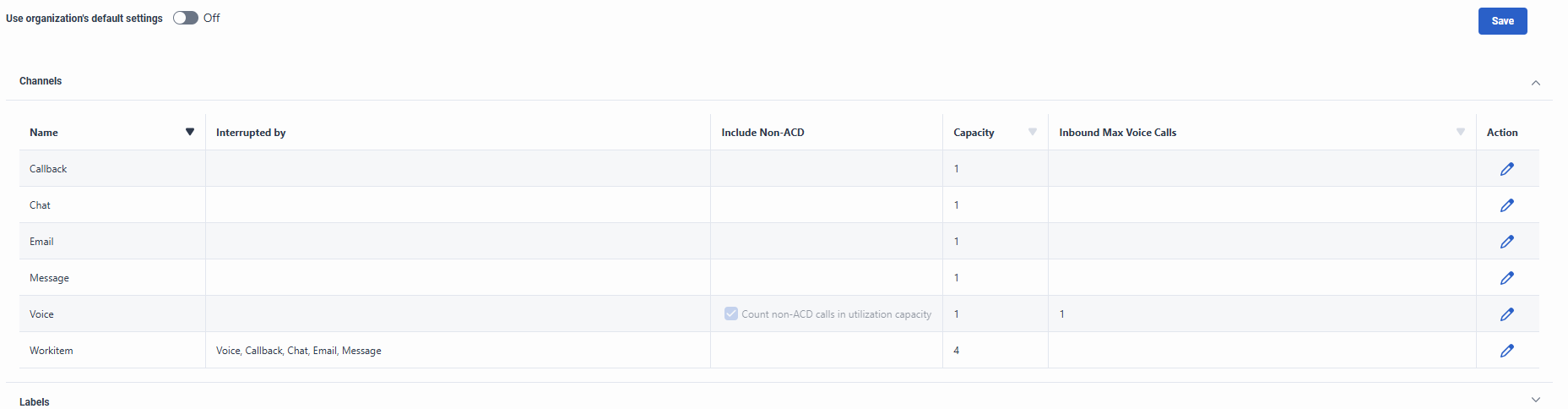
When I log back in.
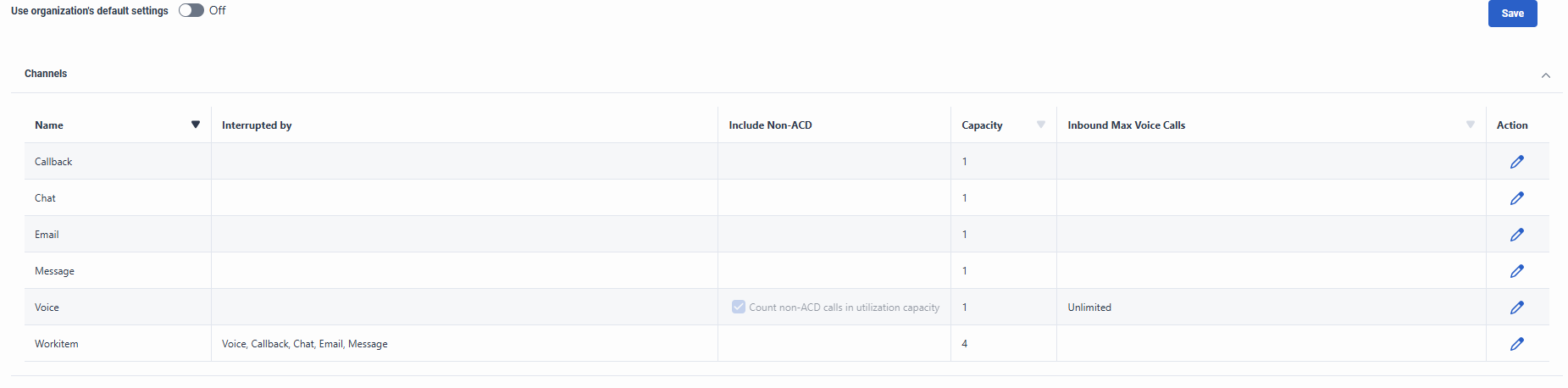
Hopefully you don't have the same experience here, but I've not been able to figure out why my Utilisation keeps reverting.
------------------------------
Robert Niblock
Contact Centre Technology Analyst
------------------------------
Original Message:
Sent: 03-13-2026 03:32
From: Robert Niblock
Subject: New popup text?
Hey Martijn
I've noticed in Ulitization now there's a column for Inbound Max calls. I wonder if it's related to that?
Configure utilization at the org level View summary - Genesys Cloud Resource Center
There are a list of scenarios in the article that explains how to limit ACD and Non ACD calls.
I assume from your pop-up notification, the agent is on a Non-ACD call, so the message that appears to them lets them know that an ACD call could interrupt their current call. You might need to alter your utilization settings.
------------------------------
Robert Niblock
Contact Centre Technology Analyst
Original Message:
Sent: 03-12-2026 07:14
From: Phaneendra Avatapalli
Subject: New popup text?
Hi,
Apologies I think I may have misread the error message earlier and referenced the wrong thread. This is actually the first time I've come across this particular popup and I couldn't find any specific documentation on it.
Hopefully someone from the community who has seen this behaviour before might be able to shed some light on it.
------------------------------
Phaneendra
Technical Solutions Consultant
Original Message:
Sent: 03-12-2026 07:10
From: Phaneendra Avatapalli
Subject: New popup text?
Hi Martijn,
I came across this related thread which might explain the behaviour:
https://community.genesys.com/discussion/agent-gets-notification-that-they-are-not-been-answering-calls-and-either-to-go-off-queue-or-stay-on-despite-not-getting-any-calls-during-that-time
From what I understand, the message can appear when the system attempts to send an alert to the agent's station but doesn't receive a response (for example due to browser tab sleeping, network issues, etc.). Curious if this might be related to what you are seeing.
------------------------------
Phaneendra
Technical Solutions Consultant