Genesys Cloud - Main

 View Only

Sign Up

  • 1.  Newbie Script Question - Making a script element only visible for outbound/callbacks

    Posted 20 days ago

    Hi all,

    I am very new to the script functionality and have hit a wall with my knowledge.  I am attempting to make a script that will display call information (wait time, interaction type etc) and will conditionally display an outbound call reminder (advising staff to mention the call will be recorded) only for outbound calls.  

    I am using the "Visible" True/False Expression field however cannot seem to find the right syntax or conditions to denote that it should only be visible on outbound.  For extra context we currently do not have an outbound flow which I think may be getting in the way.  

    I have watched numerous tutorial vid's but cant seem to find something that covers this specific scenario.  

    Thanks!


    #Other

    ------------------------------
    Robert Brown
    Member Advocate
    ------------------------------


  • 2.  RE: Newbie Script Question - Making a script element only visible for outbound/callbacks
    Best Answer

    Posted 20 days ago
    Edited by Jason Kleitz 7 days ago

    Hi Robert 

    -

    I'll give you a real example that I always use.

    -

    In general, I always create 3 scripts.

     --- OUT

     ---- INB

    ---- INB_DEV
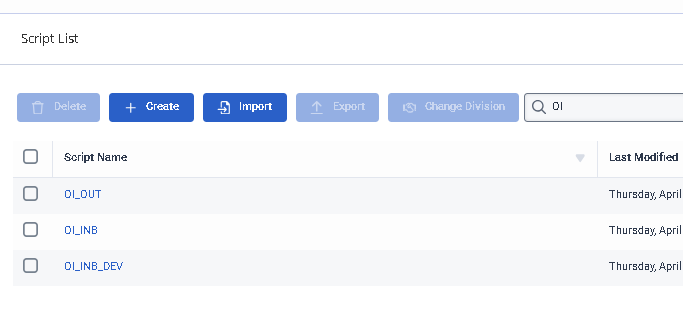
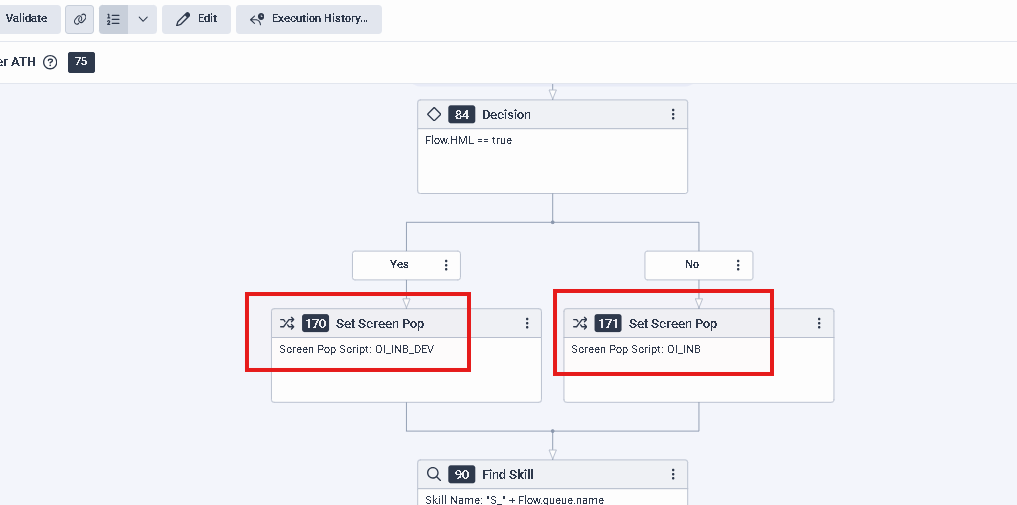
    -In the architect's flow, I have a variable that tells me whether it's an HML/DEV flow or not, and I decide which script to present (this is for inbound) inb ou inb_dev.

    This avoids making changes to production scripts, especially since there is no script debugging.
    -

    As for the OUT script, I fixed it to the queue, and with that, every outbound call will display the script that is configured in the queue.

    -
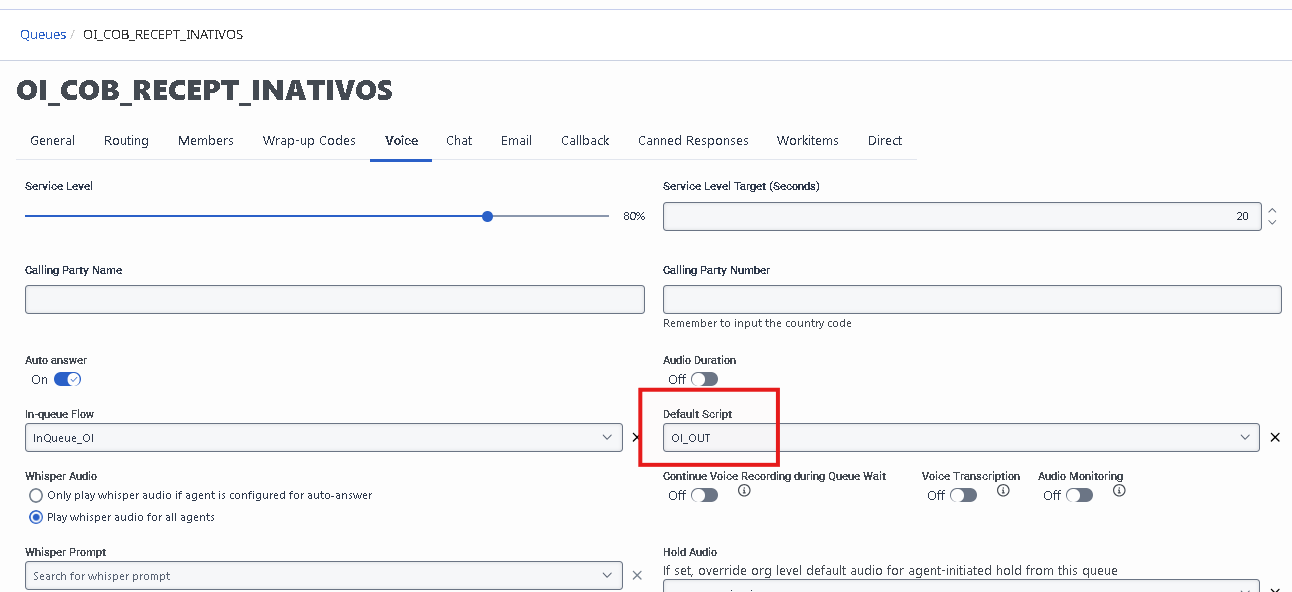
    In this customer, we block outbound calls via a trigger that don't have a queue assigned, so the agent must select one.

    -

    If you're always using the script in the queue, then the issue is different.

    From what I've seen(https://help.genesys.cloud/articles/built-in-script-variables/), there isn't a variable to track the call direction, but we do have the variable "{{Scripter.Customer Call Duration}}".
     
    That is, when an inbound call, it will always have a value greater than X time because it's factored into the IVR navigation, queue, etc.
     
    When this value is zero, it will be an outbound call . (This needs testing, ok)
    -
    Here's what I'm thinking: create a boolean variable called "showButtonAlert" for example.
    Next, create a "Horizontal Container" with a "text" field inside it and assign the variable to the container's "Visible" option.
    -
    Next, you can configure an "Action" in the page start.
    for exemple: 
    -
    -
    Basically, the configuration says: if the "customer call duration" is not 0, the `show button` variable will be false (which will not show the alert --- inbound call); otherwise, it will be true (showing the container with the alert - outbound call).
    -
    I hope this help you


    ------------------------------
    Kaio Oliveira
    GCP - GCQM - GCS - GCA - GCD - GCO - GPE & GPR - GCWM

    PS.: I apologize if there are any mistakes in my English; my primary language is Portuguese-Br.
    ------------------------------


  • 3.  RE: Newbie Script Question - Making a script element only visible for outbound/callbacks

    Posted 9 days ago

    Thank you so much.  We currently have managed services so I cant mess with the architect side but tried your script options.  Sadly it didnt seem to work.  I ended up getting it to work for outbound calls using the variable:
    {{Scripter.Raw Interaction State}} == "connected" 
    which seems to be unique to outbound but not inbound.  

    Now we are having a new problem where none of our callbacks are using any form of custom script even though they are set in the flow and queue.  Bit lost on this one but I think Ill post a new question. 

    Either way appreciate the assist!!


    ------------------------------
    Robert Brown
    Member Advocate
    ------------------------------