Hi everyone,
We validated this same behavior within one of our orgs and can confirm the reports shared earlier in this thread.
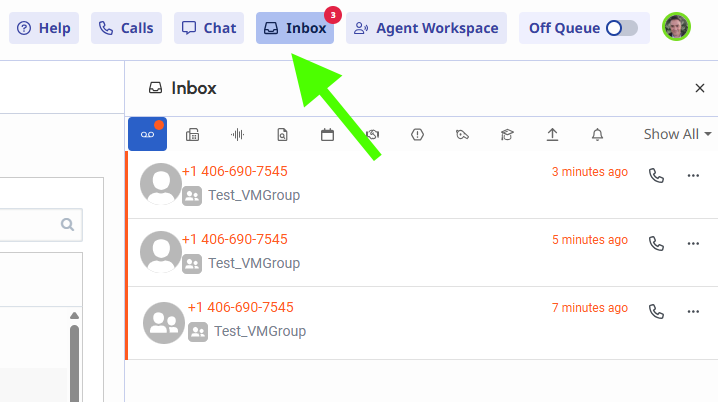
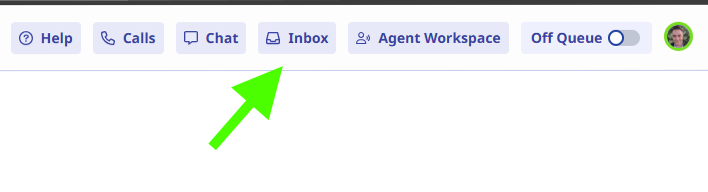
When a voicemail is left for a group, no visual notification appears on the Inbox icon in the New UI until the user manually opens the Inbox. Refreshing the page does not help. However, switching back to the Legacy UI immediately shows the correct unread badge. When switching again to the New UI, the badge disappears until the Inbox is opened, at which point a brief refresh animation occurs and the voicemails appear.
We've opened Genesys Care Case #0003892203 to track this issue for confirmation of whether it's a known defect in the New UI and to request an ETA for resolution or possible workaround.
This behavior is causing operational concern for our shared voicemail workflows, so any official update from @Genesys Care would be greatly appreciated.
Thanks!
Tony Freestone
Senior Manager, Voice Services Integration

------------------------------
Tony Freestone
Contact Center Applications Manager
------------------------------