05/06/2026 - UPDATE - Great news! We have a new date: we are targeting May 25th as the general availability (GA) date, and it will roll out throughout the week to all regions, per the typical Genesys Cloud release schedule.
05/04/2026 - UPDATE - The release for this feature has been postponed and will not be available on May 11 as initially planned. We apologize for any inconvenience this may cause to your rollout schedule and thank you for your patience. I'll provide an update here once a new release date is confirmed.
04/23/2026 6:00 pm EST - A quick update: I'll be working on a before-and-after video to showcase the changes. Looking forward to sharing it with you!
----------------------------------------------------------------------------------------------------------------------------------------------
Starting on the effective date May 25, Genesys Cloud is moving the existing Activity Overview experience into the new User Home, bringing Activity insights directly into a single workspace for agents and supervisors. User Home is accessible from the main Genesys Cloud navigation menu via a new “Home” link.
Required Permissions:
- UI > supervisorActivity > View
- UI > agent Activity > View
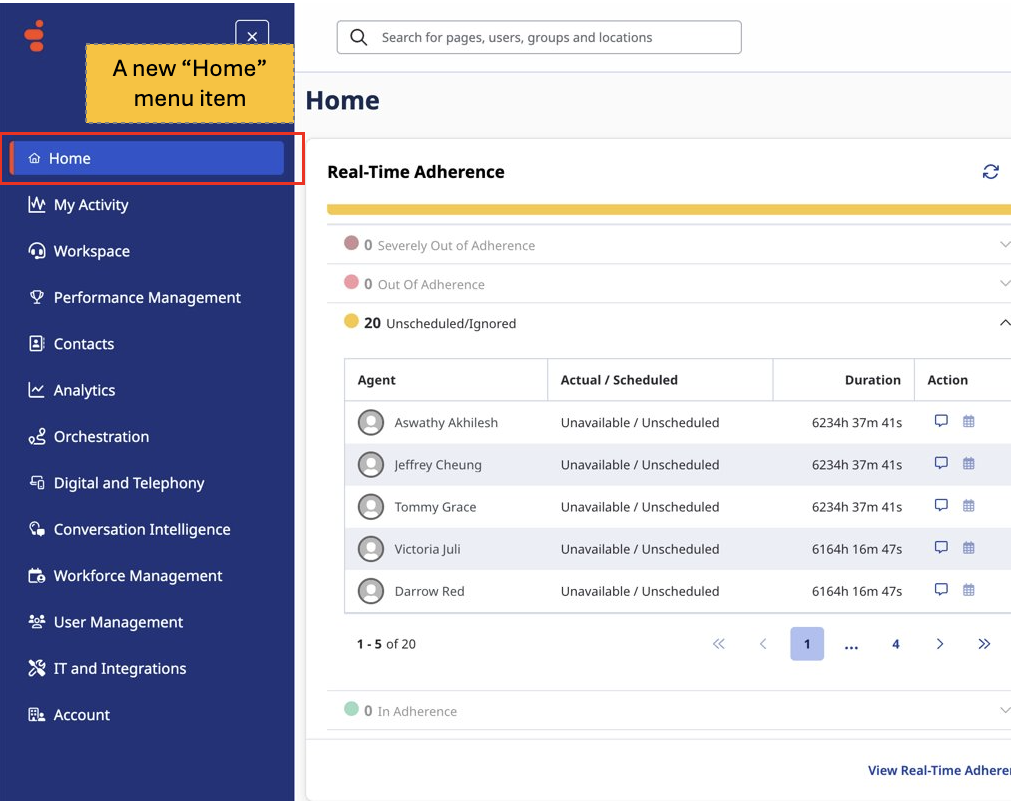
Example of editing the Home Canvas:
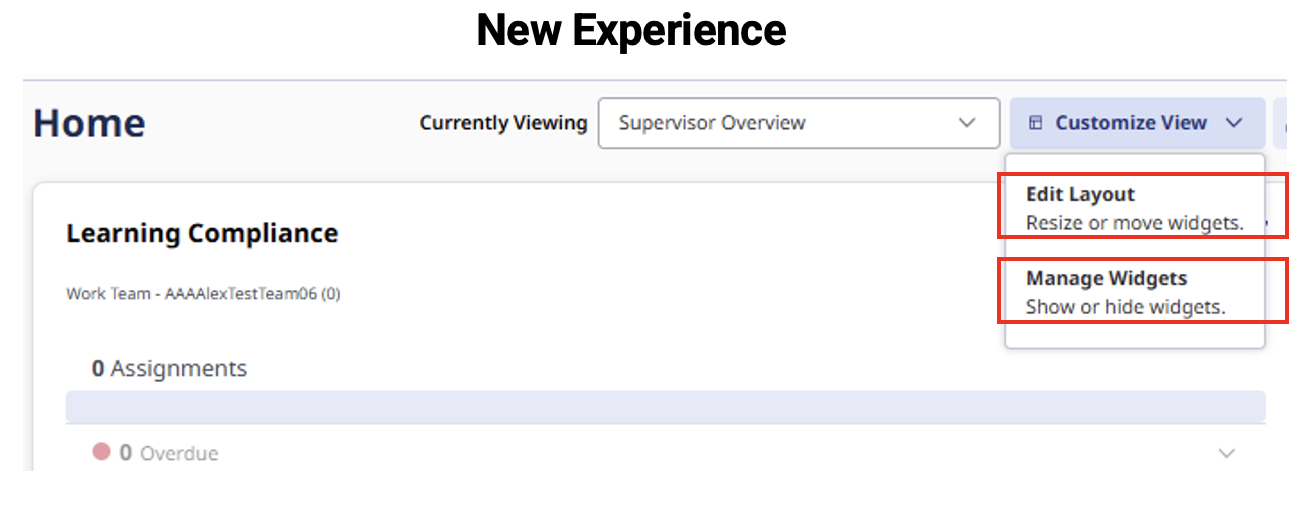
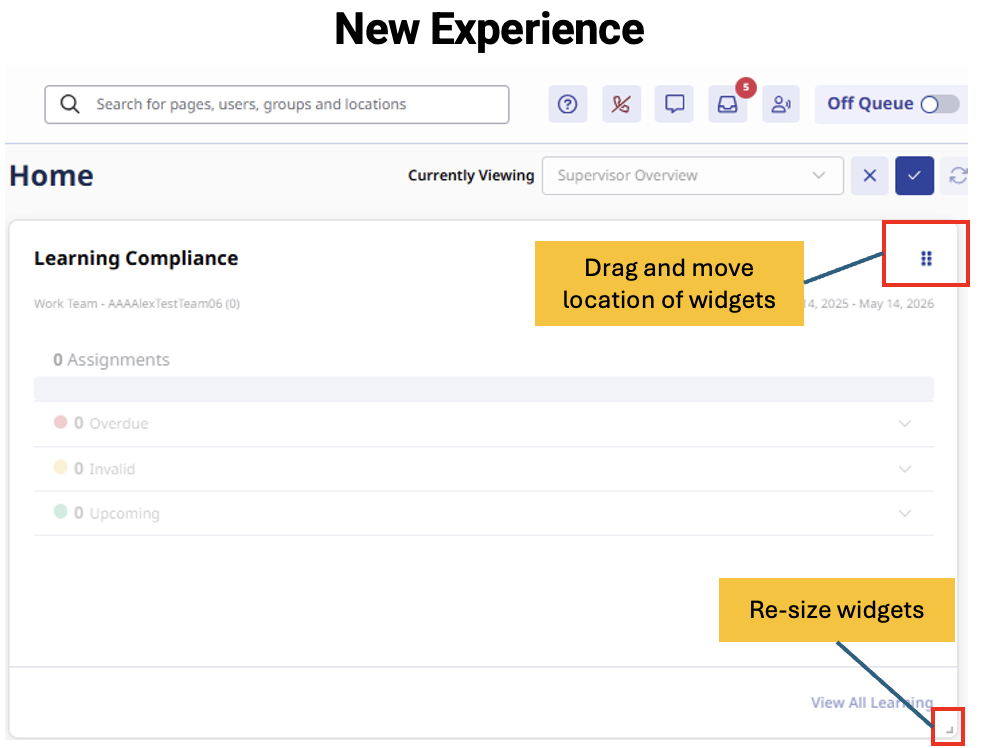
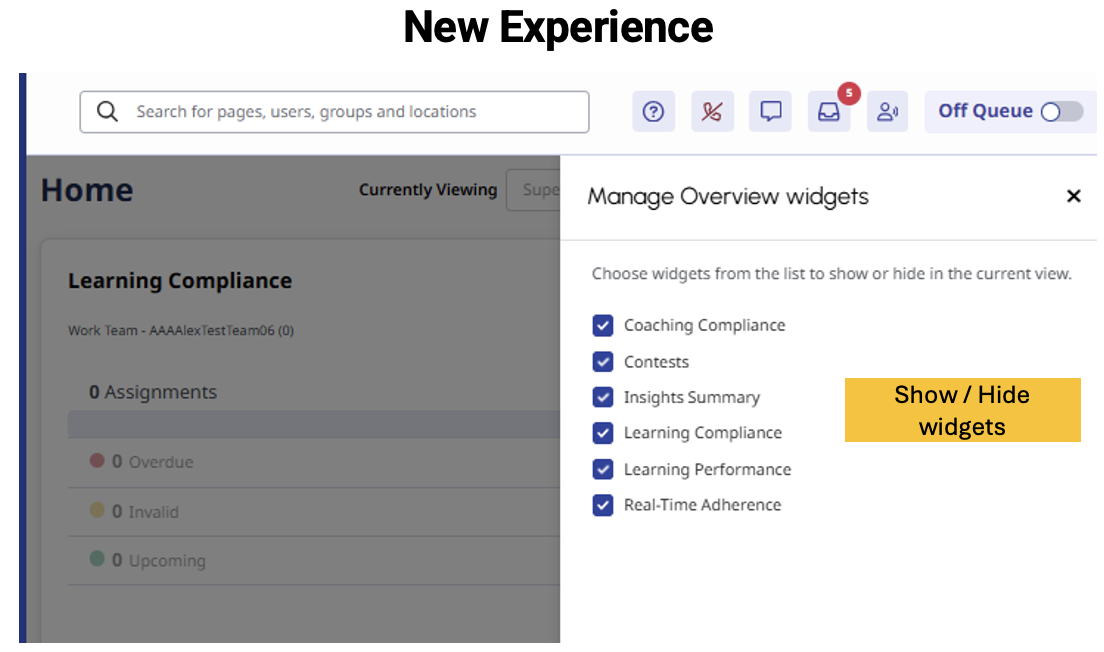
Aside from some new ability to re-arrange and resize widgets, this change is intended to be quite seamless. The relocation of the Agent Activity capabilities into the User Home experience lays the foundation for introducing more role- and context-aware widgets in the future.
For agents and supervisors, this means:
- Accessing the same Activity widgets they use today via User Home
- Existing widgets are available in the same format and structure
- Tabbed pages previously within Activity pages (e.g. Insights, Scorecard, Schedule, Leaderboard, Workplan) are now accessed via sub menus on the main navigation.
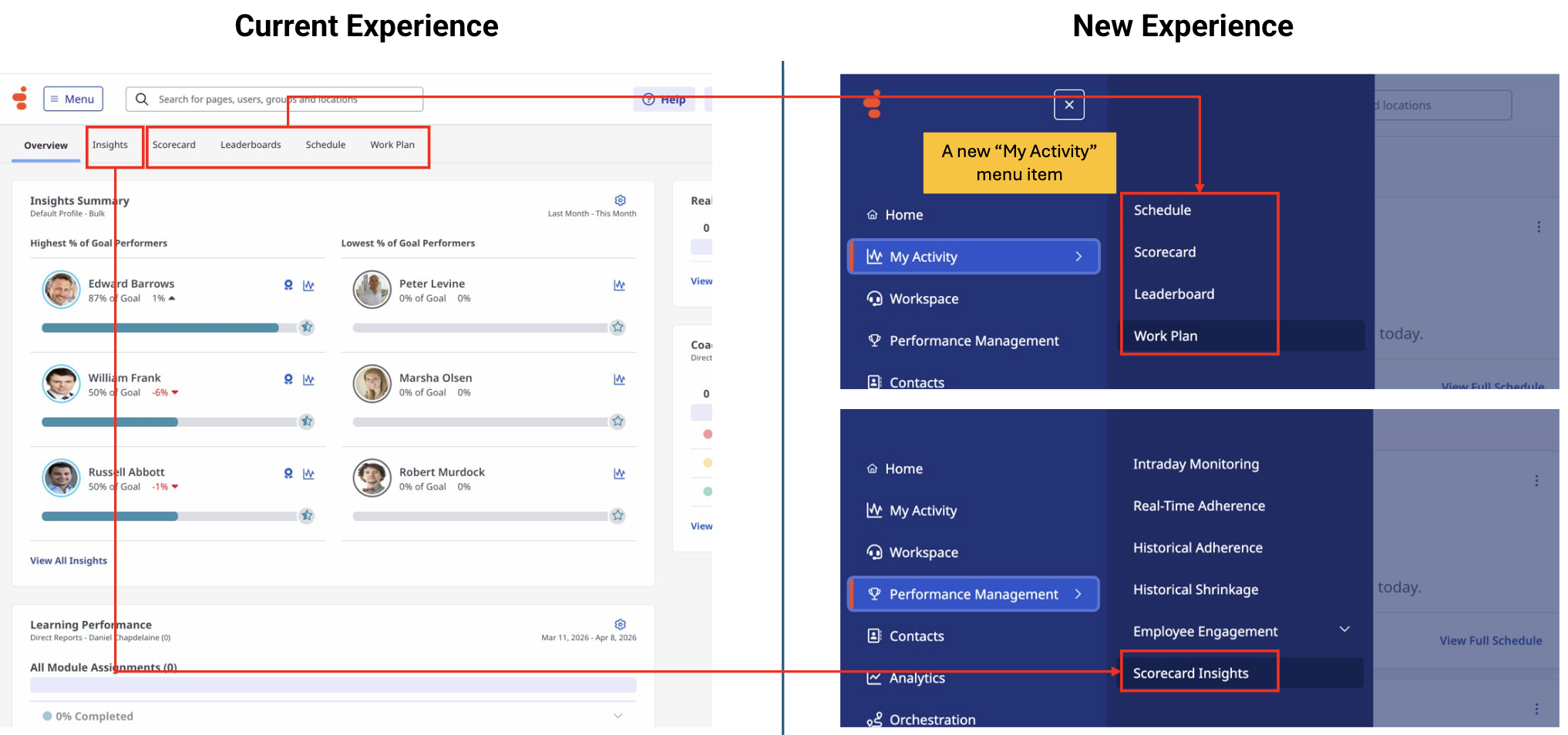

The goal is continuity, not disruption. Users will continue to manage performance, schedules, coaching, and learning as they do today, now without leaving their primary workspace.
Why this matters
This update is a foundational step toward a more unified Genesys Cloud experience.
As the platform evolves, User Home will become the central workspace where insights are surfaced in context, supporting a shift from navigating between tools to working within a single, continuous experience.
Over time, this foundation enables more proactive and intelligent experiences, where insights are not just accessed but surfaced at the right moment to drive action.
#Gamification
#GenesysAnnouncements
------------------------------
Daniel Chapdelaine,
Senior Product Manager, Home + Gamification
Genesys - Employees
------------------------------