Original Message:
Sent: 06-16-2026 11:23
From: Zoltan Juricskay
Subject: Questions on User Settings Menu UI Changes
Hi Everyone,
First, to answer the original question: yes, following the announcement, we are proceeding with the rollout of the feature this week according to the standard regional release schedule.
I would also like to thank Robert for his kind comments and for providing additional context around the release process.
Reading through the discussion, I believe there are three separate topics being raised, all of which are important.
1. The feature rollout itself
As noted above, the rollout is proceeding this week following the normal release schedule. We appreciate everyone's patience throughout the process.
2. Communication of target GA dates and schedule changes
We understand the concerns regarding visibility into release timing and changes to planned dates. The official source for release communications remains the Genesys Resource Center, including announcements and release notes.
At the same time, we recognize the feedback that customers would like greater transparency around dates that may be communicated through other channels (such as Aha!), as well as clearer visibility when target dates change and why those changes occur. We have shared this feedback with the documentation and release communications teams, and discussions are ongoing regarding how to improve the visibility of release timing information. Customer feedback on this topic has been heard and is being actively considered.
3. Earlier access for documentation, training, and change management
We also understand the request for earlier access to upcoming user experience changes so that customers can prepare training materials, internal documentation, videos, screenshots, and communication plans before general availability.
This topic has likewise been raised within the broader Product Management community. One possible approach could be a lightweight preview or beta process for certain user-facing changes. However, there are tradeoffs that need to be considered carefully. For example, preview environments may require support for multiple versions of the experience, customers may reasonably assume preview functionality is final and begin creating training materials, and features that have not yet passed all quality, security, reliability, and performance gates may still change before release.
For these reasons, we are evaluating potential approaches while balancing customer preparation needs with the realities of software delivery and quality assurance. We recognize the value that earlier visibility would provide and are considering possible ways to improve this experience.
Thank you again for the constructive feedback and for continuing to engage with us on these topics.
Regards,
Zoltan
------------------------------
Zoltan Juricskay
Product Manager
Genesys - Employees
------------------------------
Original Message:
Sent: 06-16-2026 08:13
From: Chris Bunting
Subject: Questions on User Settings Menu UI Changes
Can anyone verify the new User Menu UI has started rolling out? Release page says it has but would love confirmation from the community before sending something out to my org.
Thanks,
------------------------------
Chris Bunting
Sr. Business Analyst
------------------------------
Original Message:
Sent: 06-12-2026 01:56
From: Rachel Curry
Subject: Questions on User Settings Menu UI Changes
Can I please confirm is this in the release notes labelled as a different title?
https://help.genesys.cloud/170326/#update-user-menu-in-the-new-genesys-cloud-navigation
This is the previous annoucement with a different date and different title

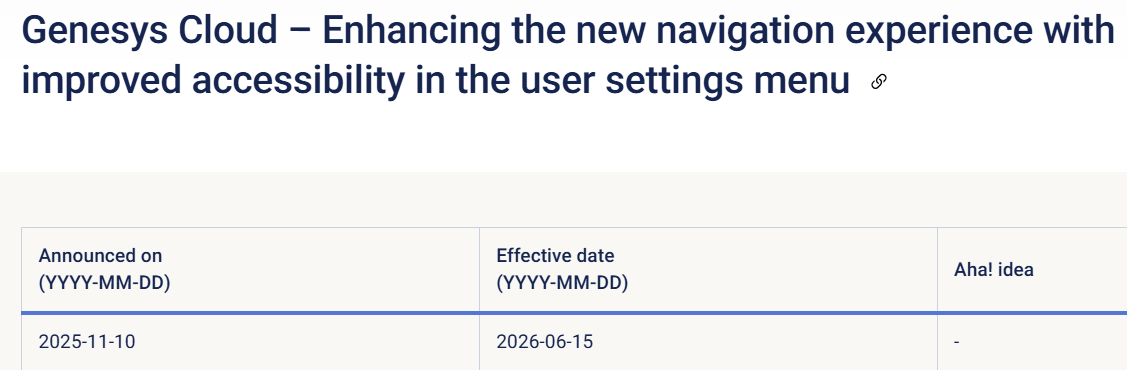
https://help.genesys.cloud/announcements/genesys-cloud/genesys-cloud-enhancing-the-new-navigation-experience-with-improved-accessibility-in-the-user-settings-menu/
Is this the same update? In the new release notes it's titled for Administrators
Please add links to the community announcement or screenshots in the release notes as it gives not further information.
Regards
------------------------------
Rachel Curry
Red Energy Pty Ltd.
------------------------------
Original Message:
Sent: 06-01-2026 05:51
From: Zoltan Juricskay
Subject: Questions on User Settings Menu UI Changes
Hi Judy,
No, the current tentative GA date is June 15.
Please note that official GA dates are communicated through Jira, Aha!, and Resource Center announcements. While I do my best to keep the community informed, this forum should not be considered the official source for release announcements.
Regards,
Zoltan
------------------------------
Zoltan Juricskay
Product Manager
Genesys - Employees
------------------------------
Original Message:
Sent: 05-31-2026 17:29
From: Judy Kerbel
Subject: Questions on User Settings Menu UI Changes
Is June 8 still the target date for this release?
------------------------------
Judy Kerbel
------------------------------
Original Message:
Sent: 05-26-2026 05:48
From: Zoltan Juricskay
Subject: Questions on User Settings Menu UI Changes
Hi Kevin and Team,
Yes, that is correct. Engineering is currently focused on stabilizing the client deployment that was rolled back due to an unrelated issue. Given the need to prioritize and complete this work properly, I decided to allow the team a minimum of two additional weeks before resuming the release activities.
At this point, the tentative GA target date is June 8 but I'll send a confimration post when that gets accepted. We will continue to keep you updated on progress and communicate any changes as early as possible.
Regards,
Zoltan
------------------------------
Zoltan Juricskay
Product Manager
Genesys - Employees
Original Message:
Sent: 05-22-2026 12:41
From: Kevin Eng
Subject: Questions on User Settings Menu UI Changes
Hi Zoltan,
Can you confirm if this means next weeks planned release is not happening and that there's no new release date? Thanks.
------------------------------
Kevin Eng
Original Message:
Sent: 05-21-2026 11:33
From: Zoltan Juricskay
Subject: Questions on User Settings Menu UI Changes
Hi,
We would like to provide an additional update regarding the release timeline for this feature.
Genesys had to cancel the planned release due to an unrelated rollback of a client software deployment. As product quality remains our highest priority, we must postpone the release of this feature until the client software quality has been fully validated through additional quality assurance activities.
As previously communicated, the release timeline had already been adjusted due to issues identified in an unrelated area to ensure the overall release meets our quality standards.
We appreciate your patience and understanding, and we will continue to keep you informed as new information becomes available.
Kind regards,
Zoltan
Original Message:
Sent: 05-21-2026 09:49
From: Dave Halderman
Subject: Questions on User Settings Menu UI Changes
@Zoltan Juricskay, we're trying to time our communication to our agents about this upcoming change. Is the release still planned for the week of May 25? If it's still tentative, what is the cutoff time for the go/no-go decision for next week?
------------------------------
Dave Halderman
Business Analyst
Original Message:
Sent: 05-18-2026 06:30
From: Zoltan Juricskay
Subject: Questions on User Settings Menu UI Changes
Hi Judy and Team,
To my understanding, there was a rollback of the latest frontend release during the weekend. This is unrelated to the User Menu changes and appears to be an unfortunate coincidence.
Genesys is currently working on restoring the earlier cadence and stability of client releases. As a result, the GA date for the User Menu accessibility improvement feature remains tentative at this time and may experience some delay depending on release readiness and validation activities.
We appreciate your patience and understanding while the teams work through the rollout process.
Regards:
Zoltan
------------------------------
Zoltan Juricskay
Product Manager
Genesys - Employees
Original Message:
Sent: 05-17-2026 11:34
From: Judy Kerbel
Subject: Questions on User Settings Menu UI Changes
@Zoltan Juricskay
We appreciate the updates on the release dates. This is now at least the third or fourth change in release dates. Our customer has updated their user documentation so agents are ready when the update is released. We have had to tell our customer multiple times now that this is delayed again and that they will not see the change on the dates announced.
The perception battle that we are dealing with is that Genesys does not adequately test before announcing releases and that Genesys does not know what they are doing when it comes to software releases and quality control. What is the confidence level that the May 25 date is actually going to stay?
------------------------------
Judy Kerbel
Original Message:
Sent: 05-14-2026 11:00
From: Zoltan Juricskay
Subject: Questions on User Settings Menu UI Changes
Hi Team,
We'd like to share an update regarding the release timeline for this feature. Due to a recently identified issue in an unrelated area, we need to postpone the underlying release to ensure everything meets our quality standards.
The new tentative general availability (GA) date is May 25.
We appreciate your understanding and patience.
Kind regards,
Zoltan
------------------------------
Zoltan Juricskay
Product Manager
Genesys - Employees