Hello Katee,
Glad to see newbies posting and asking questions. Please do not hesitate to always go back here in the Community for any query.
I would like to add more context in support of Anton's response. In your scenario where there are no agents active in the queue, what should happen is that the call would just be waiting in there until an agent goes on queue. If the call got disconnected, its most probably because the caller abandoned it. The interaction will just stay there unless you have some action/process in the flow to return that interaction back to the previous queue.
The
In-queue call flow is designed to specifically provide this function, as Anton mentioned above. A possible way to configure the in-queue call flow to match your scenario would be to apply hold music for a certain duration, if it is unanswered after this time prompt the caller that "lines are busy", and then do a Transfer to ACD action to bring interactions back to a previous or different queue.
If possible, perhaps look into re-working your call flow to have your IVR distribute the calls in the first place with some self-service options, removing the loop of returning calls to the main queue whenever your scenario happens. This might make a better customer experience since they don't feel like they get passed around different agents, as well as improve First Call Resolution (FCR) if you track against that metric.
------------------------------
Nico Feliciano
Genesys - Employees
------------------------------
Original Message:
Sent: 01-19-2023 17:36
From: Katee Ice
Subject: Queue Disconnecting - Need to Route Back to Original Queue
Thank you so much - that was immensely helpful.
------------------------------
Katee Ice
Focus on the Family
------------------------------
Original Message:
Sent: 01-09-2023 17:13
From: Anton Vroon
Subject: Queue Disconnecting - Need to Route Back to Original Queue
In your second Queue setup, under the voice tab, Check what the default In Q flow is eg
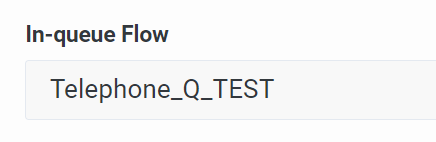
If this is blank it is using the Default In Q flow.
So then go to architect and have a look at what that flow is doing, and from there do any In Q flow routing you require.
Sounds like staff are blind transferring calls to the other queue, staff could check the availability on the queue beforehand, or do consult transfers to handshake the call to make sure there is someone there first.
Or you could look at something like bullseye routing instead for that second queue, and just have the Agents in Q1 in that second queue but only take the calls after customer waits in the second queue for an amount of time.
You have options.
------------------------------
Anton Vroon