I was able to identify the required API and successfully replicate the callback scheduling options available in the Genesys Agent UI within the Agent Script, including Route callback to me if possible and Take Ownership.
Please find the attached screenshots for your reference.
However, I have one query regarding the behavior of these two options. Is there any way to automatically disable or gray out the Take Ownership option when the agent selects Route callback to me if possible, and vice versa?
In the Genesys Agent UI, when one of these options is selected, the other option is automatically grayed out. We would like to replicate the same behavior in the Agent Script, if possible.
Please find the screenshots attached for reference.
Could you please confirm whether there is any supported approach in script.
Looking forward to your guidance.
Thank you.
Original Message:
Sent: 07-10-2026 08:50
From: Phaneendra Avatapalli
Subject: Schedule Callback Option limitations
Hi Muhammed,
Thanks for sharing your findings.
From what I can see, the Scripter.Schedule Callback action only exposes the Preferred Agent ID, which provides behaviour similar to Route callback to me if possible. I couldn't find a native option for Take Ownership.
I did find that the Conversations API supports creating an agent-owned callback using AGENT_OWNED_CALLBACK, although there is a community discussion reporting some side effects, so it would need careful testing but no one replied.
https://community.genesys.com/discussion/creating-an-agent-owned-callback-within-an-agent-script
Hopefully someone from community can confirm whether there's a supported way to expose Take Ownership in scripts.
------------------------------
Phaneendra
Technical Solutions Consultant
------------------------------
Original Message:
Sent: 07-10-2026 08:29
From: Muhammed Shaibant
Subject: Schedule Callback Option limitations
Dear Phaneendra,
Thank you for sharing the detailed requirements.
As mentioned, I tried to develop the Schedule Callback option within the Agent Script. However, I was not able to find a way to include the "Take Ownership" option, which is available when scheduling a callback from the Genesys Agent UI.
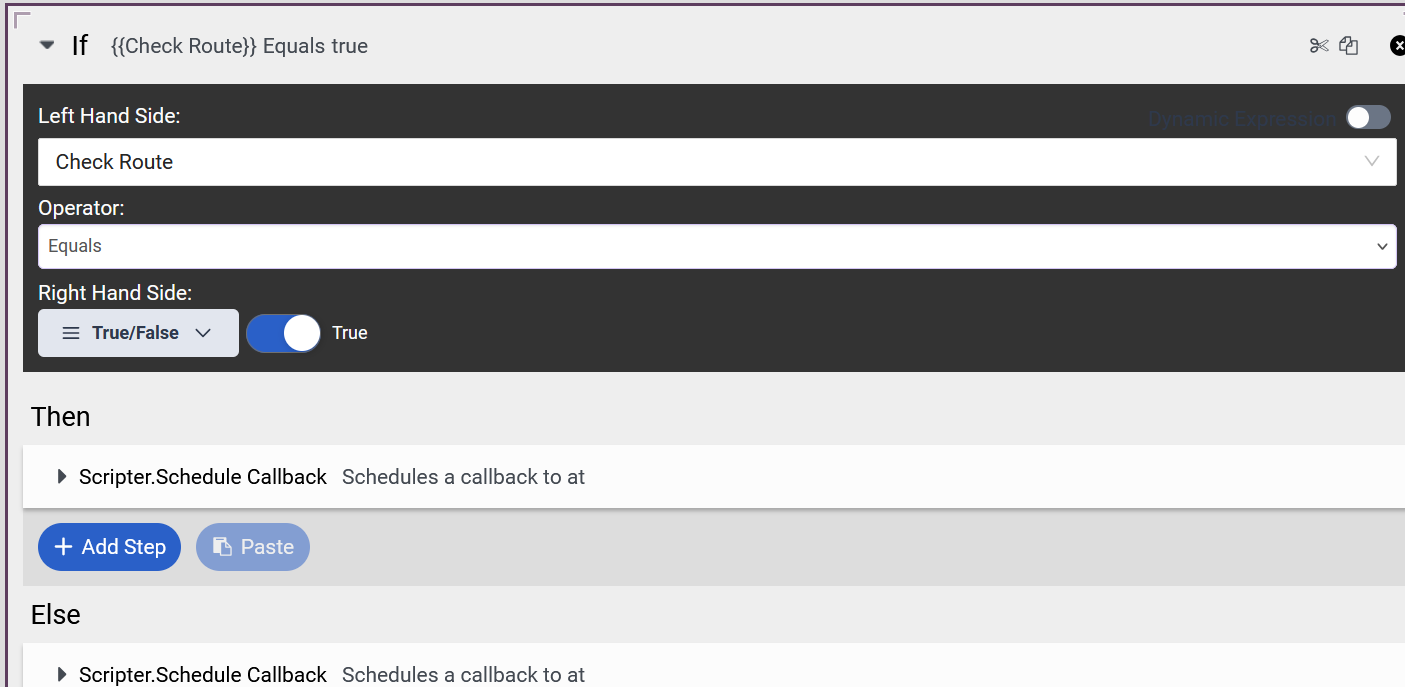
Apart from this, I have tested the remaining functionality, and it is working as expected. I was also able to implement the "Route callback to me if possible" option by using an If/Else condition in the script.
Could you please let me know if there is any way to bring the "Take Ownership" option into the Agent Script? Is there any API or other approach available to achieve this?
For your reference, I have attached screenshot of the "Take Ownership" option Genesys Agent UI and agent script.
It would be greatly appreciated if anyone could provide guidance or confirm whether this is currently possible.
------------------------------
Muhammed Shaibant
x
------------------------------
Original Message:
Sent: 07-09-2026 08:48
From: Phaneendra Avatapalli
Subject: Schedule Callback Option limitations
Hi Muhammed,
From my understanding, the Schedule Callback option in the Agent Script and the one in the Genesys Agent UI work similarly but there are some functional differences and limitations worth being aware of.
Both options allow agents to schedule a callback up to 30 days in advance, selecting the date, time, and time zone. The script-based callback uses the Scripter.Schedule Callback action and supports both inbound and outbound calls, with an optional Preferred Agent ID to route the callback to a specific agent.
One important design consideration specific to the script approach. Genesys recommends always using a dedicated Submit button to trigger the Schedule Callback action rather than binding it directly to the date input component. This is because the date input component fires its action every time the agent updates the date, time, or time zone field, which can result in multiple callback requests being created unintentionally. Using a button ensures the agent commits the callback only when ready.
In terms of key limitations applicable to both approaches, only one callback can be scheduled per interaction, callbacks cannot be scheduled more than 30 days in advance, and agents cannot edit an agent-owned callback within 15 minutes of the scheduled time. Skills and priorities from the original interaction are also not retained when the callback is placed.
The main difference between the two is that the script approach allows script designers to customise the experience, pre-populate fields like the callback number or recipient name from variables, and optionally route to a specific preferred agent - giving more flexibility than the standard Agent UI callback option.
Hope this helps!
Reference links:
• Schedule a callback in a script: https://help.mypurecloud.com/articles/schedule-a-callback-in-a-script/
• Add a scheduled callback option to a script: https://rcworkbench.genesys.cloud/articles/add-a-schedule-callback-option-to-a-script/
• Available script actions: https://help.genesys.cloud/articles/available-script-actions/
------------------------------
Phaneendra
Technical Solutions Consultant
------------------------------