Hi Chastity
One option that might help in this scenario is using the monitoring features that are already available inside Genesys Cloud.
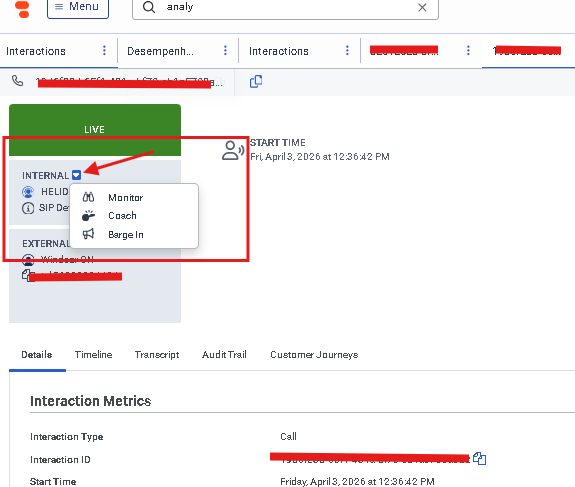
During a live interaction, supervisors can monitor calls in three different ways:
- Listen – The supervisor can listen to both the agent and the customer without anyone knowing (silent monitoring).
- Whisper / Coach – The supervisor can listen to the call and speak only with the agent, while the customer cannot hear the supervisor. This is very useful for training situations.
- Barge – The supervisor can join the conversation and speak with both the agent and the customer.
These options can be very helpful when training new remote agents because the trainer can guide the agent in real time during actual calls without needing additional screen-sharing tools.
Of course, screen sharing tools like Teams or Zoom are still useful for walkthroughs or role-play sessions, but the built-in monitoring modes in Genesys Cloud can complement the training when agents start taking real calls.
------------------------------
Kaio Oliveira
GCP - GCQM - GCS - GCA - GCD - GCO - GPE & GPR - GCWM
PS.: I apologize if there are any mistakes in my English; my primary language is Portuguese-Br.
------------------------------