Original Message:
Sent: 08-21-2026 06:24
From: MAHESH KASAR
Subject: SLA Custom Formula excluding short Abandon
Thank you Stephan for your recommendation. Can you please let me know which API will give me this details.
Analytics API's Conversation Detail
------------------------------
MAHESH
------------------------------
Original Message:
Sent: 08-21-2026 04:50
From: Stephan Taljaard
Subject: SLA Custom Formula excluding short Abandon
Hi Mahesh,
Thanks for the extra detail - that makes sense given the shared-instance/multi-division setup.
Unfortunately what you're after isn't achievable through a Custom Column Formula on Queue Performance. The formula editor only exposes the standard aggregate fields (Offered, Answer, Abandoned, Short Abandon, etc.), and "Short Abandon" is a single bucket tied to the org-wide threshold - there's no field for "abandoned between 10-30 seconds" you can reference in a formula.
Genesys does have a more granular Abandon Insights/Abandon Intervals view (Queue Performance -> select queue -> click Abandon %) with configurable buckets under Admin > Contact Center > Analytics > Interval Configuration, but those bucket counts are only viewable in that drill-down view - they're not selectable in the Custom Column Formula builder, so you can't wire them into an SLA calculation that way either.
The only way to get what you need is at the data layer: pull conversation-level detail via the Analytics API's Conversation Detail query (which gives you the exact abandon time per interaction), then compute your custom SLA logic outside of the built-in performance views - e.g. via a scheduled export into a BI tool.
This is a known gap. There's an open Aha Ideas request for it here: https://genesyscloud.ideas.aha.io/ideas/DARAR-I-2513 - worth adding your vote/use case to help it get prioritized.
Regards
Stephan
------------------------------
Stephan Taljaard
EMBEDIT s.r.o
------------------------------
Original Message:
Sent: 08-21-2026 04:38
From: MAHESH KASAR
Subject: SLA Custom Formula excluding short Abandon
Hi Stephan,
Thank you for your reply.
The reason for creating a new custom formula is that we have a single instance shared across multiple clients, with separate divisions configured for each client. Since the short abandon setting is configured at the organization level, any change would apply to all clients. Therefore, I am unable to modify the short abandon setting at the organization level.
I also tried below formula which is giving me SLA excluding short abandon but it also include abandon call which are between 10 - 30 Seconds.
Custom Column Formula for SLA: (Answer / (Offered - Short Abandoned)) * 100
I am facing issue in SLA calculation when some of calls are getting abandoned between 10 - 30 seconds which I need to exclude it using custom Column formula. Need help on this.
Regards,
Mahesh
------------------------------
MAHESH
------------------------------
Original Message:
Sent: 08-21-2026 03:38
From: Stephan Taljaard
Subject: SLA Custom Formula excluding short Abandon
Good Day Makesh
Just a quick question, is there a specific reason why you want to use a custom SLA formula?
When calculating SLA, you can either include or exclude short abandoned calls from the calulation - https://help.genesys.cloud/glossary/service-level/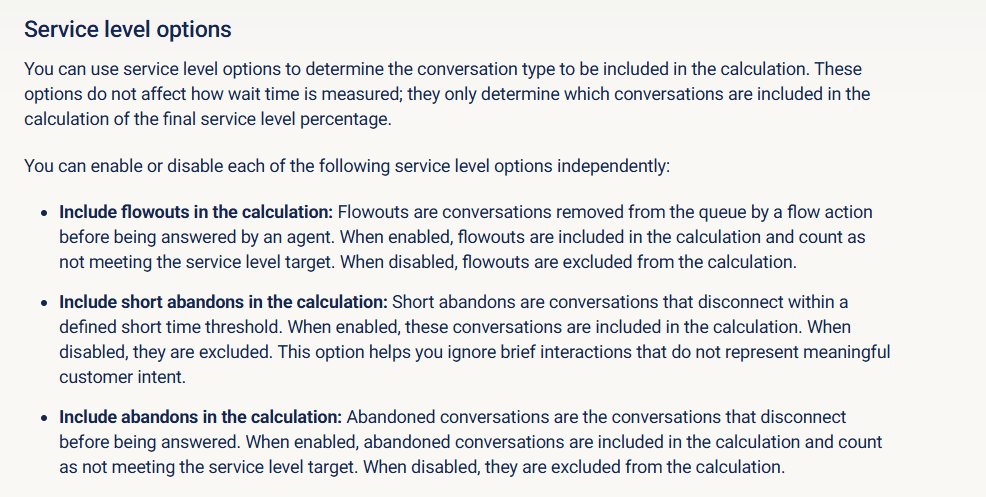
I found the following article on the resource center with a sample formula on how to exclude short abandoned calls from the custom fomula - https://help.genesys.cloud/articles/custom-column-sample-formulas/

Hope this helps.
Regards
------------------------------
Stephan Taljaard
EMBEDIT s.r.o
------------------------------