Genesys Cloud - Main

 View Only

Sign Up

Expand all | Collapse all

The station could not be reached. This could be due to network connectivity issues or having multiple active sessions. If using a separate application to place calls, be sure to to enable the "Placing calls with another app" toggle under your phone settings.

  Thread closed by the administrator, not accepting new replies.
  • 1.  The station could not be reached. This could be due to network connectivity issues or having multiple active sessions. If using a separate application to place calls, be sure to to enable the "Placing calls with another app" toggle under your phone settings.

    Posted 12-17-2018 05:24
    No replies, thread closed.
    Dears,

    I know this issue has been asked multiple times in the community, but unfortunately, I still do not get it.

    I have access to multiple organizations, with one laptop.
    In some organizations I can make calls without issues, and in others I have the following issues:
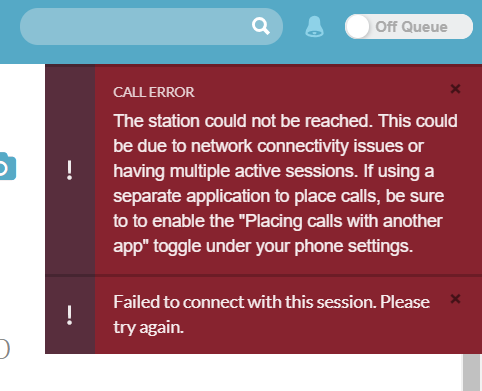


    Please note, the organizations with the mentioned issues are working fine. The issue appears to me only/ or some accounts.

    Best Regards,
    #Outbound
    #SIP/VolP
    #Telephony

    ------------------------------
    Ali Aljohani
    Jathwa Technology Solutions
    ------------------------------


  • 2.  RE: The station could not be reached. This could be due to network connectivity issues or having multiple active sessions. If using a separate application to place calls, be sure to to enable the "Placing calls with another app" toggle under your phone settings.

    Posted 03-24-2021 07:15
    No replies, thread closed.
    Hi Ali Aljohani,

    Did you fix this , i am facing the same issue and need you advice.

    Thanks 
    Mahmoud Kamal

    ------------------------------
    Mahmoud Kamal
    Perfect Presentation Telecommunication
    ------------------------------


  • 3.  RE: The station could not be reached. This could be due to network connectivity issues or having multiple active sessions. If using a separate application to place calls, be sure to to enable the "Placing calls with another app" toggle under your phone settings.
    Best Answer

    Posted 03-25-2021 04:16
    Edited by Jason Kleitz 21 days ago
    No replies, thread closed.
    ooo, I've seen this one so many times :-)

    From my experience, there could be a few reasons for that:
    • you're using remote phones and remote phone number is wrong, so it can't reach the agent -> that was most common one
    • you have edges in different locations and some port from required range is not enabled. Call hits edge1, agents phones uses edge 2 - they can't communicate.
    • in our org, there was an issue with SEP firewall deployed on agents laptop, it would block voice traffic - we needed to add the same ranges that we configured on company firewalls to SEP firewall.

    Hope that helps, and hope it's the first one ;-)

    good luck!

    ------------------------------
    Piotr Danielewski
    EY Global Services Limited
    ------------------------------