Thanks @Mike Morris, great answer and community support 😊
For more information, here is a link to the Resource Centre Article that Mike referenced:
Add a time-off plan Rules Tab
------------------------------
Paul Wood
Product Manager for Genesys Cloud Workforce Management
------------------------------
Original Message:
Sent: 11-21-2025 05:13
From: Mike Morris
Subject: Time Off Limits not being honored
Hi Meghan,
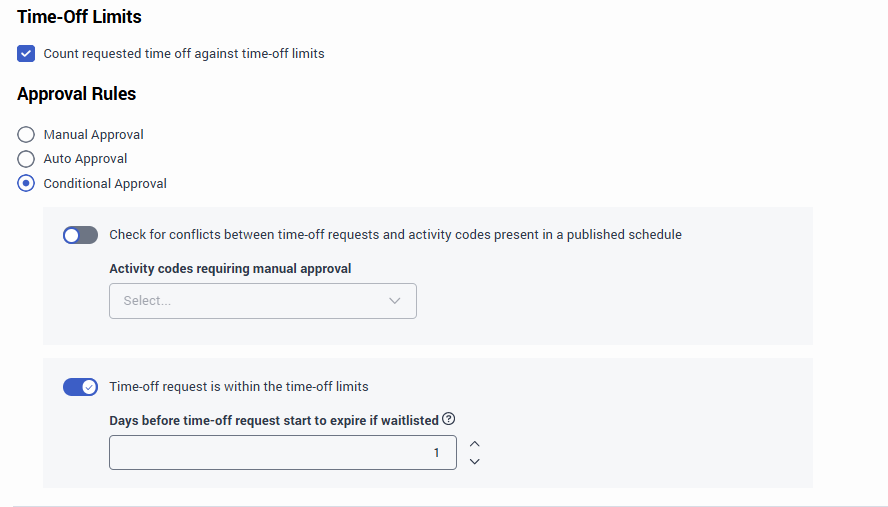
If you wish for your time-off to honour the time-off limits you will need to select Conditional Approval.
- Manual Approval. Select this option to to indicate that the auto-approval rule never applies to time-off requests that use the selected activity codes. Choosing this option requires you to approve time-off requests associated to the selected activity codes manually.
- Auto Approval. Select this option to indicate that the auto-approval rule always applies to time-off requests that use the selected activity codes. Choosing this option causes the system to auto-approve all time-off requests, even when they exceed the remaining time-off limit on the requested time-off dates.
- Conditional Approval. Select this option to apply the auto-approval rule to time-off requests according to the time-off limit. The following additional fields are enabled.
The set up that you are showing is something that we have for our US based agents for PTO, but for standard Vacation or annual leave you would want to select Conditional Approval.
------------------------------
Mike Morris
Manager - BCD
------------------------------