Hi Jonathan,
Not sure if you were able to get this sorted, but I came across your question while trying to find the same answer.
Since then, we were able to sort this out - the permissions that allowed the agents to see the articles in the assistant, but not see the admin tab were:
Knowledge --> Document --> View
This was instead of the Knowledge > All Permissions as indicated previously.
cheers!
Tony.
------------------------------
Tony Gibson
Newcastle Greater Mutual Group
------------------------------
Original Message:
Sent: 08-03-2023 13:32
From: Jonathan LeBlanc
Subject: Understanding Agent Assist Permissions and Pricing
That's correct and I've done that. And the agents in question do have access to the icon and the ability to search the KBs during an interaction. But when I add those permissions they also gain access to this:
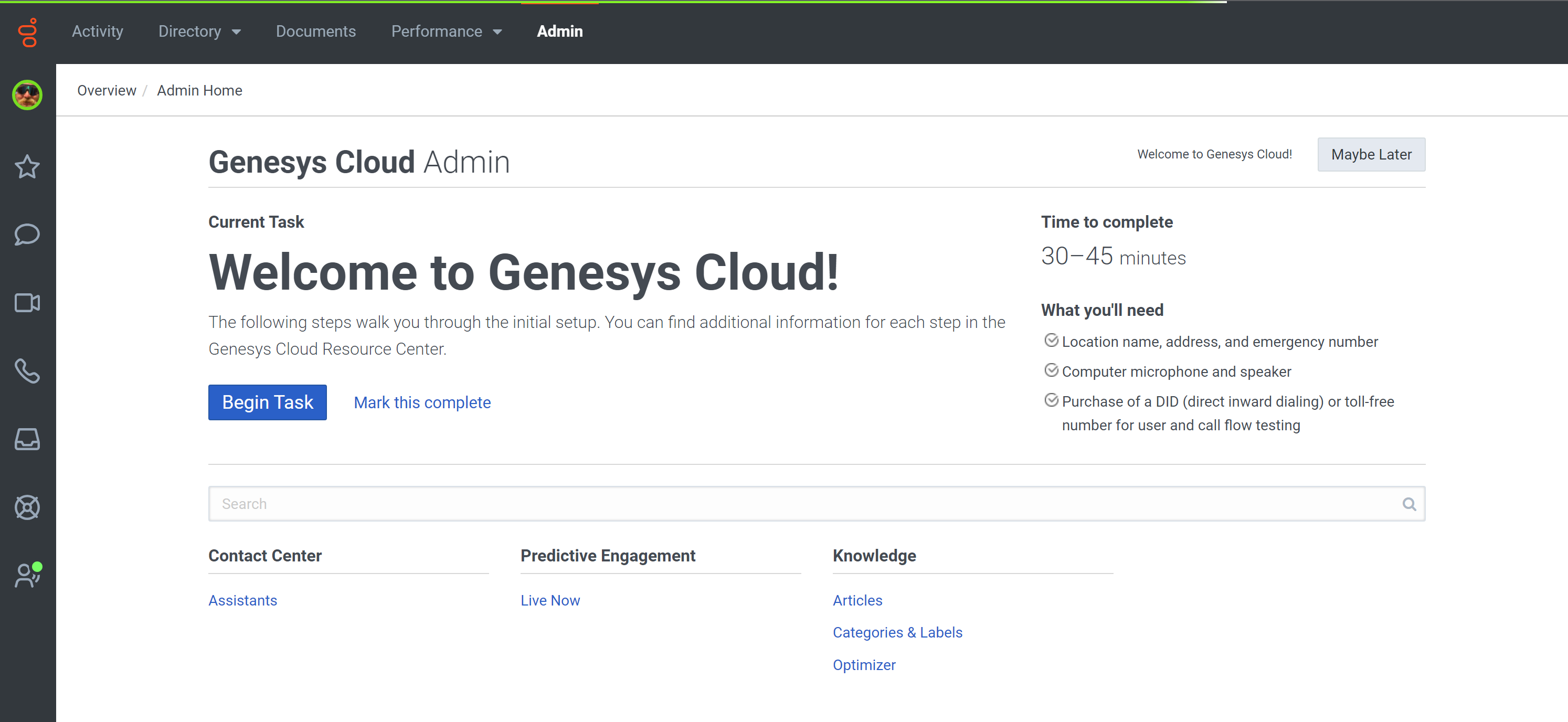
I've tested using this agent profile that I've set up to mimic our agents and all kinds of changes (including the ability to completely delete an entire KB, etc) can be made via the admin panel which should not be available to an agent.
------------------------------
Jonathan LeBlanc
Outdoor Network LLC
------------------------------
Original Message:
Sent: 08-03-2023 03:05
From: Robert Wakefield-Carl
Subject: Understanding Agent Assist Permissions and Pricing
Control of the icon is through Assistants under Contact Center (Create Genesys Agent Assist as an assistant - Genesys Cloud Resource Center (mypurecloud.com)). Knowledge searching is free, but knowledge surfacing requires the Agent Assist subscription or an AI Bundle.
For agents to use either of these, they need the following:
- Assistants > All Permissions
- Knowledge > All Permissions
- Conversation > Suggestions > All Permissions
------------------------------
Robert Wakefield-Carl
ttec Digital
Sr. Director - Innovation Architects
Robert.WC@ttecdigital.com
https://www.ttecDigital.com
https://RobertWC.Blogspot.com