Hi Mohamed,
yes, in this case it could happen, that only Mo-Fri are scheduled without a weekend day. But as mentioned you can setup a Planning Period and define how many weekends or how many weekends shift will be scheduled in the PP. This will push the system to avoid only Mo-Fr.
Or you build a rotation 2 weeks Mo-Fr and 1 week weekend.
------------------------------
Robert Tonyka
Sr. Principal PS Consultant
------------------------------
Original Message:
Sent: 06-11-2026 06:01
From: Mohamed Nasr
Subject: Weekend scheduling - WESCH-I-496
Hi Robert,
We also schedule our agents to work either Saturday or Sunday too, on a 1 in 3 weekends rotation.
Am I right in thinking that in your example this workplan can end up generating a Monday - Friday week and not schedule the agent to work Saturday or Sunday, so we'd still need to manually check and schedule the agents to work Saturday or Sunday in line with their rotation?
Thanks
------------------------------
Mohamed Nasr
Emovis
------------------------------
Original Message:
Sent: 06-10-2026 17:11
From: Robert Tonyka
Subject: Weekend scheduling - WESCH-I-496
Hi Chandni,
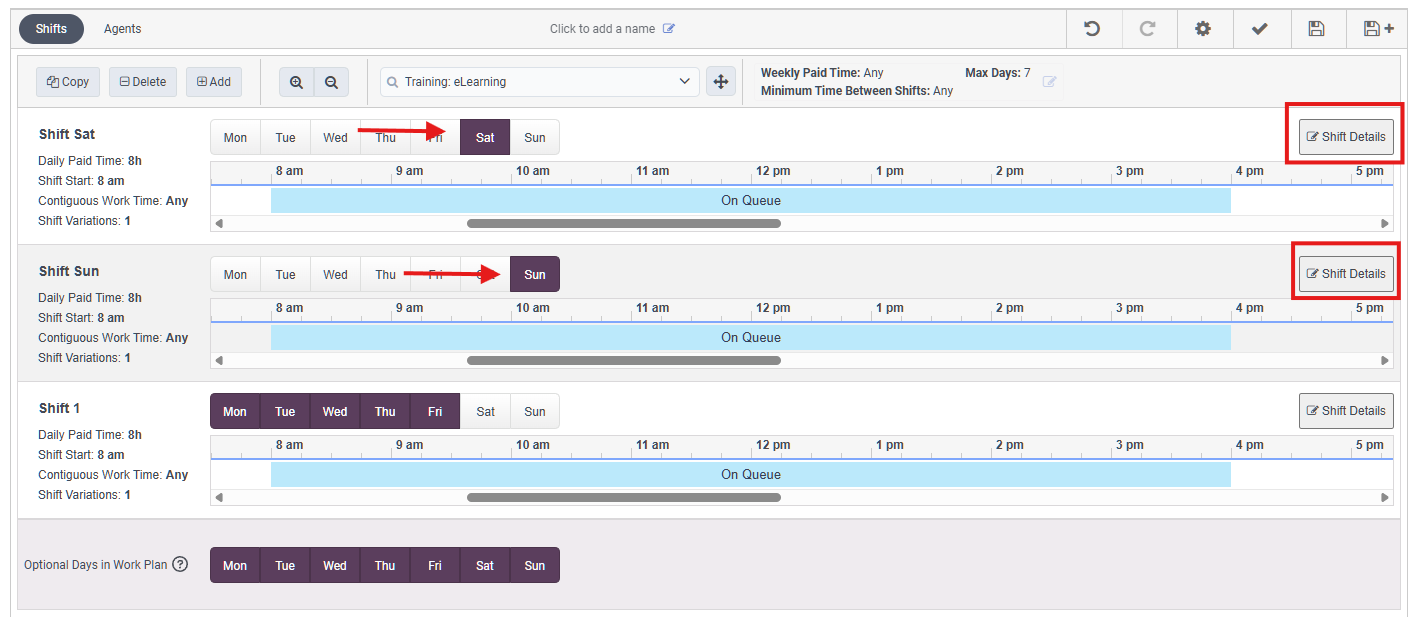
in the Workplan you create 2 separate shifts for weekend. One for Saturday and one for Sunday:
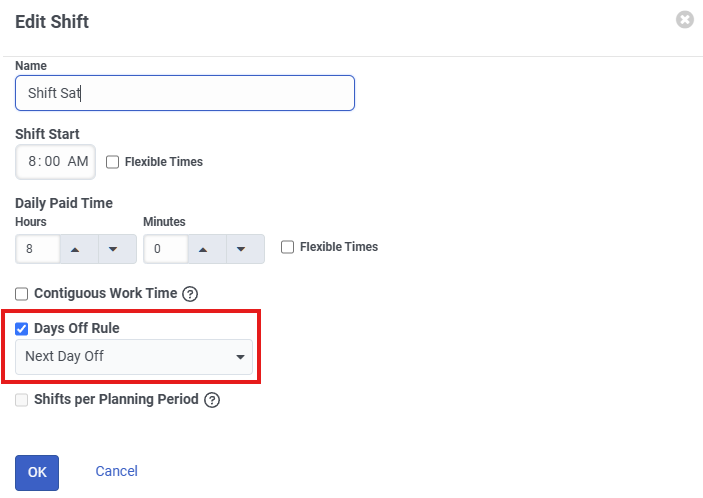
In the "Shift Detail" for Saturday shift you check the "Days Off Rule" and select: "Next Day Off". This will make sure when a Saturday is scheduled, Sunday will not be scheduled:
Similarly in the "Shift Detail" for Sunday shift you check the "Days Off Rule" and select: "Previous Day Off". This will make sure when a Sunday is scheduled, Saturday will not be scheduled:
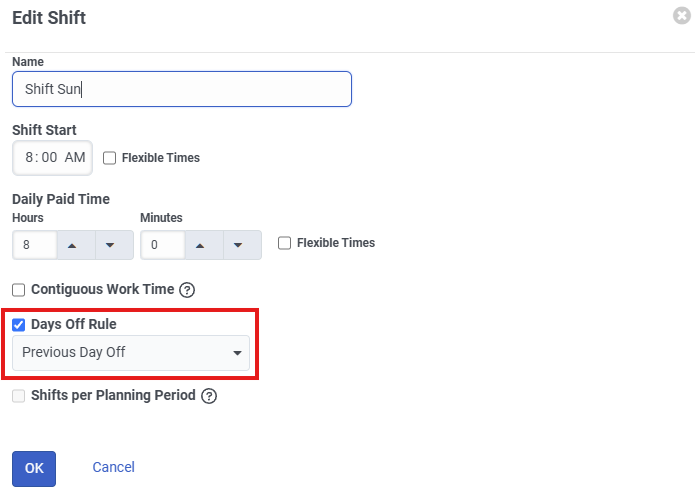
This will make sure that only one weekend day: Saturday or Sunday will be scheduled, but not both.
Hope that can help to solve your issue,
------------------------------
Robert Tonyka
Sr. Principal PS Consultant WFM
------------------------------