Genesys Cloud - Main

 View Only

Sign Up

  • 1.  Where are the Documents?

    Posted 11-10-2025 11:06

    Hello Genesys Community! 

    In the past, I was able to create and view documents. Now the Documents tab only shows how to create and edit workspace. I am having difficulties viewing the documents and creating new ones.

    I have the admin permission with all divisions set on my user profile. The admin permission has the following permissions:


    Going to the Documents page takes you to here:
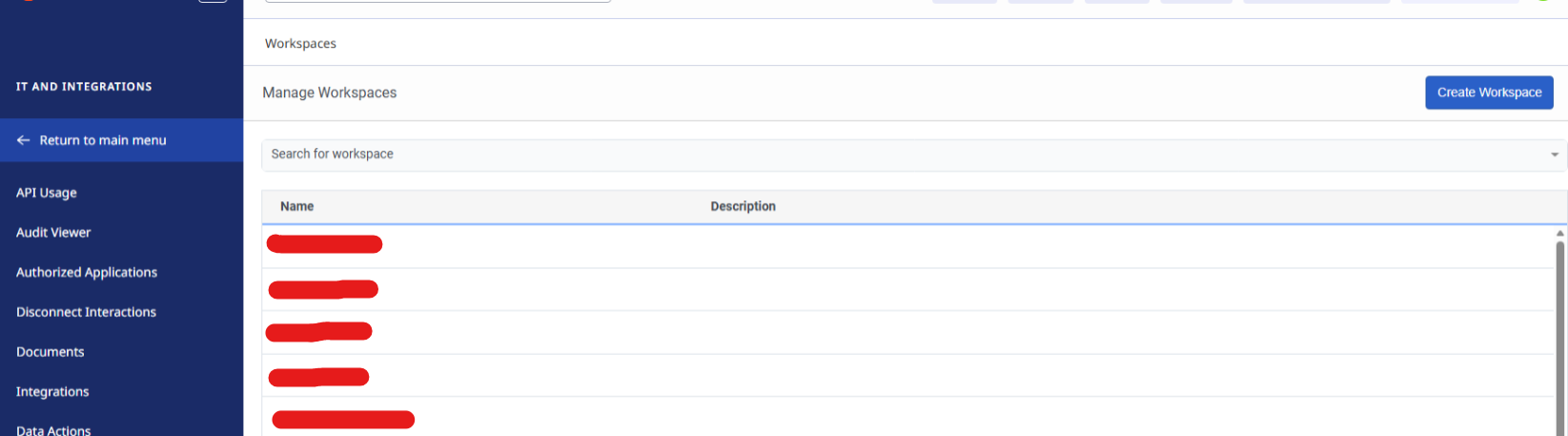
    When you click on the options, you can only edit the settings of the workspace and not the documents.

    My guess is that when the new UI rolled out, this feature was moved.

    Do you know where I can find the documents or do you have the same issue? And if this is a bug, what are the steps to report this?

    Thanks,


    #Roadmap/NewFeatures
    #System/PlatformAdministration

    ------------------------------
    Nick Kobis
    Solutions Developer
    ------------------------------


  • 2.  RE: Where are the Documents?
    Best Answer

    Posted 11-10-2025 11:21
    Edited by Jason Kleitz 11-11-2025 09:57

    Hey Nick,

    If you click your profile in the top right and click "My Files" you should be able to see those:

    In there you should be able to see your own files and the ones of your workspaces.


    ------------------------------
    Tristen Schwarzenberger
    IT Engineer
    GCP
    ------------------------------


  • 3.  RE: Where are the Documents?

    Posted 11-10-2025 13:03

    Wow thanks Tristan! 

    You saved me hours. Thanks!


    ------------------------------
    Nick Kobis
    Software Developer I
    ------------------------------


  • 4.  RE: Where are the Documents?

    Posted 11-13-2025 08:55

    same here - came for this.   Thank you - it should be easier to find.


    ------------------------------
    Riyaz Kothia
    Workflow Reporting
    ------------------------------