Original Message:
Sent: 04-29-2026 14:48
From: Christian Kahle-Gröger
Subject: Where is the Architect Bot Test Button? 🤖
@Stephan Taljaard you are my Hero of the Day! This was exactly the information needed.
It's running perfectly now. Wonderful and thank you again 🙏
------------------------------
Christian Kahle-Gröger
Teamlead Support Processes & Projects B
------------------------------
Original Message:
Sent: 04-29-2026 02:38
From: Stephan Taljaard
Subject: Where is the Architect Bot Test Button? 🤖
Good Day Christian
I would recommend having a look at the following article on resource center as it provides the prerequisites for this feature - https://help.genesys.cloud/articles/test-your-digital-bot-flow/
Regards
------------------------------
Stephan Taljaard
EMBEDIT s.r.o
Original Message:
Sent: 04-29-2026 02:14
From: Christian Kahle-Gröger
Subject: Where is the Architect Bot Test Button? 🤖
Hi @Gabriel Garcia, and thank you for the fast response.
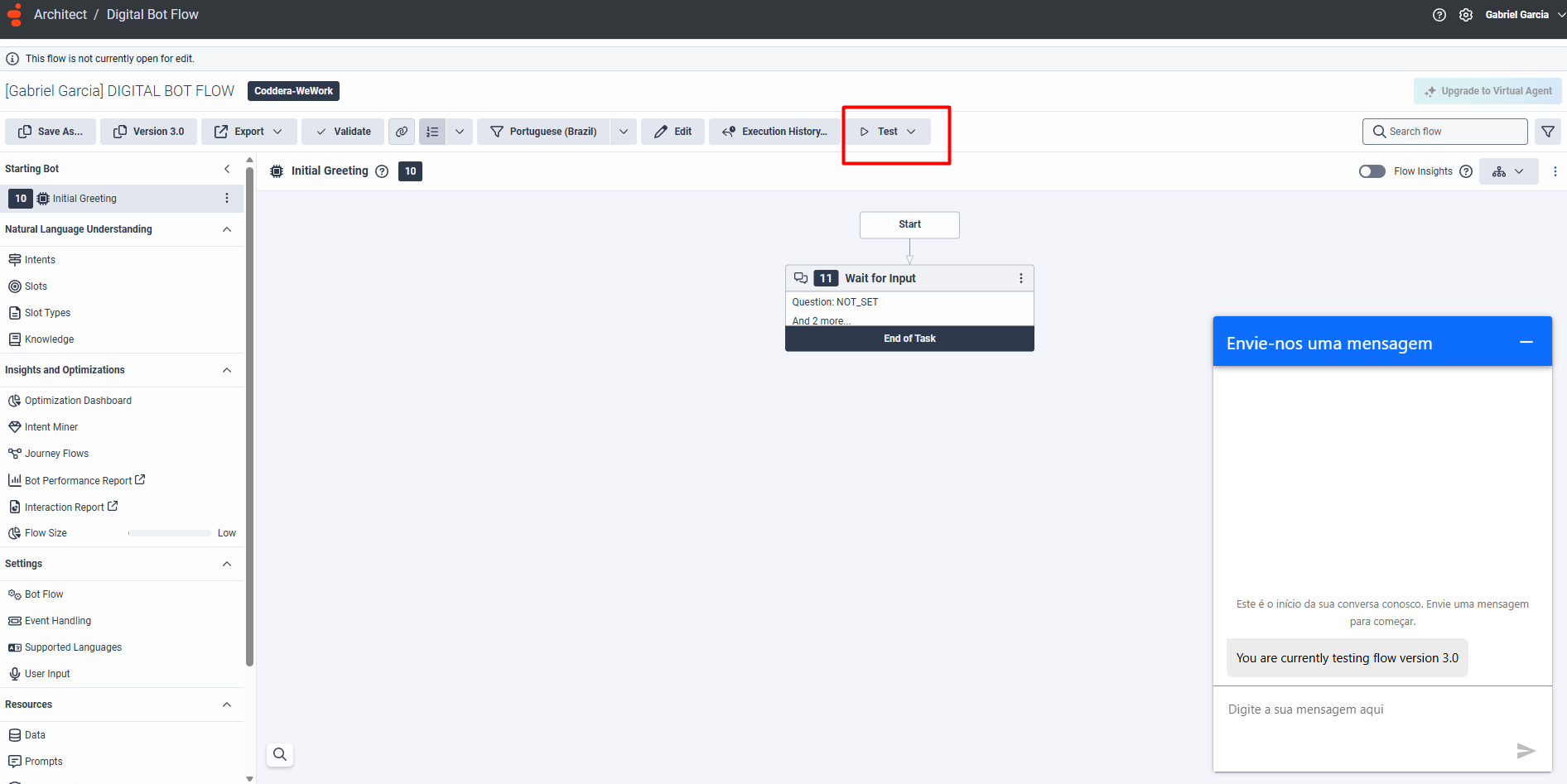
I'm working in Digital Bot Flows so that is fine:

So I'm wondering what "Digital enabled in our org" means?
When it comes to licences the follwoing shows up in our system:
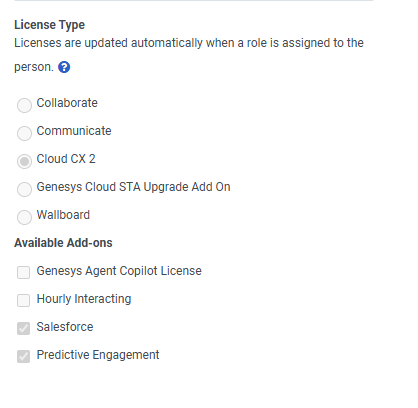 So I'm wondering what is missing. Maybe you can guide me. Thank you.
------------------------------
Christian Kahle-Gröger
Teamlead Support Processes & Projects B
Original Message:
Sent: 04-28-2026 13:42
From: Gabriel Garcia
Subject: Where is the Architect Bot Test Button? 🤖
Hi,
This is expected behavior in Genesys Cloud.
About the "Test" button
That button is only available in Digital Bot Flows.
If you're working with other flow types (like voice/Architect), it won't appear.
About your license
Even though you have CX 2, the Test UI depends on digital capabilities.
You need:
- Digital enabled in your org (CX 2 Digital or add-on)
- Proper permissions
Without that, the Test button won't be visible.
Summary
- Test button = only for Digital Bot Flow
- Also requires digital license/features enabled
------------------------------
Gabriel Garcia
NA