As of December 8th, Digital User Tracking (formerly known as Journey Tracking) is natively available in Messenger as part of our unified digital experience, at no additional cost for Genesys AI Experience customers. Administrators are now able to enable, configure and deploy Digital User Tracking directly from Messenger, setting customized tracking options for different web domains or business contexts. With Digital User Tracking enabled, agents will be able to see real-time customer journeys directly within the conversation view.
How to set up Digital User Tracking
Step 1: Enable Digital User Tracking
Administrators can select Digital User Tracking to enable it in one click in a new or existing Messenger Configuration.

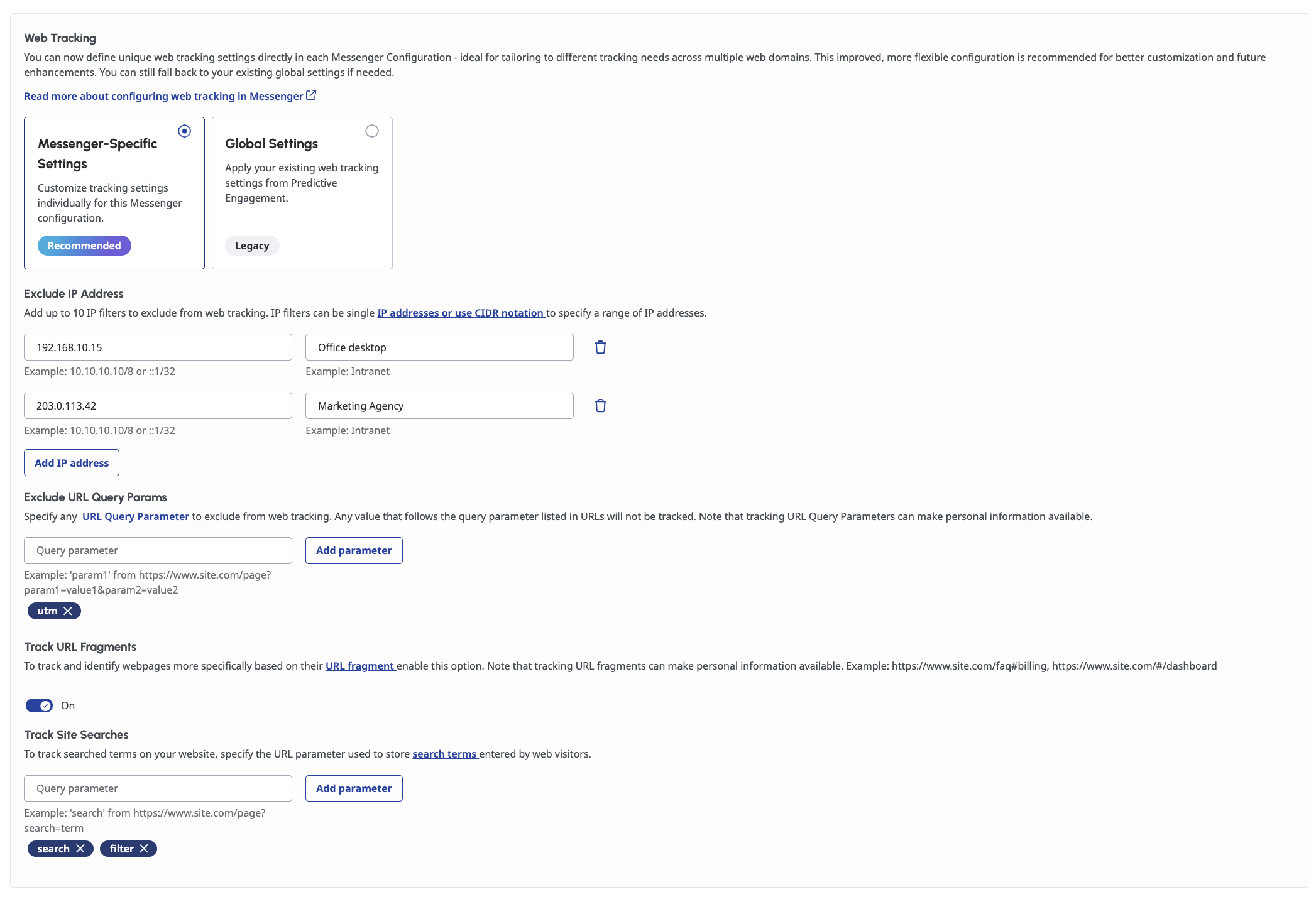
Step 2: Refine web tracking behavior for a Messenger Configuration
Digital User Tracking introduces a much smoother, more intuitive experience for configuring web tracking. You can now customize web tracking behavior for each Messenger Configuration.
By default, Digital User Tracking captures all visitor navigation, and that works perfectly for many use cases, in which case this configuration is optional. But if finer control is needed to filter what or who to track, administrators can easily customize those settings right here.
Step 3: Deploy Digital User Tracking to a website
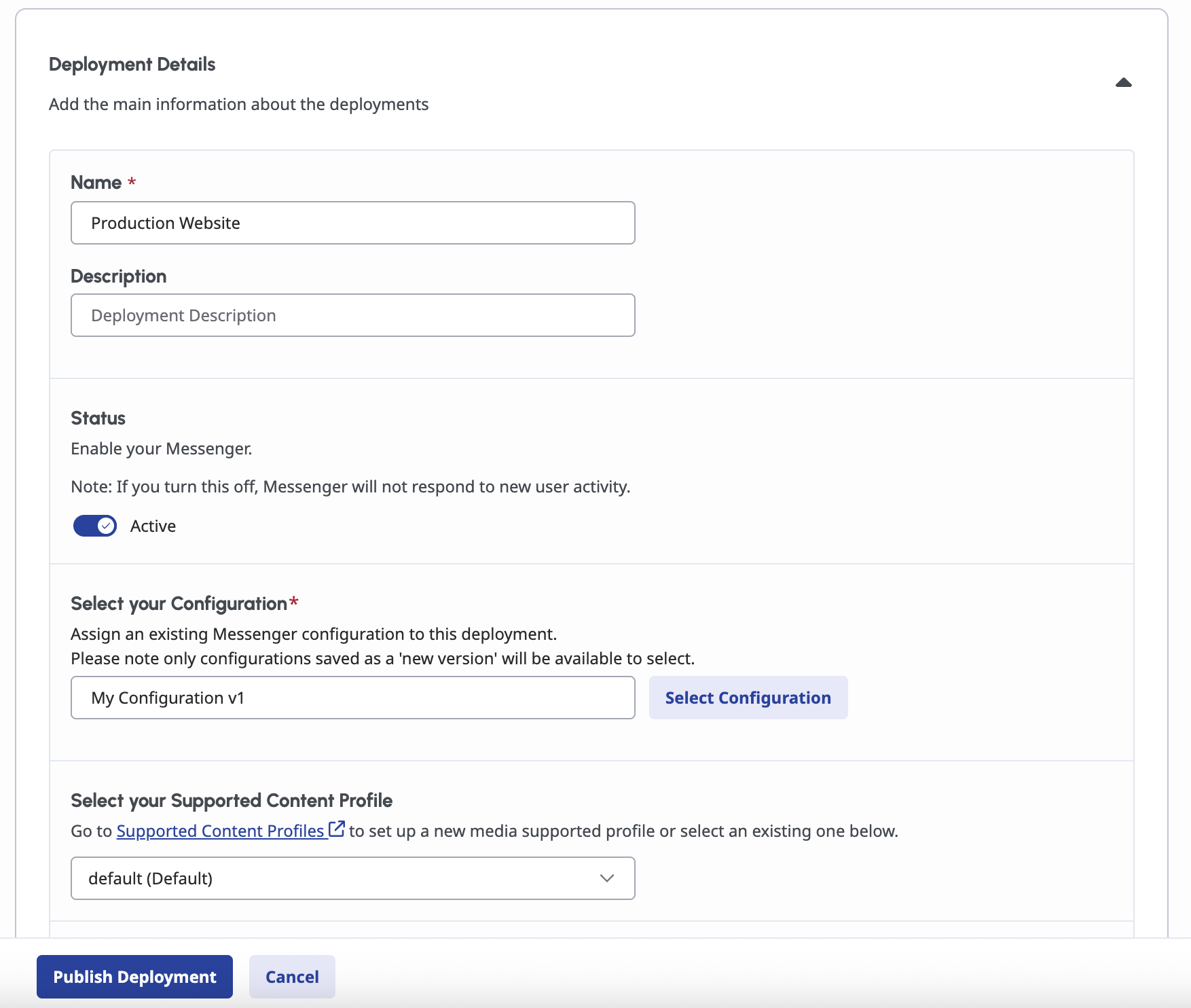
Once the configuration is complete, deploying to a website is straightforward via Messenger.
In Messenger Deployments, administrators can deploy the latest configuration. If Messenger isn't on the target website yet, a snippet of code to copy and paste is generated directly from the deployment. Digital User Tracking will immediately start collecting user behavior data.
If Messenger is already in use on a website , there's nothing extra to do, the changes apply automatically when the deployment is updated.
Step 4: Visualize customer journeys and unlock the full power of advanced event-driven capabilities
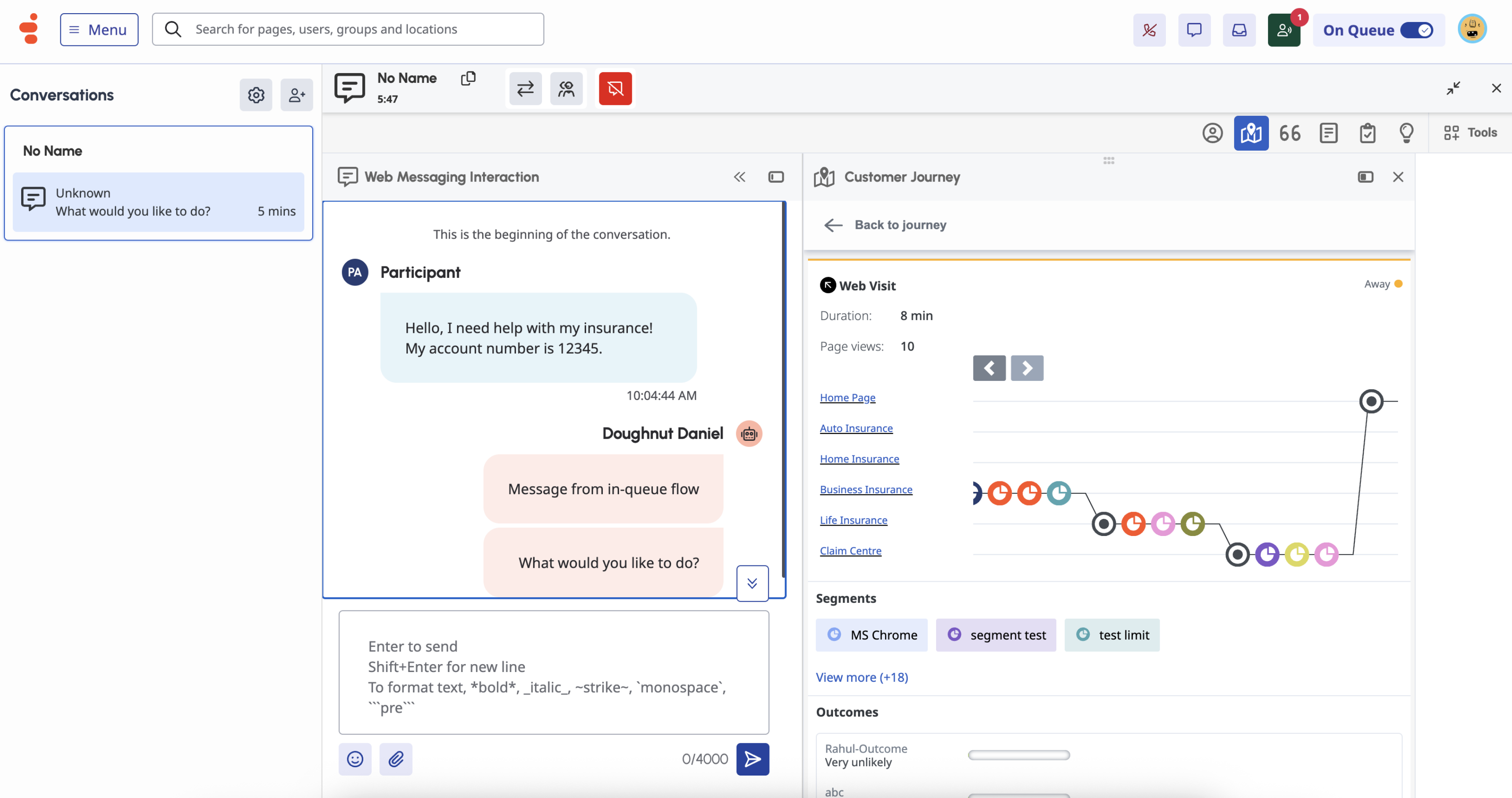
Business Admins and Agents will see a detailed customer journey in real time, displaying an online visitor's navigation and interactions across tracked channels. With the customer card view, interactions will have more context, making conversations smoother and more relevant. This will reduce the need for visitors to re-explain actions or repeat steps, improving overall satisfaction and increasing the likelihood of positive outcomes.
Furthermore, Digital User Tracking fuels better insights and analytics with Journey Management. And with Digital User Tracking being the source for real-time web/app data enrichment, more personalized, context-aware engagement, and journey orchestration are unlocked.
Useful resources
Please check out the resources below to learn more and get started:
#DigitalChannels
------------------------------
Mai-Christine Hoang
Product Manager
------------------------------