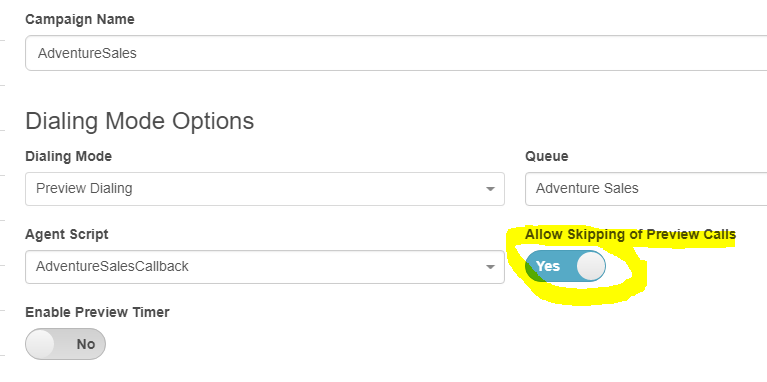
Under the Campaign configuration, Dialing Mode Options, you can turn off
Allow Skipping of Preview Calls by setting it to No (default is Yes):
------------------------------
George Ganahl
Principal Program Manager
Genesys
------------------------------
Original Message:
Sent: 08-14-2018 05:17
From: Ali Aljohani
Subject: Disabling "Skip" in Preview Mode/ Outbound Campaign
Hello Everyone,
Is there a way to disabling the "Skip" button that appears with Preview mode in outbound campaign? (in agent screen).
Best Regards,
------------------------------
Ali Aljohani
Jathwa Technology Solutions
------------------------------