Hi Arno
I understand, this will not be the best way to spend their time.
I'm not sure if there is perhaps a better way to currently achieve this.
I found the following ideas on the Ideas portal. I would recommend voting on these ideas.
https://genesyscloud.ideas.aha.io/ideas/CEIH-I-291
https://genesyscloud.ideas.aha.io/ideas/AMUGM-I-378
https://genesyscloud.ideas.aha.io/ideas/WFMRTM-I-45
Regards
------------------------------
Stephan Taljaard
EMBEDIT s.r.o
------------------------------
Original Message:
Sent: 03-03-2026 02:32
From: Arno Draaijer
Subject: Mediatype to active after adding ADC skill / queue
Hi Stephan,
thanks again for your suggestion. The issue is that the Supervisors have 200+ agents to modify, and agents have more than 6 queues assigned on all media types. I am looking for a way to support the supervisor, so they can activate queues, without directly activating the mediatype in the mediaswitcher.
------------------------------
Arno Draaijer
------------------------------
Original Message:
Sent: 02-27-2026 08:32
From: Stephan Taljaard
Subject: Mediatype to active after adding ADC skill / queue
Hi Arno
I found another option perhaps that might be a bit easier. Will still require manual intervention from the supervisor but you will be able to deactivate in bulk.
Queue performance workspace, Agents tab - select the required agent and deactivate.
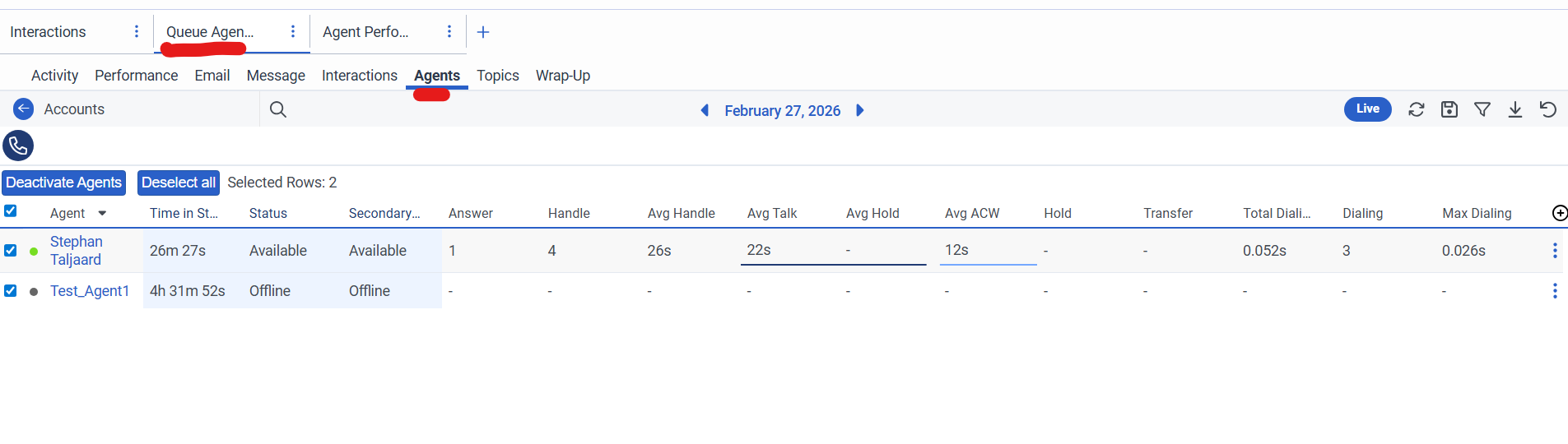
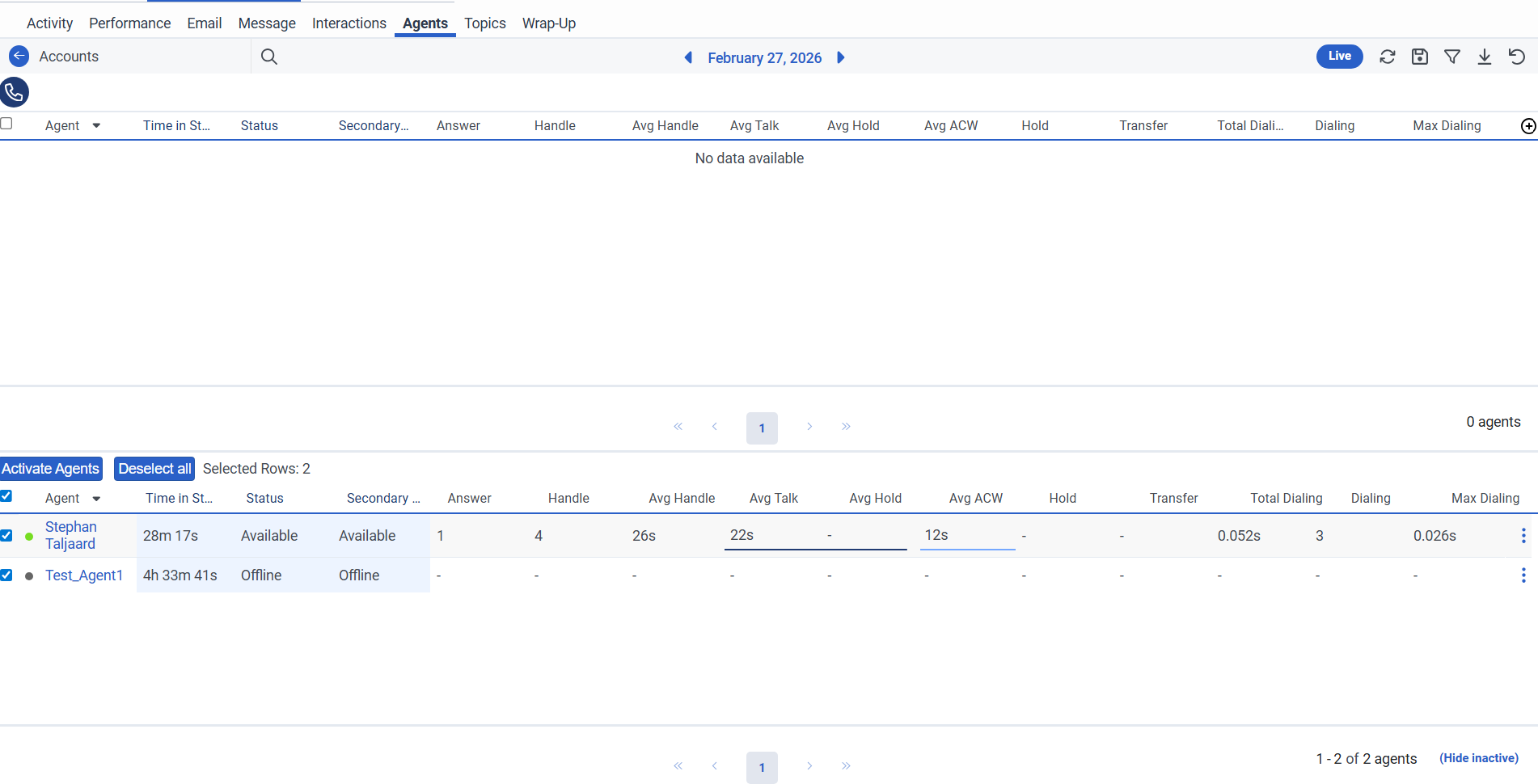
Supervisor can then follow the same steps and just activate the queues again in bulk once required.
------------------------------
Stephan Taljaard
EMBEDIT s.r.o
Original Message:
Sent: 02-26-2026 05:46
From: Arno Draaijer
Subject: Mediatype to active after adding ADC skill / queue
Thanks Stephan for you suggestion.
I guess this will work, but supervisors are adding ACD skills (media) in bulk. So it will be to much work to deactivate this for all agents.
------------------------------
Arno Draaijer
Original Message:
Sent: 02-26-2026 05:15
From: Stephan Taljaard
Subject: Mediatype to active after adding ADC skill / queue
Hi Arno
Not sure if this will help but the supervisor can just deactivate the queue for the specific agent after the queue and skill have been assigned. This can be done in the queue activity view.
The queue will still be assigned to the agent but they will not be "on-queue" for this specific calls, so wont receive any interactions.

Regards
------------------------------
Stephan Taljaard
EMBEDIT s.r.o