Genesys Cloud - Main

 View Only

Sign Up

  • 1.  Variable Short Abandon configuration across queues/division

    Posted 15 hours ago

    Good afternoon!

    I understand the abandon interval configuration is set on a global level via Menu > Analytics > Analytics Settings > Interval Configuration.

    However, have had one of my Contact Centre leads reach out today that for reporting purposes they would like to be able to report on abandons within SLA and abandons outside of SLA. Other contact centres we have use the current configuration of intervals for short abandon so can't just globally amend the global settings.

    Has anybody worked out how to report on which interval an interaction has been abandoned in?


    #Reporting/Analytics

    ------------------------------
    Kieran Exley
    Senior Unified Communications Services Specialist
    ------------------------------


  • 2.  RE: Variable Short Abandon configuration across queues/division
    Best Answer

    Posted 15 hours ago

    Good Afternoon Kieran

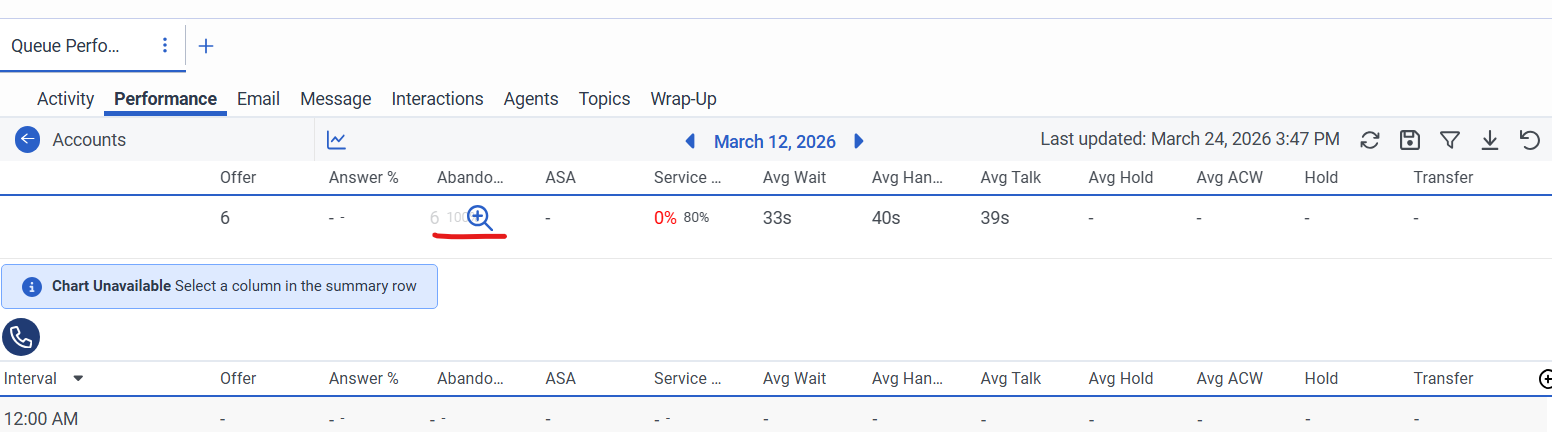
    If you access a specific queue using the queue performance workspace and hover the mouse over abandoned and see a + icon.

    you can then click on the + which will then drill down and show you the different threshold/interval of where the interaction was abandoned
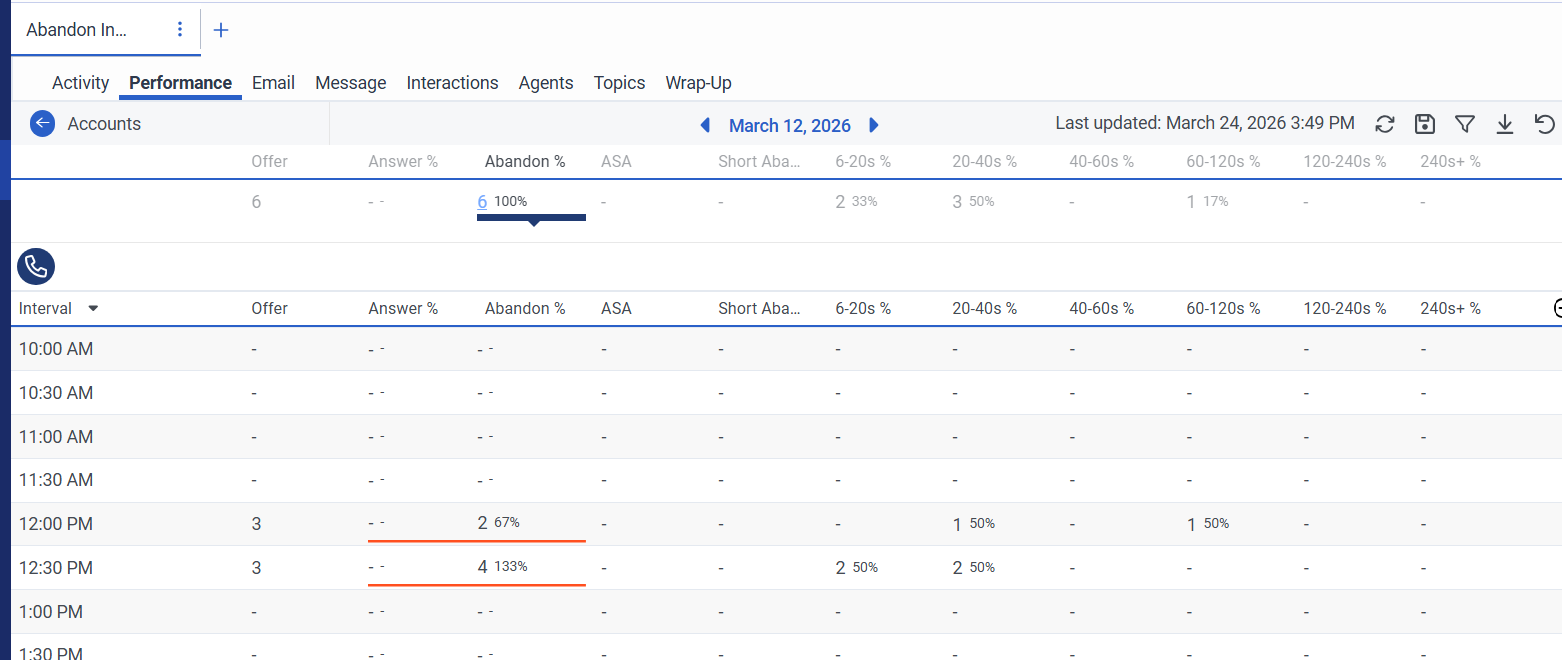
    On the interaction workspace, you can add the "Time to abandoned" column which will show the number of seconds/minutes before the interaction was abandoned.
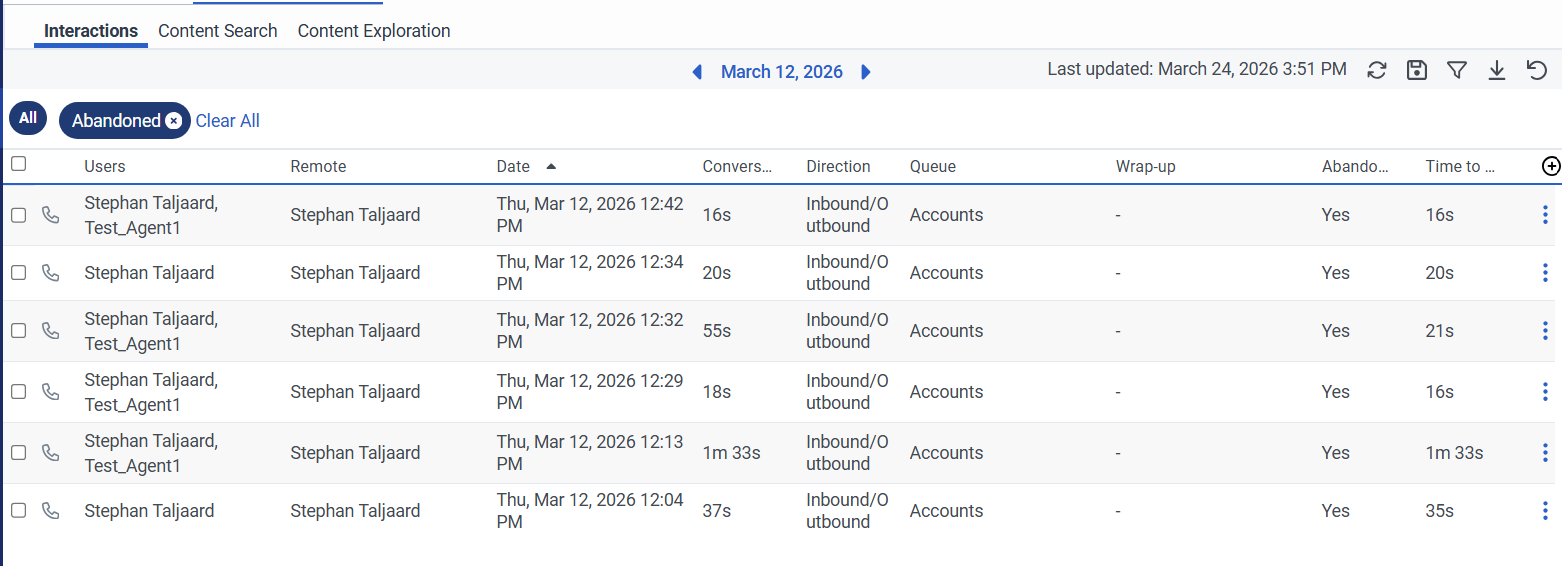
    You can also add the "Over SLA" and "Met SLA" columns if you want 

    Hope this helps.

    Regards


    ------------------------------
    Stephan Taljaard
    EMBEDIT s.r.o
    ------------------------------