Hi there,
Is anyone else experiencing large amounts of white space or margins in columns upon the Schedules page, scheduling wizard, and the time off requests?
I have been out since the middle of February, but before I took my leave things were just as they should be. However upon returning, these large margins have significantly slowed me down.
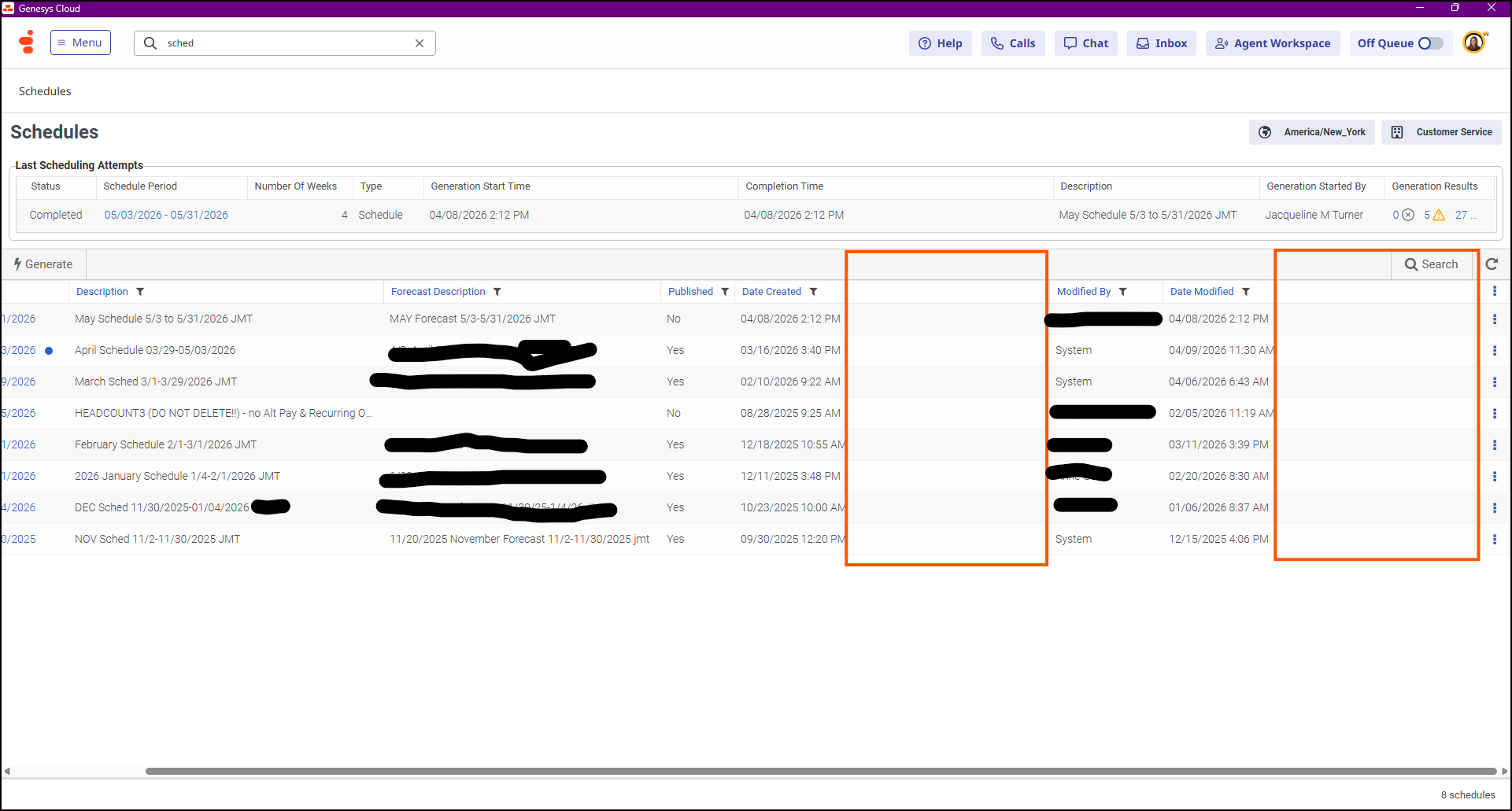
Example - I used to see all of the filters I selected the main Schedules page. Now, I have to adjust filters since there's odd gaps of white space, scroll horizontally until I can see the three dots to select a new forecast. This wasn't occurring back in Feb 2026, but it is now. The screenshot below is what I can see after I scroll horizontally. Otherwise, the three dots on each schedule's line does not appear.
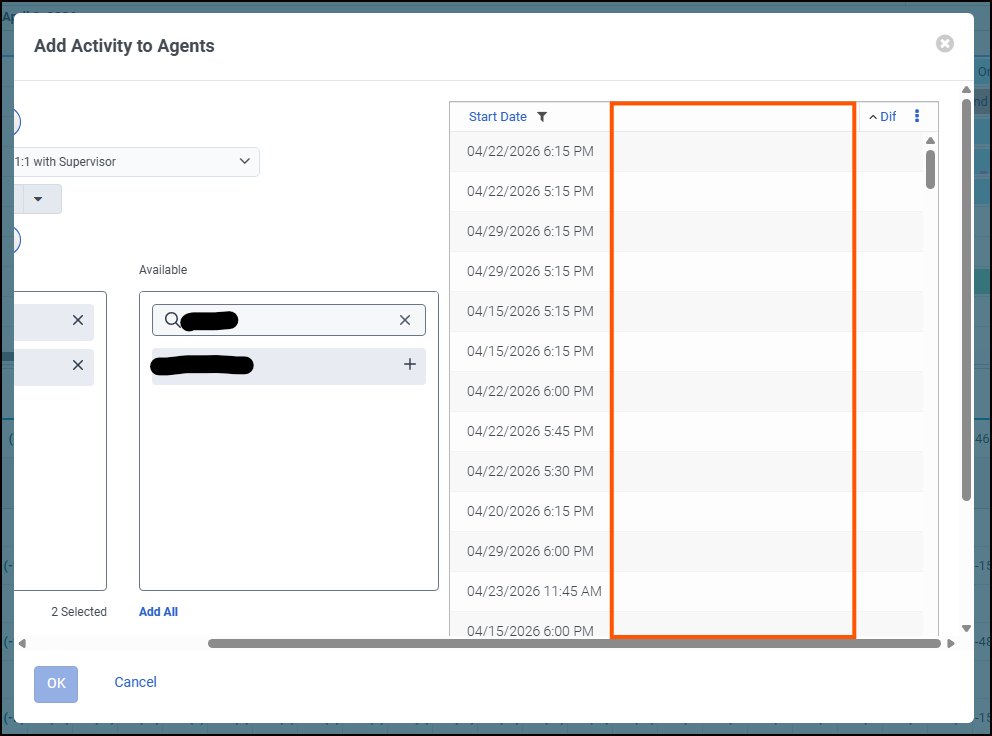
This goes for the scheduling wizard, too. I used to be able to see the dates/times along with the Differences columns in one window.
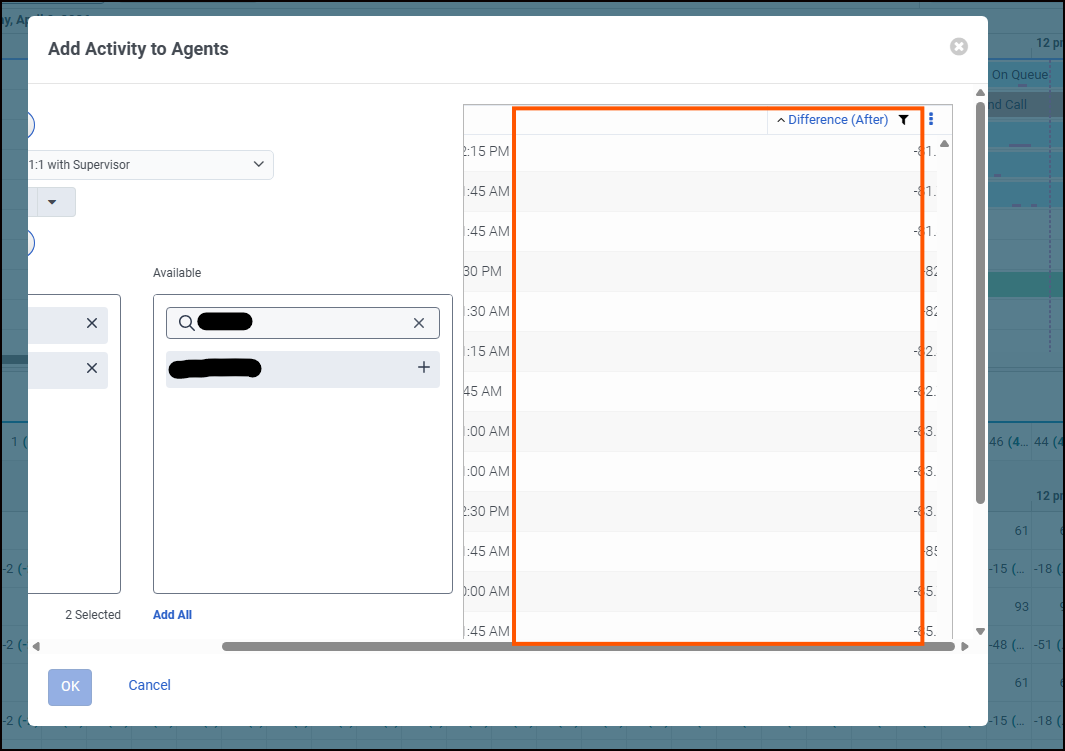
Now, I have to scroll to the end of the results, horizontally scroll to the right, then scroll back up to see my results in the differences column. However, when doing that it then blocks the date and time. Below are a few screenshots. I am due for an app update, but my Network team advised I would have better luck posting to the community in case a support ticket needs to be opened instead.
This is when I try to horizontally scroll just enough to see both the date/time & differences column.
#ScheduleGeneration#ScheduleManagement#TimeOff,AbsenceManagement#GeneralQuestion------------------------------
Jacqueline Turner
Workflow Coordinator
NYCM Insurance
------------------------------