***UPDATED 25-August-2026***
***** Targeting Beta Mid to Late November 2026 *****
This preview highlights our ongoing work to evolve the Agent Workspace experience.
We’re introducing new concepts like Workpanel Navigation and Modes (including expanded support for associate users and work items), initiating conversations, and Roster Cards for conversations. The goal is to make the experience faster, clearer, and more intuitive for agents in the flow of work. Target dates and additional documentation will be available soon.
🔹 Introducing Workpanel Navigation & Modes
We're introducing a clearer way to manage context with Active (Live) and Inactive modes.
- Active / Live: What needs your attention right now (i.e Voice, Web Message, email)
- Inactive: What's still relevant but not urgent (i.e . Workitems)
This helps reduce noise and lets agents focus without losing context.
🔹 "Add Conversation" panel - streamlined start
Starting a conversation just got simpler.
- More structured layout across Voice, Email, and Message
- Cleaner input flow (on behalf of queue, contact, etc.)
- Improved dialpad interaction and clarity
These are initial designs subject to change prior to final release ...
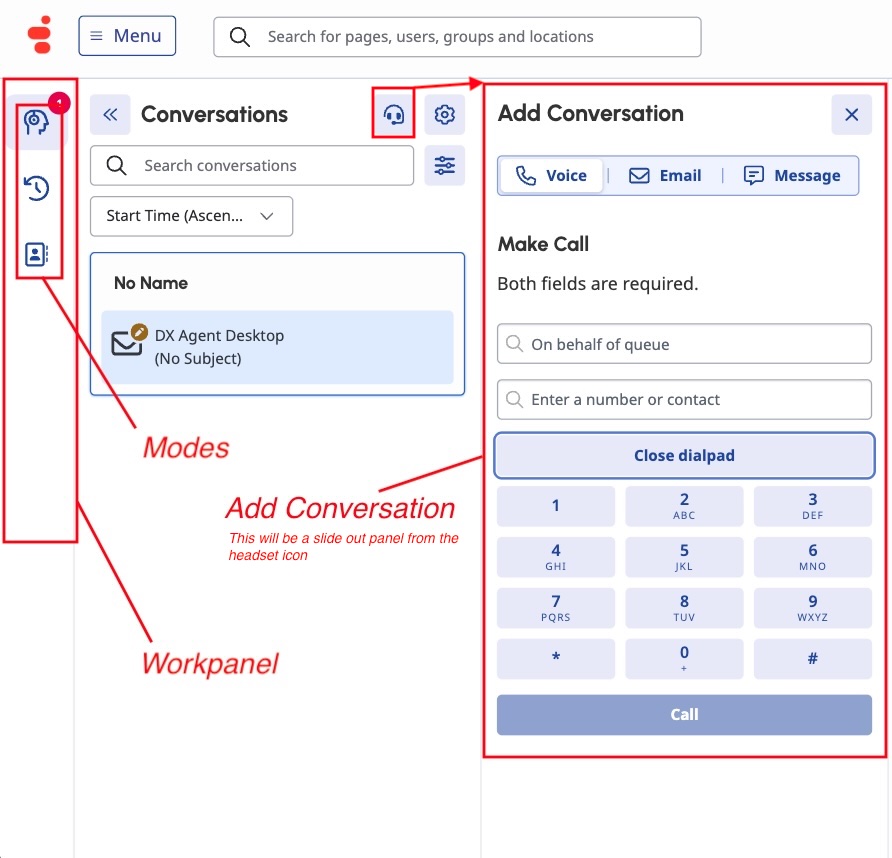
These are initial design concepts. Final UI may change before release
>>***More information regarding Roster Card Updates*** <<
🔹 Roster Cards (conversations) - cleaner, smarter, more usable
We've refined the roster card layout to improve scanability and consistency.
- Stronger visual hierarchy → key info stands out immediately
- Better alignment with the AW component library
- Cleaner grouping of interaction details and actions
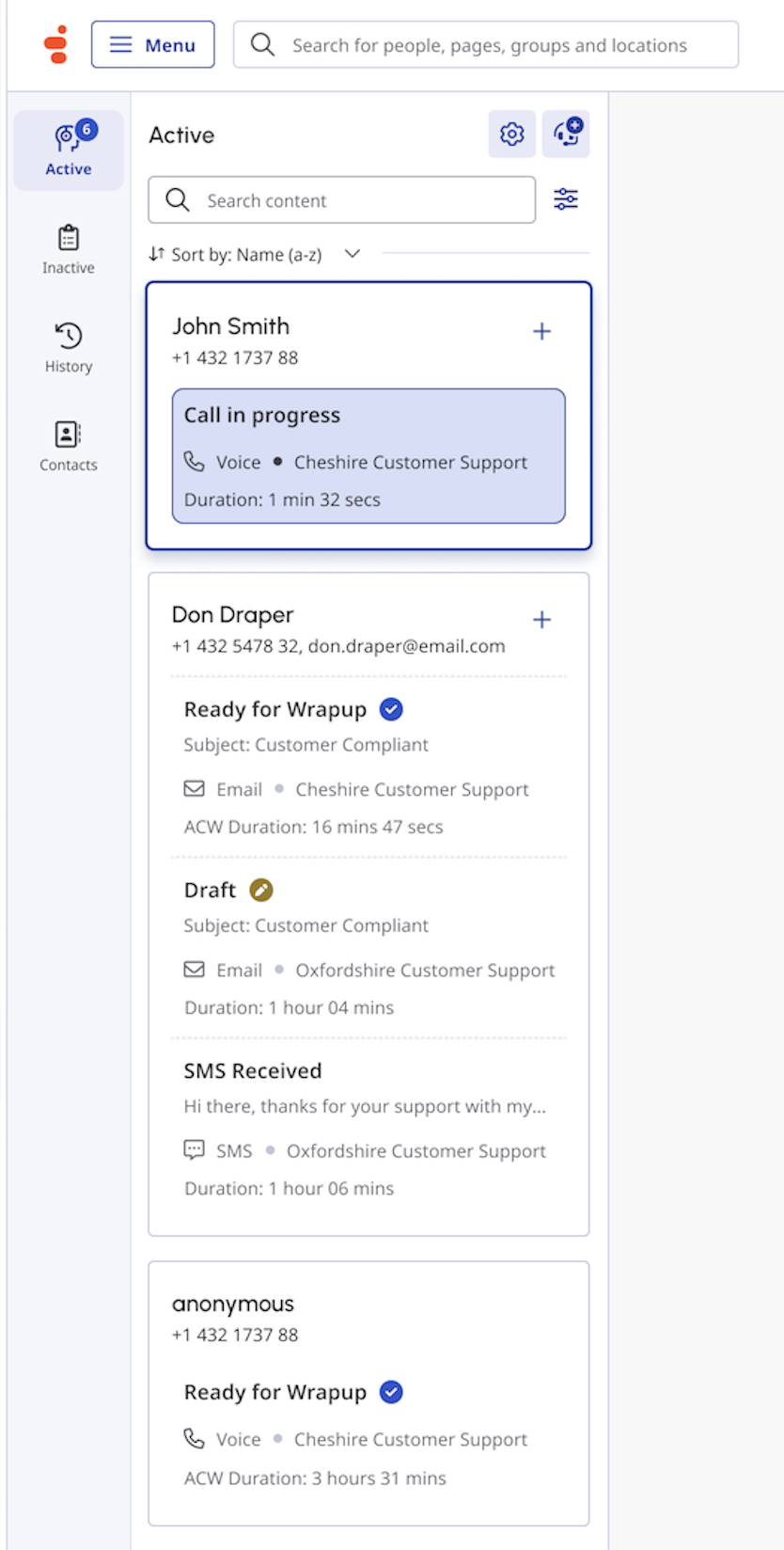
** These are initial design concepts. Final UI may change before release **
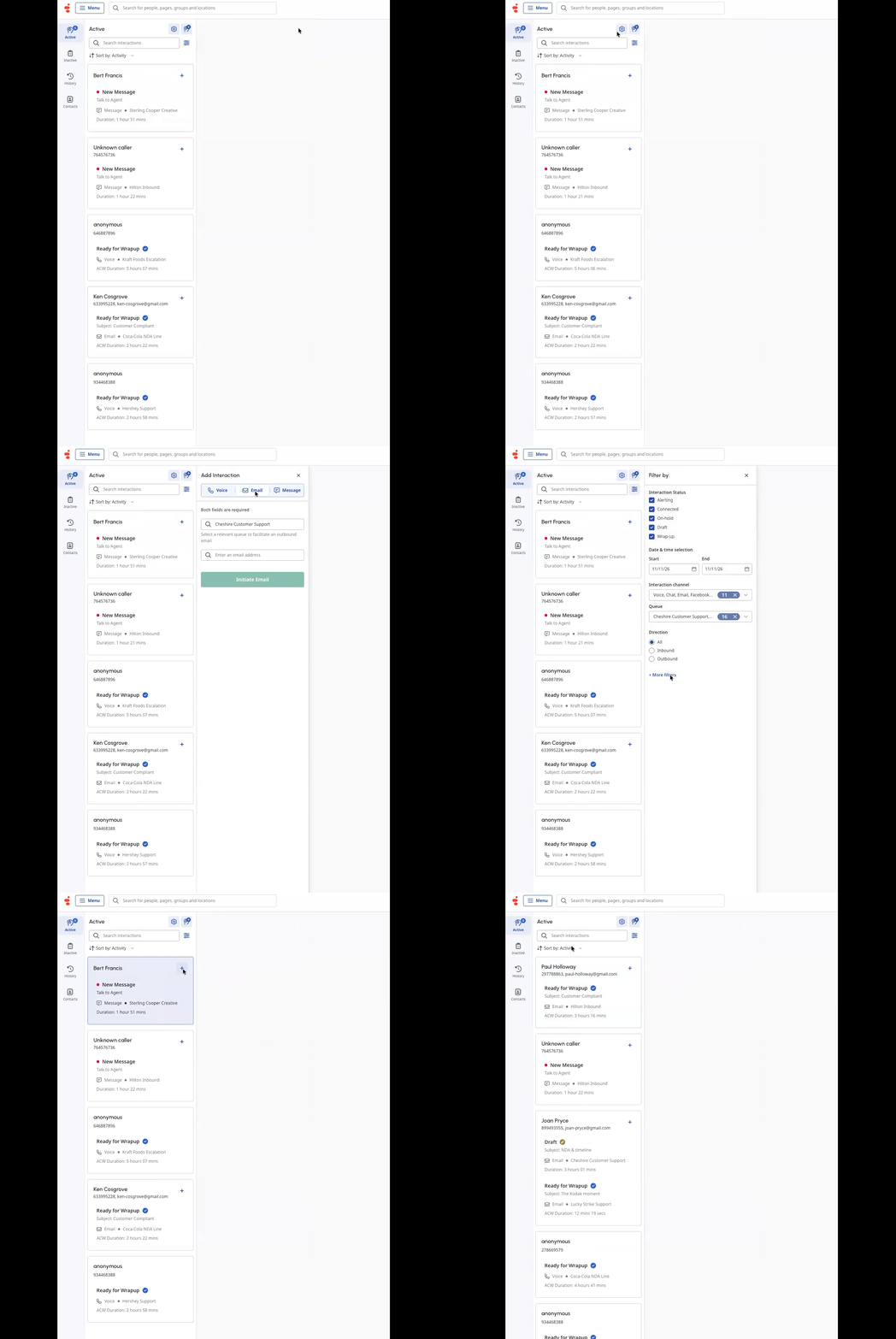
*** THIS ENTRY WILL BE UPDATED ...BOOKMARK THIS PAGE ****
------------------------------
Nicholas Robinson
Principal Product Manager
Genesys - Employees
------------------------------