Hey Logan,
I deleted my message, but think it may be beneficial to try upon re-reading everything.
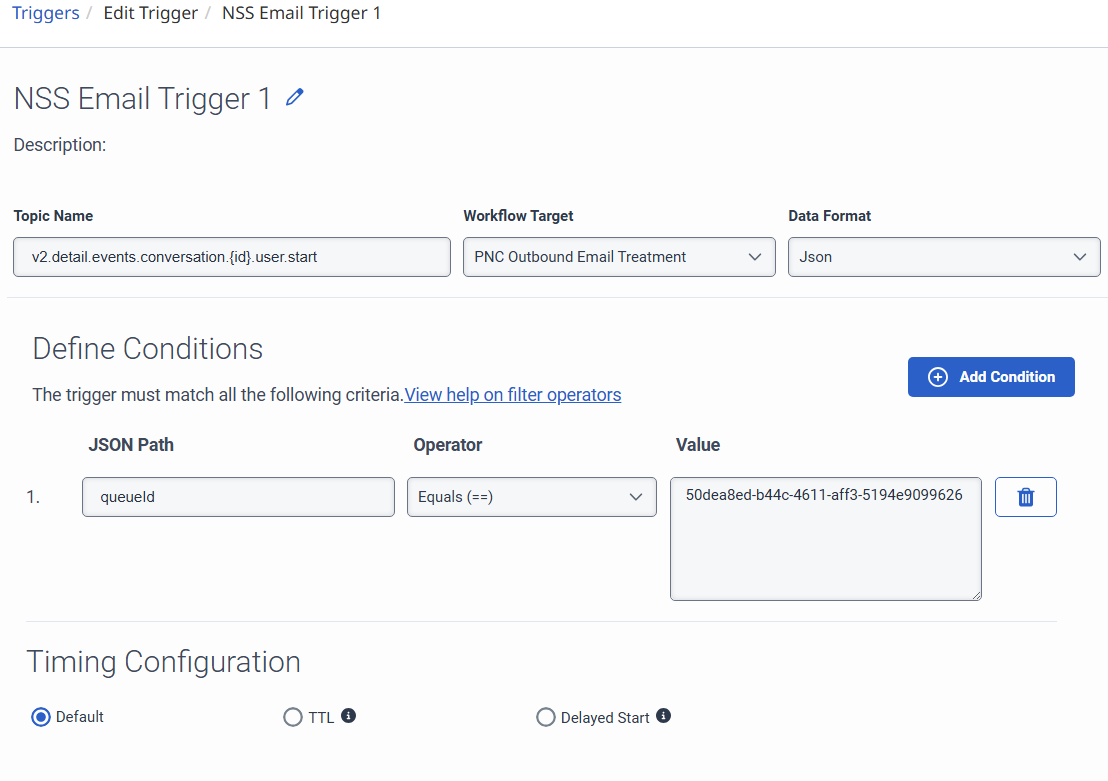
Since you're passing data format Json, in your flow create an input to flow variable named jsonData of type JSON.

Then you can pull data from the scheme via: Flow.jsonData.conversationId or Flow.jsonData.addressTo
That's a couple of examples, but you should be able to pull anything from the schema that way.
Hope that helps.
------------------------------
Tristen Schwarzenberger
IT Engineer
GCP
------------------------------
Original Message:
Sent: 12-04-2025 09:47
From: Logan Supparayan
Subject: Is it possible to get a trigger fired for an outbound email on behalf of a queue in Genesys Cloud, by using a Process Automation Trigger that listens for events related to outbound email communications
Yes, I did that already and captured the same below. Is there anything else need to follow to achieve this?
----------------------
Thanks & Regards
Logan
Original Message:
Sent: 12/4/2025 9:39:00 AM
From: Saugort Dario Garcia
Subject: RE: Is it possible to get a trigger fired for an outbound email on behalf of a queue in Genesys Cloud, by using a Process Automation Trigger that listens for events related to outbound email communications
Hi Logan,
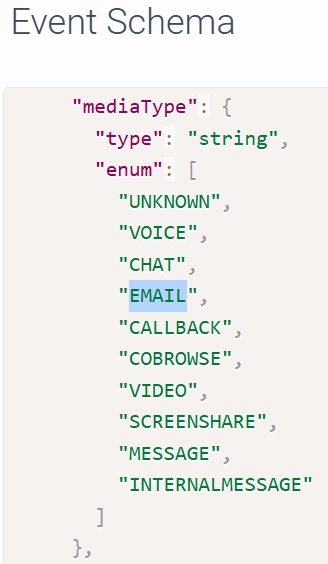
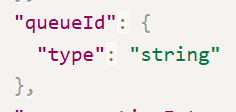
As @Jan Heinonen said, "v2.detail.events.conversation.{id}.user.start" should do the trick. On the trigger, I suggest you to use "Data Format" as Json, in this way you have access to whole event in Architect script. Then, On the trigger setting you could filter based on queueid and mediatype.
Regards,
SG
------------------------------
Saugort Dario Garcia
Arquitecto de soluciones
------------------------------